Use FileASSASSIN to Delete Locked Files Added by Malware
Overview
FileASSASSIN is developed by the popular creator of Malwarebytes’ Anti-Malware. If you have the said anti-malware program, you have FileASSASSIN already. The handy tool will not only delete locked files but can also unload and terminate processes. Read more about FileASSASSIN below.
System Requirements and Installation (5 out of 5)
If you have Windows 2000/XP/Vista, you can install or use FileASSASSIN. The program is available in English and Spanish languages. FileASSASSIN can be use by installing it in your computer or by using the portable version. You don’t need to install the program if you have Malwarebytes’ Anti-Malware (you can find FileASSASSIN in Tools tab of MBAM’s UI). I’ve tried using FileASSASSIN in Windows 7 and it worked without a glitch!
Features of FileASSASSIN (5 out of 5)
You can use the following actions when using FileASSASSIN:
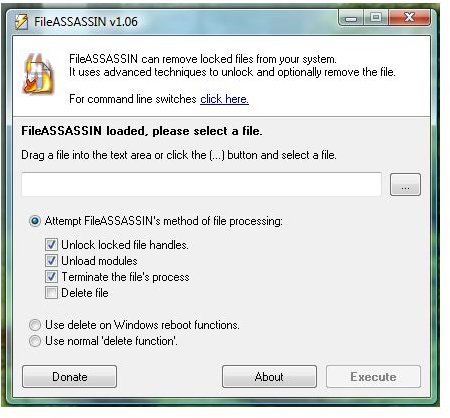
- Unload – The program will try to free the libraries from remote processes
- Terminate the process
- Unlock – removing the pointers to the file to unlock it
- Delete a file
- Delete on reboot
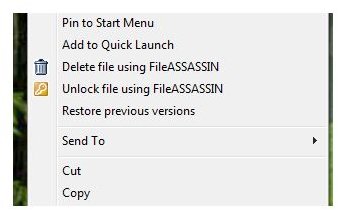
- Right-click menu in Explorer to delete or unlocked a file or folder
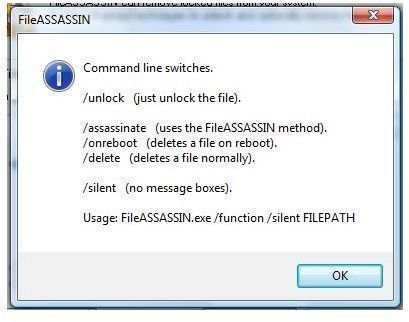
- Command line or its user interface
- Execute more commands at the same time e.g. Unlock, unload, terminate and delete
Performance (4 out of 5)
FileASSASSIN is effective in deleting a file or folder and even killing and unlocking stubborn files. The only issues that I found while using it is you have to manually click “OK” to the dialogue box before it will proceed to execute your command. The image below is the dialogue box that I’m referring to:
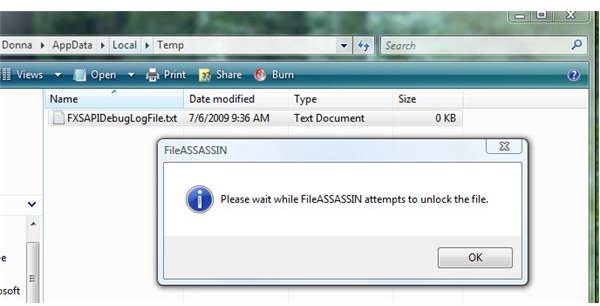
If you haven’t click OK on the said dialogue box, FileASSASSIN seems not doing anything and you end up waiting because it says ‘please wait’. If you click on OK, you will find FileASSASSIN to do the job quickly.
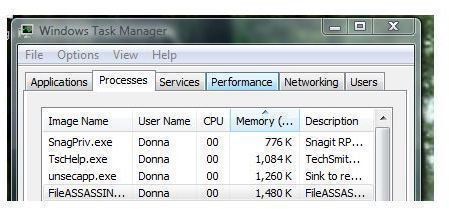
I’ve tried FileASSASSIN to unlock and delete files that is in use by third-party program during a clean-up of the system and it was done without a glitch, errors or delay. FileASSASSIN will only use 1.4MB of memory when in use or if the UI is running.
Images
Price to Value (5 out of 5)
Free and portable! What else I can say?
Conclusion
FileASSASSIN is quite handy and useful utility especially if your anti-virus failed to clean the system for infection because the files or processes is locked or running during the removal process. Highly recommended!
