Administrators and guardians often wish to lock or restrict critical settings in Windows and restrict programs and internet access that will keep the PC away from any settings-hijack or deletion of important files. Such option is available using tool like InTouch Lock.
Overview
InTouch Lock by Lovelysoft is a tool to restrict anyone in modifying the system settings, block installation or running of program and prevent other people in using removable media (USB, external hard-drive). Find out how InTouch Lock will keep your system secure and private.
System Requirements and Installation (5 out of 5)
You can install InTouch Lock in Windows Vista, Windows Server 2008, XP and earlier edition of Windows as long as your CPU is 1GHz or more. The installer is compressed file that include the setup file and 2 text files (readme and license). A reboot is not required after installing the program.
Features and Usage (5 out of 5)
If ever you like to restrict and prevent anything in Windows for privacy or security reasons, InTouch Lock seems the answer because of the following features available in its new version 3.3:
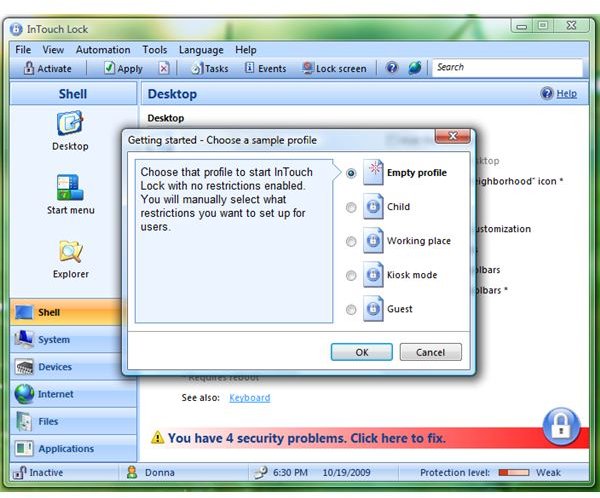
- Locking Windows Shell: Any changes or restriction on the desktop, wallpaper, taskbar, tray (system notification area), start menu and explorer can be applied using InTouch Lock.
- System Lock: Prevent other user account or any people who have access to the PC to use system tools and utilities: Registry Editor, Display settings, Windows Update, Task Manager, Command Prompt, Control Panel and other modules, keyboard, mouse and many others
- Prevent using your internet connection and devices (external drive, USB Flash drive)
- Content Filter: Disallow anyone to visit unwanted websites (porn, social network, games, online chats and many more). Disable download and installation of software using IE or changes in IE.
- Lock any files and folder: Choose to make the folder/file read mode only or block access to it.
- Add processes or applications that you don’t want others to run or load and many more items to lock and prevent access or modifications!
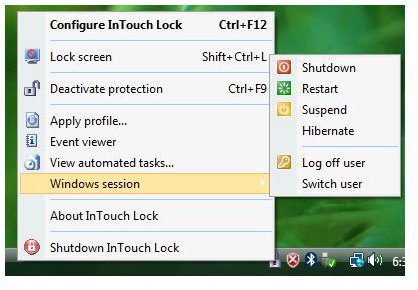
- You can run InTouch Lock in Stealth Mode so no one can change any settings of the program or your preferred locked item is not modified. And there’s option to password-protect InTouch Lock.
InTouch Lock can also protect safe mode in Windows and you can create different profiles (your location: at work, in public, child profile etc). You can export and import these profiles in case you want to restore or keep a backup.
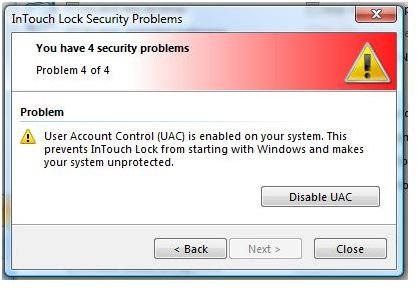
The only issue that I do not like is the notice that the system is insecure because UAC in Vista is enabled. This means, we can only run InTouch Lock manually because no compatibility settings for the said program will succeed to use it without disabling UAC in Vista. I’ve tried most of the available option and features by locking, restricting any files or changes or access on a system and I can’t do anything. I must say it’s powerful and effective.
Images
Price to Value (5 out of 5)
A single license of InTouch Lock cost $34.85 with lifetime upgrade. A 30-days trial (fully functional) is available.
Conclusion
If you want a replacement to UAC and take control of your private files and systems while guarding your system or kids, InTouch Lock is what you need. Recommended!


