Is this useful or just another useless tool?
Installation (5 out of 5)
If you’ve have ever installed a firefox addon before then you know how easy installing something to your browser is. Dr. Web anti-virus link checker can be installed as a firefox addon (Which can be found here ), and you can download other virus engine bases for it. For Microsoft Internet Explorer you need to download a registry file. (Which can be found here ) All you have to do is double click on it and the registry will come up and click “OK” to confirm the change. This is also available of Opera. Installing this for Opera is just a little tricky.
Usage (5 out of 5)
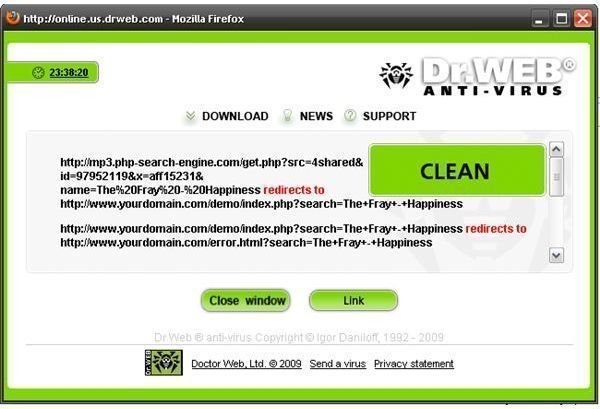
Many Internet users download files created by other people, and some of us do know that some of these files can have viruses. Many anti-viruses do not catch the virus just by visiting the page, Most catch it as it is downloading, or when the virus is already on your computer. Dr. Web anti-virus checker allows you to scan the file before downloading this, it does not scan the file automatically. Users of Dr.Web anti-virus need to right click on the file link and click “Scan with Dr.Web” As you can see this is very simple to use. When you do decide to scan a file a new pop-up window will show and it will show the process. When it is done it will show the links it scanned, and it will tell you if the file is clean or not. In the corner it will show you what virus engine base it used to scan the file. The speed of the scan will vary based on the size of the file, but it does go very fast.
Screenshot:
Final Thoughts! (5 out of 5)
This is a very excellent product to run with firefox and any other web browser this supports. This tool is free, I would pay money for this if I had too. This is an addon that all users should run. The speed is of the scans are great, and the ease of use will help any non-techy user to stay safe while downloading files from the internet. I plan on keeping this addon forever.
https://www.freedrweb.com/browser/


