I have long been a fan of Trend Micro’s line of defence products for Microsoft operating systems. Lets find out if Internet Security 09 can stand up to the test.
Intro
I have long been a fan of Trend Micro’s line of defence products for Microsoft operating systems. Their slimline, efficient antivirus software has long been top-shelf in my opinion. Trend Micro’s newest security package, Trend Micro Internet Security Pro 2009 , comes bundled with antivirus, anti-spyware, parental controls, a personal firewall and assorted tools. Lets find out if these features can justify the footprint of internet security software.
Downloading (1 out of 5)
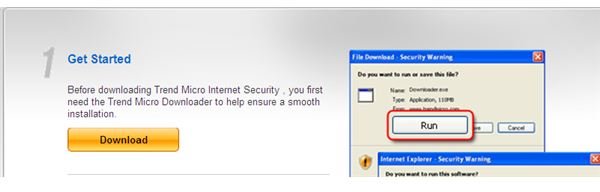
If purchasing this software via the internet, the user needs to first download the TM download manager in-order to begin the IS Pro 2009 download. This seems a bit redundant as this is not a site that would be frequented for new software, perhaps once or twice a year at most. IS Pro 09 as well as other TM software contain their own update downloader so it does not assist in this area either. A download manager is just a flat-out bad choice for semi annual downloads.
Download Manager
Installation (2 out of 5)
Upon installation the user is prompted to create a TM account. I know that this helps Trend Micro fight against internet piracy caused by overpriced software…but who wants a username and password for each piece of software? Aside from big brother standing over our collective shoulder, the install goes without a hitch and I am ready to test out our new software.
Updates (1 out of 5)
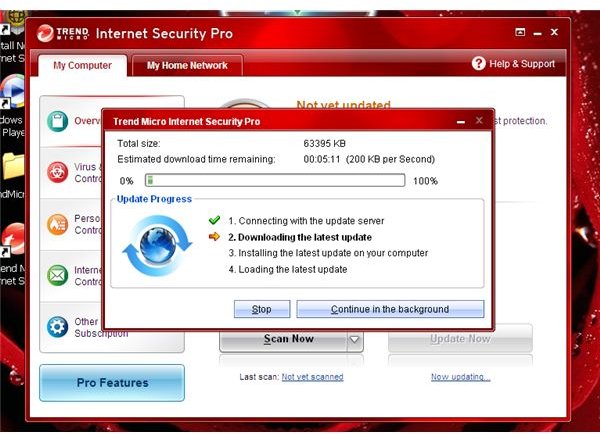
The first step after installing a piece of software, especially security and anti-malware, is to download and install any available updates. Trend Micro can update your software automatically just as any other security software on the market today. This is a great feature to utilize and can be found in the Other Settings and Subscription pane. You can also check for updates at anytime from the Overview pane. The one key issue that I hold with the update process occurs during the installation of a firewall update. A firewall is the software that protects your computer from malware trying to enter via all the gaping holes in the incoming and outgoing network connections. During the installation of said update the firewall is temporarily shutdown so that that files can be changed. For this brief moment the computer is left completely open to incoming threats unless protected by a network firewall. This sort of update should only be done during a restart before the network services are initialized. This prevents malware from slipping in while the protection is down. Not a very good choice on the part of the developers.
Scanning (4 out of 5)
It is important for a user to have the ability to run scans on the fly in case a potential infection occurs during normal use of the computer. Although the IS Pro 09 scans are quite bloated in there memory usage, taking up 22 megabytes on top of the average 33 megabytes to run the live protection, they are also quite fast. The quick scan only hits folders that are highly targeted by malware and is done in about five minutes. The full system scan, hitting all folders on the main drive, is done in about forty-five minutes. This is of course partially dependent upon the size of the drive and the amount of files present. These quick scans are a huge plus, enabling users to prevent problems by making reaction quick and easy.
Updating
My Network plac….I mean tab (2 out of 5)
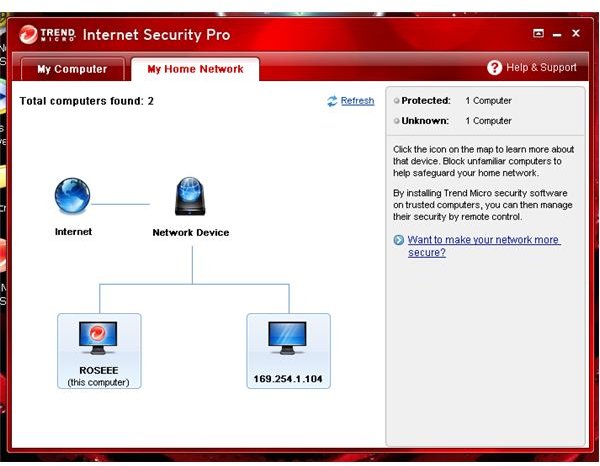
Part of the extra tools is a somewhat redundant My Network tab. This pane provides the user with a visual map of the local network and options for interacting with other computers. The available tools are mostly copied from already available Windows tools. The only useful tool seems to be the block setting which can prevent individual computers on a network from accessing the protected system. It should be noted that it is rare that a private user will have enough computers on their network to justify use. Also, giving this level of control to an end-user in an office environment is not a smart security decision. I doubt this tab will not come in handy unless you have a nosey sibling that rummages through your porn collection.
My Network
Data Theft Protection (4 out of 5)
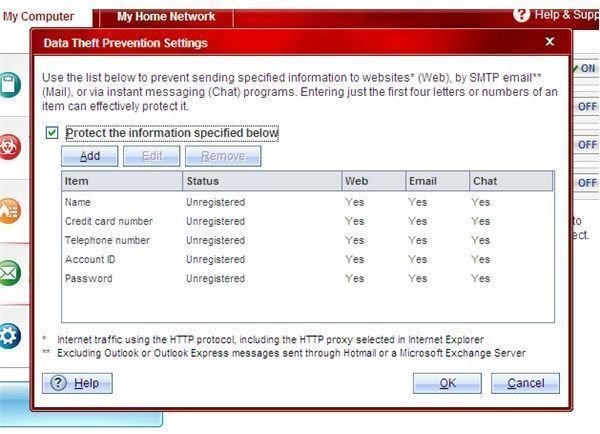
One feature I was impressed with was the Data Theft Protection tool found in the Internet and Email Controls pane and again in the parental controls. Seems unnecessary to list it anywhere but in the parental controls as this seems like one of the few uses. It can also be locked from here making it harder to disable. The tool looks for user defined keywords and numbers, and blocks them from being transmitted out over the internet. This can protect a child from unknowingly giving away private or financial information while on a website or chat application. It can also prevent malware from sending such data, in plain-text form, to their corresponding servers.
DTP
Certified Safe Software (4 out of 5)
Another useful tool bundled with this TM application is the Certified Safe Software service. When we are drunk at a party and download Elf Bowling, we probably won’t stop and think to ourselves, “Gee, could this contain a virus?”. This tool checks the software installed on the users computer and verifies it’s legitimacy against an online database. It is always best to stop an infection before it starts and this line of defence will help to safe guard users against the wolves in sheep’s clothing.
Internet Explorer Toolbar (2 out of 5)
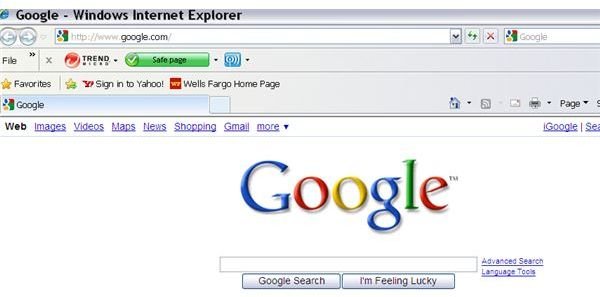
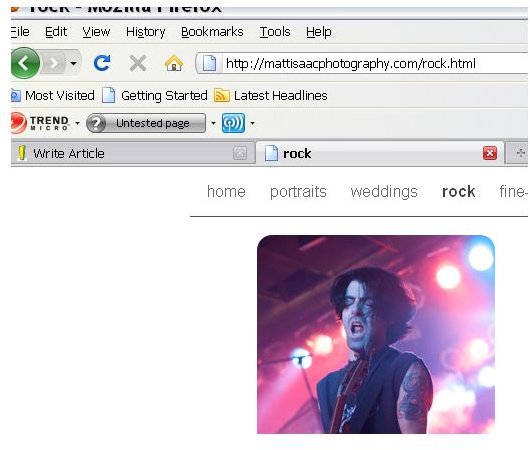
Despite many dispositions against this software, I have been pleasantly surprised with some of the very useful features. That is, until I laid eyes upon the TM Internet Security Toolbar. This eyesore doubles as a terror alert level for web pages, warning the user of potential danger using a variety of colored warning levels. The user can then jump into action and run a full scan using its “first response tools”. Many smaller websites, such as my own, contain the gray, “Untested” label which could scare users away even though they contain no malicious software. Thanks Trend Micro! But in their defense, there are many users that have a hard time discerning the safe sites from the bad, and could use an obvious, in-your-face reminder that they need to learn.
Toolbar
Conclusion (2 out of 5)
Despite the array of useful tools and trusted Trend Micro malware protection, I cannot recommend the product as a whole. I have been a trusting proponent of TM anti-malware for years and would continue to recommend it. However, the memory required to run this software paired with some of the less than desirable features prompts me to steer you in a different direction.


