BitDefender Total Security Review : Total Security for Windows Computers
Today many data safety products are available in the market that claims to be the best, comparing their features with other software’s. But, have you ever tried judging the authenticity of their results? Have you ever tried to review the product yourself? Are you completely satisfied with your antivirus or other data safety product? If you are looking for answers to these questions, then look no further. BitDefender Total Security 2010 is the complete solution to all your data safety problems. Today, your identity is not safe over the internet and anytime your system can be attacked by a hacker. It might even be possible that your system’s security has already been compromised.
If not, then you must install BitDefender Total Security 2010 immediately. BitDefender uses an innovative technology called proactive scanning to free your system for harmful content. Other antivirus software’s execute a program in a virtual environment to scan for a threat. But, all threats can’t be uncovered in a virtual environment. Also, it is an extra overhead on memory and processing. However, BitDefender Total Security 2010 scans for threats while the program is in execution. It looks for specific signs of viruses and other threats and assigns a score based on the same. When the score reaches a given threshold, a threat warning is issued and depending on the settings, either the program is interrupted, or it is terminated.
Various signs that can be categorized as threats are:
· A program in execution waiting for a long time or no user intervention is required by a program.
· Program doesn’t show a user interface while in execution.
· Assigning an icon that is different from the usual icon. For example, an exe file icon looks like a system file icon.
· Copying files to C:\windows folder or C:\windows\System32 folder.
· Hiding itself from the task manager’s processes list.
· Creating a duplicate copy of the program.
· Trying to access the code with higher privileges
BitDefender Total Security 2010 uses an improved scanning engine to optimize the scanning speed and reduce time. It maintains 2 databases, one for files that need to be scanned after a mid-long period of time and other stores information for files that needs to be scanned frequently. Short term database contains files that have been marked as safe. Using a new module and the above technique, the scanning time has reduced by almost 30% in comparison to previous version of the software.
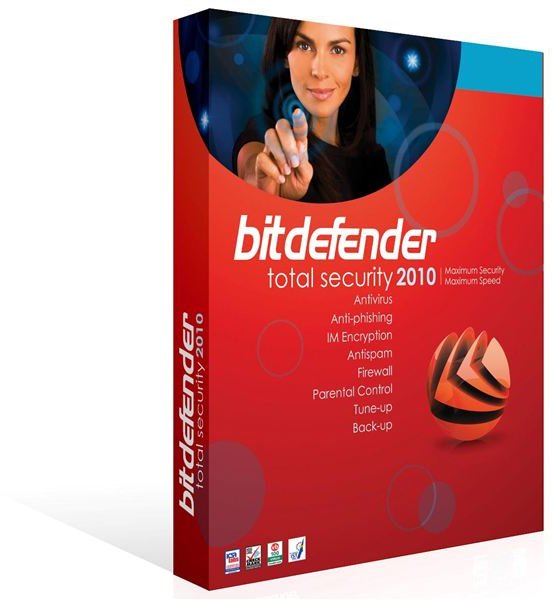
Benefits (4 out of 5)
· Continuously monitors the programs for threats.
· It protects your identity from hackers and other exploitable programs.
· It uses ahigh encryption algorithm to secure your data against deadly viruses and Trojans.
· Protect your computer from all kinds of threats
Installation (5 out of 5)
With a size of 150 MB, it is easy to install BitDefender Total Security 2010. BitDefender is compatible with Windows Vista, XP and Windows 7 and supports both 32 bit and 64 bit systems. It is available in many languages like Japanese, English, French, Spanish, German, Dutch and Italian. You can download the latest trial version of BitDefender Total Security 2011, which is much more enchaned and optimized for speed and performance than its predecessor from their website.
User Interface (4 out of 5)
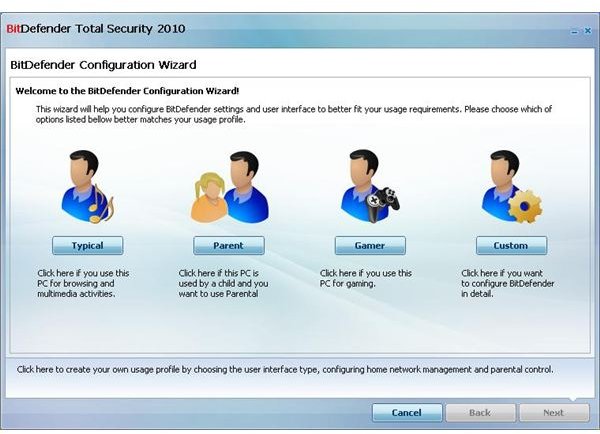
BitDefender Total Security 2010 has a very nice and easy to use interface. It guides you with a configuration wizard to adjust all the settings and other configuration of the software. Alternatively, you are presented with predefined profiles that are categorized as Typical, Parent, Gamer and custom profile.
It also provides you with a parental control feature that allows you to restrict certain websites being viewed on the system. If you want to be notified of the activities going on the system, BitDefender allows you to set the options to send you notifications via. E-mail. This way you can always keep watch on your children’s activities on the computer.
Performance (5 out of 5)
As far as performance is concerned, BitDefender Total Security 2010 out performs other data safety products. In comparison to the security features provided by BitDefender, it took around 25 seconds to boot the software. In other words, the software first loads up all the services whenever the system is rebooted.
Memory accessed was only around 32 MB, whereas, on demand memory usage was around 55 MB. Also, the processor consumption was low. It used up only 12%-13% of processing while in access mode and around 55% of processing while in scanning mode.
The scan time was also less in comparison to other products like Norton Security, McAfee, etc.
Conclusion (4 out of 5)
BitDefender Total Security 2010 provides an enormous amount of features that could not be found in other security products, and that is why, it is a highly recommended product for people looking for a complete solution to all their security related problems. Bitdefender is available at a nominal price of just $ 49.95 for 3 pcs/year. BitDefender Total Security 2011 is available for a price of 69.95$ for 3pcs/year.
