VIPRE Antispyware & Antivirus Review: A New Security Solution From Sunbelt Software
Introduction
Sunbelt Software have released a new program called VIPRE. VIPRE™ combines antivirus, antirootkit, antispyware and 3 other neat tools. The new product received a Checkmark antivirus certification by West Coast Labs which makes the product easy to recommend to users who want to use a security solution that has been tested or reviewed by senior IT security professionals.
VIPRE installs quickly (less than 2 minutes), no compatibility issue and has a straightforward user interface. The Sunbelt website states “Antivirus slowing down your PC? Ditch your old antivirus software for high-performance, next-gen antivirus + antispyware that IS NOT a resource hog.” I can agree with the statement that it is a next-gen antivirus + antispyware but I will disagree that it is not a resource hog.
Installation and Set-up (2 out of 5)
I did not have to get up from my chair when I first run the installer of VIPRE. In less than 2 minutes, the program has been installed. I am disappointed though that I have to restart the computer before I can proceed with the configuration and updating. I’m using another antivirus solution and I can update, use and configure the program right ahead without the need to restart.
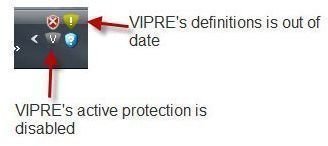
Another disappointing stuff is the computer is not protected because the 12MB installer does not include protection signatures. The notification area in Vista is showing two VIPRE icons: Protection is disabled and the definitions is out of date. Sunbelt states that they prefer this method so the user will get the latest definitions instead of using the old one. In my opinion, the notice to users that the “definitions is out of date” means there is a definition but requires updating. It should be more clear to new users of the security tool if the notice is “No definitions is installed, VIPRE need an update”.
User Interface (5 out of 5)
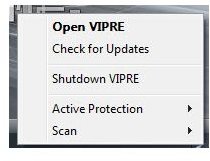
The user interface of VIPRE is very straightforward. The options to configure the program’s features are easy to find. Users need not to dig on how they can configure VIPRE antivirus + antispyware. VIPRE’s system tray icon includes handy menu, to enable or disable the protection, to update the program without the need to launch VIPRE, to shutdown VIPRE, to run a quick or deep scan, to pause, resume or abort a scan and to launch the program.
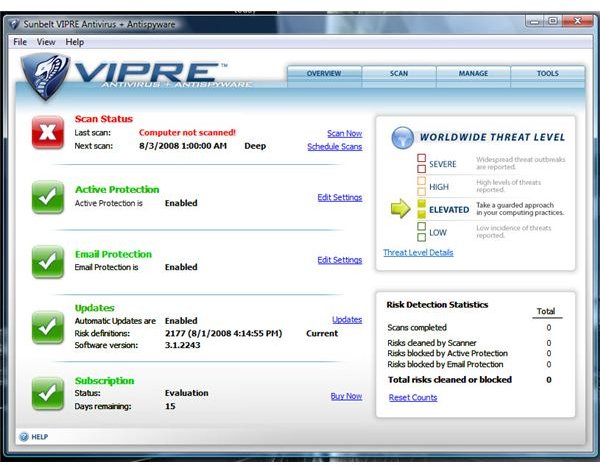
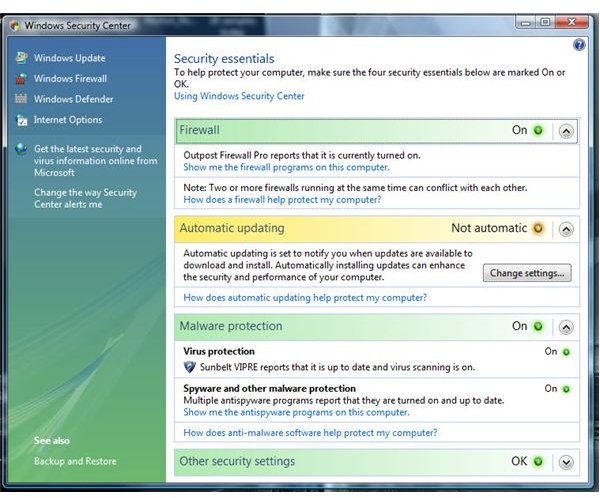
Unlike other security software, VIPRE successfully report its status to Windows Security Center. The first window in VIPRE will show the status of the installed definitions, email and real-time protections, subscription and scan status. It also includes the risk detection statistics on the user’s PC and worldwide threat level. VIPRE allows me to run a single, quick, deep or custom scan. It took only 4 minutes to finish the quick scan.
Performance (2 out of 5)
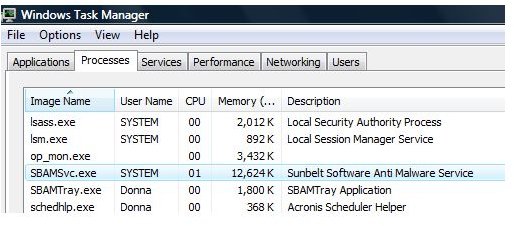
The Sunbelt Software website states “Antivirus slowing down your PC? Ditch your old antivirus software for high-performance, next-gen antivirus + antispyware that IS NOT a resource hog.”. I must say I’m not happy with the performance of VIPRE. The program’s service, Sunbelt Sotware AntiMalware Service, is using more than 12MB of memory while its tray application processes is using 1,800K.
I’m surprised also that it is took a long time before I can start using other applications. When I opened a directory with file extensions that VIPRE is monitoring, Windows Explorer did not respond normally. It took minutes before I can start browsing my files.
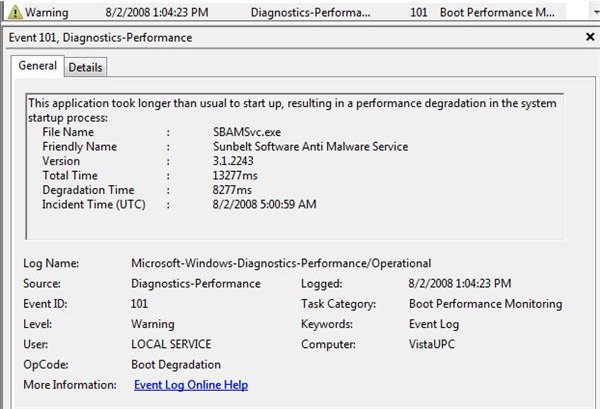
The diagnostic performance utility in Vista detected that the Sunbelt Sotware AntiMalware Service (SBAMSvc.exe) is the cause of the delay in starting Windows. I knew it because my normal boot-time is less than 1 minute but after installing VIPRE, the boot-time has increased to 3 minutes.
Malware Detection (5 out of 5)
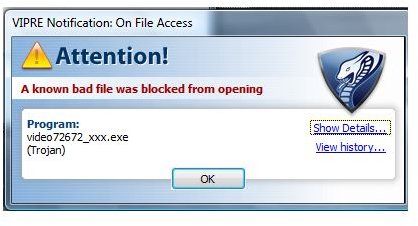
There is no single scanner that will detect all but I decided to check if VIPRE’s active protection will detect some samples that I will transfer from another hard-drive to the system drive. Out of 18 in the wild malware samples, VIPRE detected 16. This is very good because it is fast in detecting a malware. The alert window is positioned above the taskbar instead of the obstrusive window alert by some antivirus program.
Price to Value (5 out of 5)
Sunbelt Software is offering $49.95 as annual fee as home site license for VIPRE antivirus + antispyware. This is a very attractive to users who have more than 1 PCs at home. You can install VIPRE with home site license up to 10 PCs. If you have one PC only, you will only pay $29.95 per year. A 15-days trial is available and you can buy thru the program’s interface or by visiting Sunbelt Software website.
VIPRE Screenshots
Conclusion
VIPRE antivirus + antispyware is no doubt a security solution that will help protect the user’s data and system against malware, rootkit and other malicious software and behavior but the performance issues that I notice while using the program requires attention by Sunbelt Software before a user can justify the protection it can offer. Sunbelt might also want to consider adding malware definitions in the program installer because some malicious software will disallow users in connecting to known security vendor’s website to check and install protection updates. Also, some computers are so highly infected that an internet connection is not available or disconnecting the computer in the home network is highly recommended which means no definitions means no protection or removal of known malware.
More Reviews!
Would you like to read more reviews? Look around Bright Hub and you’ll find reviews of numerous other anti-virus and security solutions including ioSafe Solo, Norton Internet Security, Kaspersky Internet Security, ESET Smart Security, McAfee Total Protection, Blink Professional and ZoneAlarm Internet Security Suite.
