PC Tools AntiVirus Review: Free Antivirus Protection for PCs
Antivirus Protection
In today’s world, computers have to be protected from viruses and malware. Simply searching and navigating the internet can lead to a computer becoming infected. PC Tools offers a completely free antivirus solution which is ideal for people on a limited budget (or, for that matter, anybody who is simply wanting to save a few bucks). With features that scan email, protect files and smart updates, PC Tools Antivirus is a good alternative antivirus suite.
Performance and Features (4 out of 5)
PC Tools AntiVirus Free Edition is a fully-loaded antivirus solution that offers real-time protection against viruses and other forms of malware. While this software is free, a registered version of the product provides you with 24/7 support, including phone support.
PC Tools AntiVirus is a 42 mb download that installs on Windows 2000, Windows XP, and Windows Vista. Installation is basic and the software installed quickly and without any errors. Immediately following the installation, PC Tools began downloading their latest virus definition updates. Windows XP and Windows Vista are not affected by PC Tools using memory. This antivirus software idle uses a little under 700kb of RAM. Scanning, PC Tools only uses a little over 4 mb of RAM. This resource-friendly software is perfect for both new or older computers.
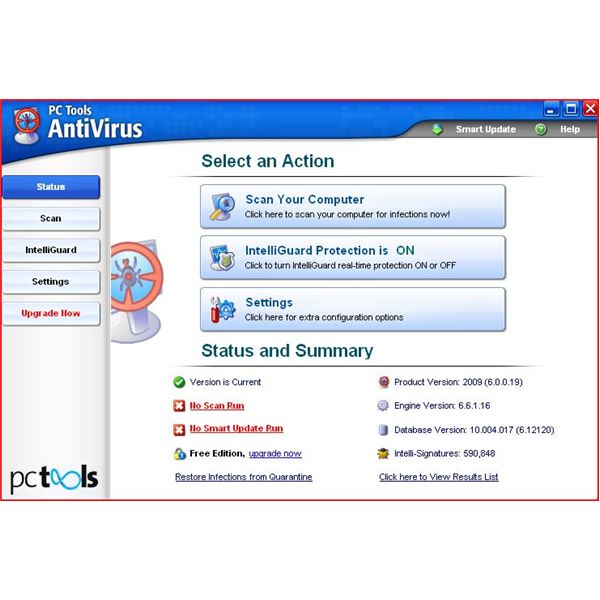
The menu is easy to navigate and offers additional settings for each of the areas of protection. The initial menu offers options that allow for the configuration and scanning of files and folders allowing the user to manually scan on a regular basis. This main screen also gives information on the latest scans and file and definition information.
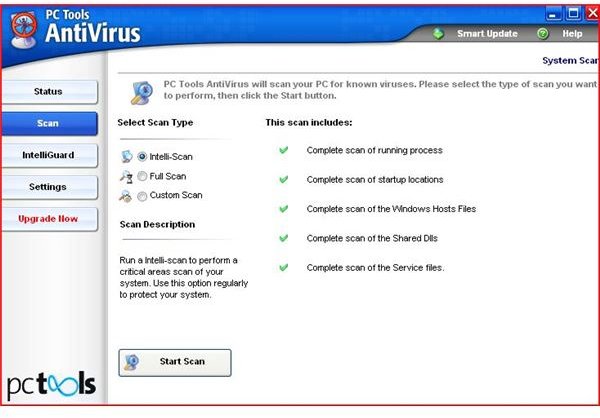
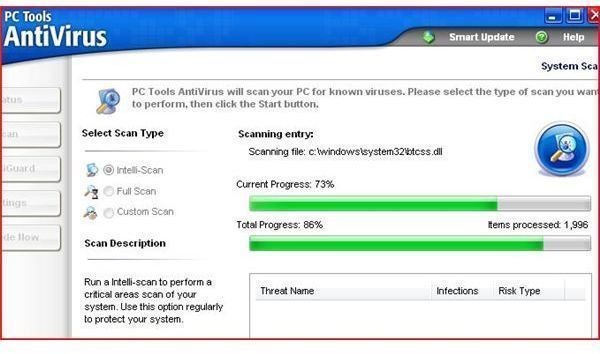
The scanning options include “intelli-scan” - this is a predefined scan to check the areas of the computer where malware most commonly lurks - and full and custom scans.
The Intelliguard option allows for the real-time protection of files, memory and email from malicious threats. The additional settings enable networks to be added to a Trusted Zone or a custom defined port list. Although most email travels out using SMTP on port 25 and in on port 110 (PoP3), this customization allows you to define custom ports for email servers and clients that use ports outside of the normal range.
In my tests, PC Tools AntiVirus detected 100% of the malware samples that I loaded onto the test machine. The product did not, however, detect zipped viruses until after they were downloaded and opened (but this is not too much of a problem as viruses cannot infect a system while zipped). One feature that I would like to see added is an option to permit manual configuration of a proxy server.
PC Tools AntiVirus
Price to Value (5 out of 5)
It works exceptionally well and is completely free. What more can I say?
The Bottom Line
PC Tools AntiVirus is an excellent antivirus solution. It’s easy-to-use, light on resources and has great detection capabilities - in addition to blocking 100% of the viruses used during my testing, the product has also received VB100 awards and earned certification from both ICSA and West Coast Labs. And it’s offered at a price that simply cannot be beat. Highly recommended!
Be sure to check out our reviews of PC Tools other security products: PC Tools Firewall Plus and PC Tools Internet Security.
More Reviews!
Be sure to check out our review of other free antivirus solutions including Comodo Internet Security, AVG, Avast! and Rising Antivirus.
