Advanced SystemCare from IObit promises a one-click maintenance and cleanup solution. But does it work? read this SystemCare Free review to find out!
What is Advanced SystemCare?
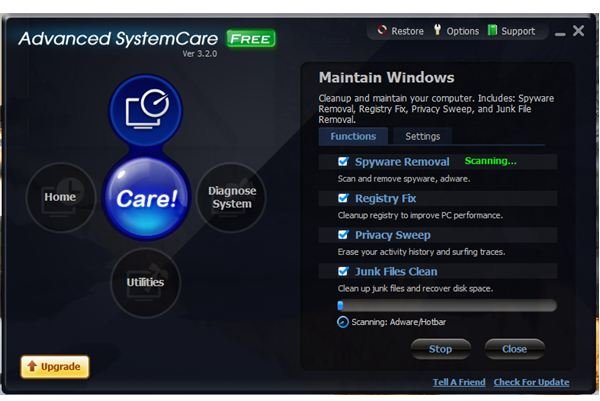
dvanced SystemCare was formerly known as formerly Advanced WindowsCare Personal. It provides set of system utilities for Windows, such as Spyware Scan and Removal, Registry Fix, StartUp Manager, Junk Files Clean and Privacy Sweep.
The program offer diagnostics too with a system log (similar to HijackThis log), defrag, backup, immunization from bad ActiveX components and tracking cookies.
Installation (1 out of 5)
The installer of Advanced SystemCare is bundled with Yahoo! Toolbar

Installing Advanced SystemCare is quite fast. So fast, in fact, that the program made me scratch my head because it was doing two tasks without my consent after installation.
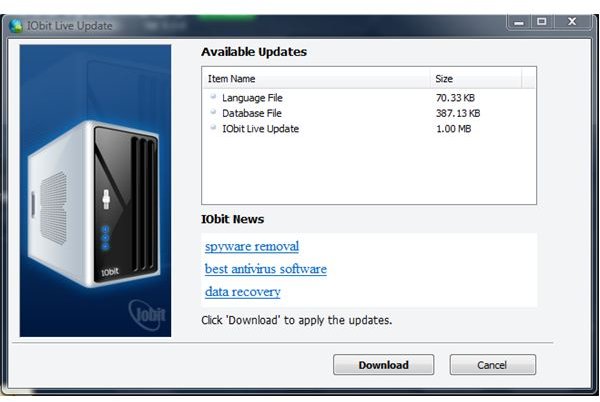
First, it started to check for updates and displayed that there are program updates. As you see in the image at the left, there are 3 available updates. I allow the download of the program updates and it asked to reboot the computer to finish updating. I wanted to reboot already but the program prompted me to create a restore point because it detected that it was my first use of Advanced SystemCare
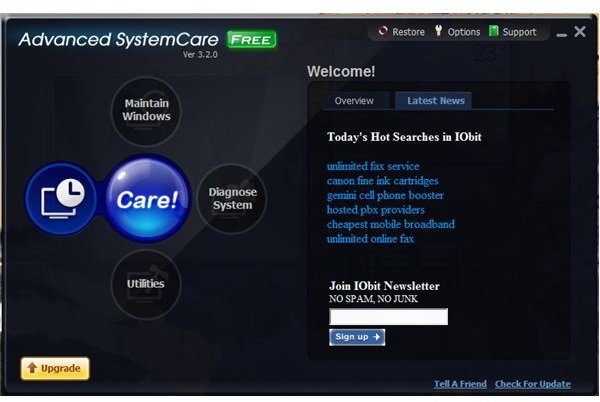
Strange also that the Iobit News and Latest News (see the both screenshot) are not news at all but links to popular or recent keywords search result in Yahoo! This is maybe happening because their installer is bundled with Yahoo! Toolbar.
Performance and Usage (1 out of 5)
Advanced SystemCare program update required me to reboot the system and when I did, the test computer suddenly slowed in loading the startup items. Prior installing the program, I have Outpost Firewall
, NOD32 Antivirus
, WinPatrol
, KeyScrambler Pro
, Dell Dock and OneNote on the startup folder. 4 of the startup items did not display their notification icons: NOD32, WinPatrol Plus, KeyScrambler Pro and OneNote. I restarted the system again but the same incident occurred. Those 4 startup items are now in the “Past startup items
I allowed Advanced SystemCare to scan the system and it detected that my IE is not immunized against bad ActiveX components and tracking cookies. It also detected that there are running Windows Services that should not be running. I do not think it’s best for any system utilities to suggest disabling any Windows Services that can cause Windows not to function properly.
I noticed that there is Startup Manager in Advanced SystemCare and when I try to check the online database
The options of Advanced SystemCare is lacking the setting for the Spyware scanner (what to do if a spyware is found, disable scanning for spyware etc).
While I’m navigating with the program, Advanced SystemCare informed me that a Hijack log report
Price to Value (1 out of 5)
Advanced SystemCare is free. The Pro edition cost $29.95 (offer price at the time of this review $19.95) 1-year license for 1 PC. I wouldn’t recommend either version.
Conclusion
Advanced SystemCare does not live up to its name and could, if used incautiously, cause more problems than it would fix. The automatic tasks that it performs are unacceptable because the program does not request permission from the user. The poor startup performance of the system is another point to note and to the program’s suggestion that NOD32, WinPatrol and Outpost processes are questionable is another unacceptable aspect of Advanced SystemCare. Users who want this kind of system utlility would be well advised to look elsewhere.
More Reviews!
Would you like to read more reviews? Look around Bright Hub and you’ll find reviews of numerous other leading security solutions including ioSafe External Hard Drive , jv16 PowerTools , CCleaner , Comodo System Cleaner , Norton Internet Security , Kaspersky Internet Security , ESET Smart Security , McAfee Total Protection , Blink Professional and ZoneAlarm Internet Security Suite .


