Find out if the cloud-based protection by Panda and ThreatFire will work as advertise and which program has better options and features.
Performance and Usage: Winner – Panda Cloud AV
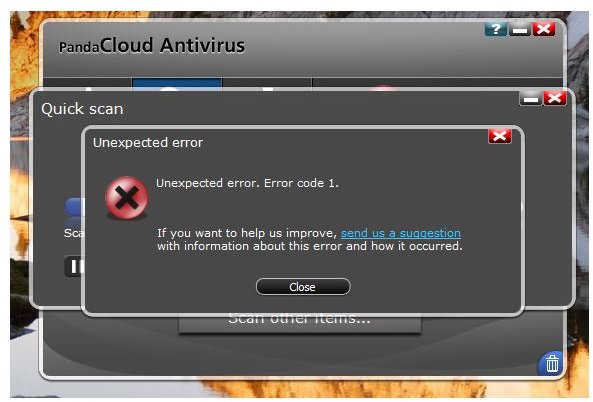
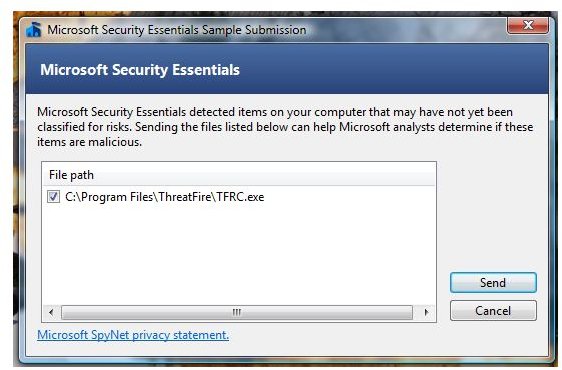
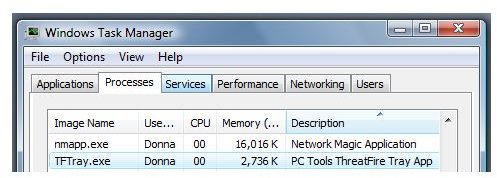
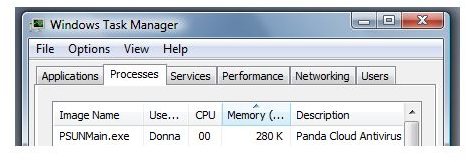
During the initial scan using Panda Cloud AV, the program experienced an error code 1. The error did not occur again when I continue to run a quick scanning of the system. Panda Cloud AV is using less than 300KB of memory when it is idle while ThreatFire will use 2.7MB of memory. While ThreatFire is running the Intelli-Scan or full systems scan, I noticed a slow performance in the system when opening another application. This issue does not occur if ThreatFire is not running any scan. Microsoft Security Essentials found PC Tools ThreatFire Report Card (TFRC.exe) as suspicious but not classified yet. An obvious false positive but MSE did not quarantine or delete tfrc.exe.
Malware Scanner (On-Access and On-Demand): Winner – Panda Cloud AV (On-Access) / ThreatFire (On-Demand)
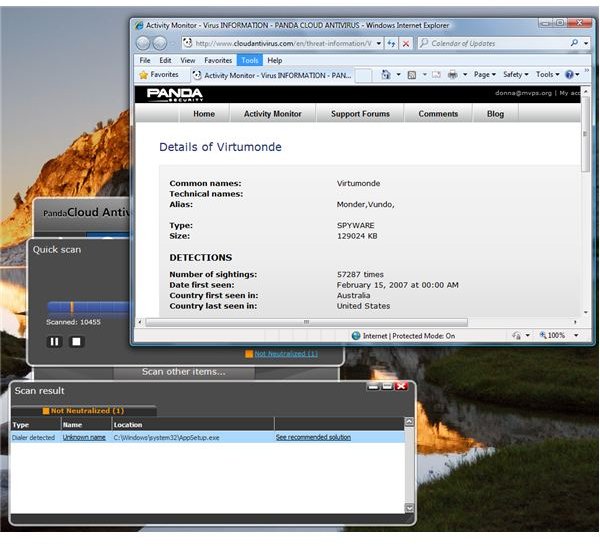
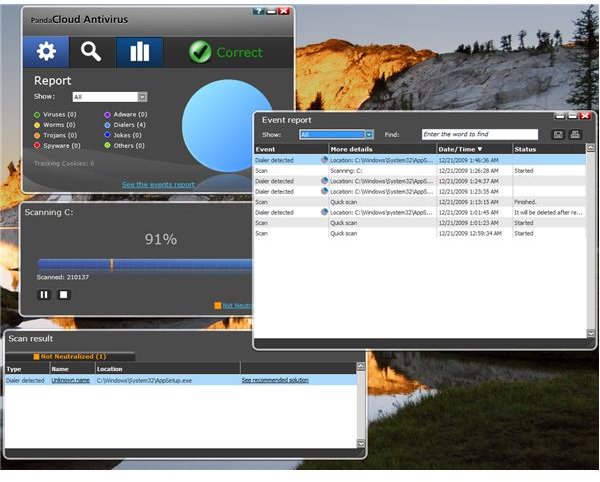
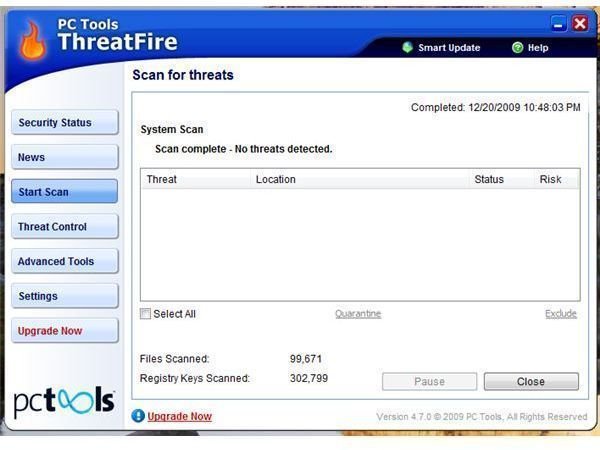
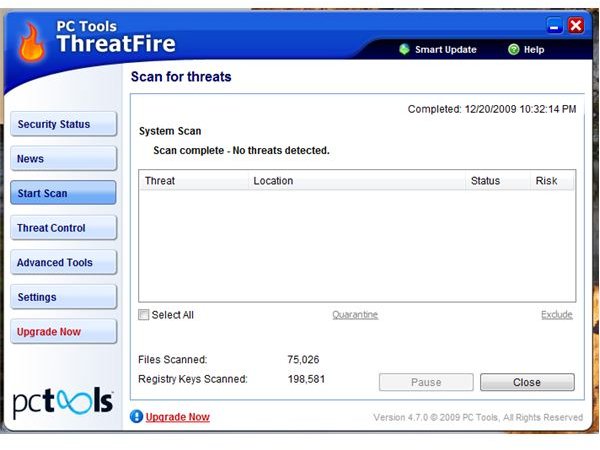
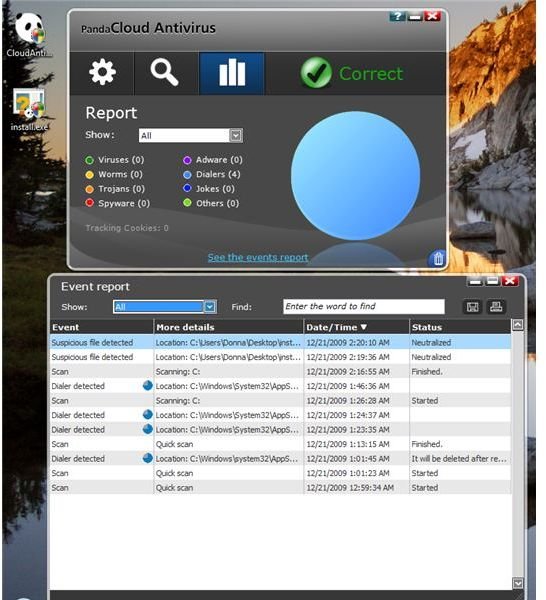
To check the cloud-based and real-time protection of Panda Cloud AV and ThreatFire AV, I let them scan the system using its on-demand scanner. Panda’s real-time protection and on-demand scanner has detected false positive in Creative Technology installation file, AppSetup.exe. Panda says it is a dialer and the threat information displayed the page on their Virtumonde threat info page when I clicked on the scan result. ThreatFire’s on-demand scanner did not give any false warning.
Issue on Panda Cloud AV is that it asked to reboot the computer to continue removing the false detection but after a reboot, the program’s real-time protection and on-demand continues to detect the file. It failed to remove a false positive which is a good thing!
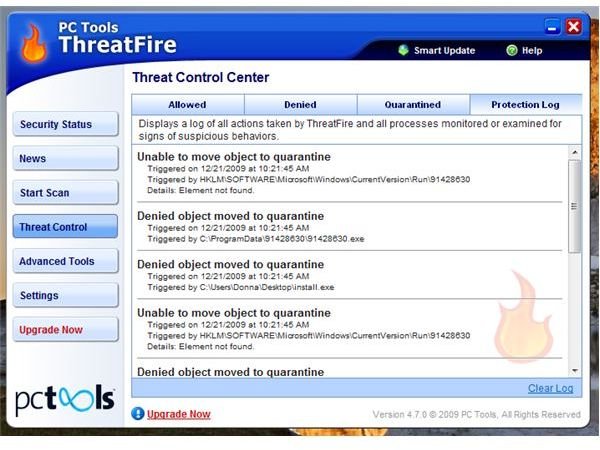
I transferred a fraud tool (known as Trojan:Win32/Winwebsec ) into the system to test the real-time protection (on-access) of the two programs: Panda is very quick to detect the malware after the transfer (not during the transfer). It automatically blocked the file, put it into its quarantine manager but did not delete the file from the desktop. The report window of Panda failed to display the new detection information or log but it is visible or listed only in event history window. The fraud tool will not run at all even if Panda did not delete it because it is blocked and its icon has been flagged by Panda with its own icon. ThreatFire, on the hand did not do anything to the fraud tool until I execute the file. When the malware tried to add itself in the registry and in Program Data directory in Vista, ThreatFire took care of it by denying, blocking and deleting by moving to quarantine.
Price to Value: Winner – ThreatFire AV
Panda Cloud Antivirus and ThreatFire AntiVirus are free to use. If you are privacy-conscious user, you might not want to use Panda Cloud AV because it requires e-mail address before you can use its protection and as part of its program activation. You can use a throw away but active email address though.
Conclusion: Winner – ThreatFire AV
ThreatFire AntiVirus’ in-the-cloud protection is working as advertise and a good extra layer protection with existing antivirus program that is using traditional and behavioral-based detections. Panda Cloud AV’s cloud protection is good but due to false positive by its scanner, some glitches on the program and lack of features and options, you might not go for it unless you are willing to sacrifice having not much control with anti-malware.
This post is part of the series: Cloud-based Anti-Virus Comparison: ThreatFire AntiVirus vs. Panda Cloud Antivirus
Find out if the cloud-based protection by Panda and ThreatFire will work as advertise and which program has better options and features. You can install ThreatFire AV or Panda Cloud AV on Windows 7, Vista and XP. ThreatFire also supports Windows 2003, 2008 and 2000 (only 4.1 for Windows 2K users)


