Rkill: Malware Process Terminator and Anti-Malware Assistant - Part 2
Written by:  • Edited by: Bill Bunter
Updated Sep 20, 2010
• Related Guides: Windows Defender | Malware | Anti-malware

This is the last part of the series of article about Rkill. In this section, we will discuss when to use rkill and what to do if rkill will not work on first try.

Example Incident to Use Rkill: Fraud Tool Infection

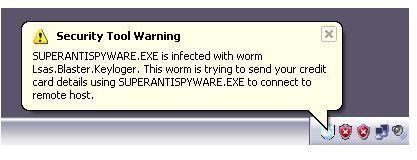
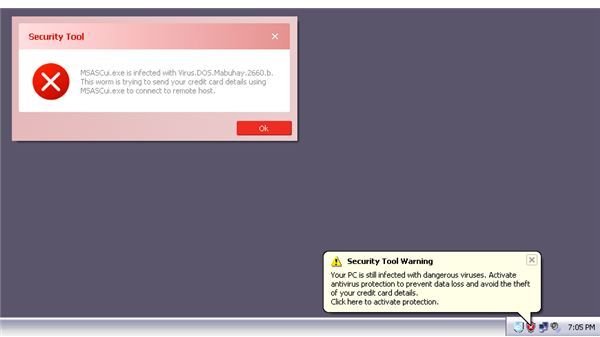
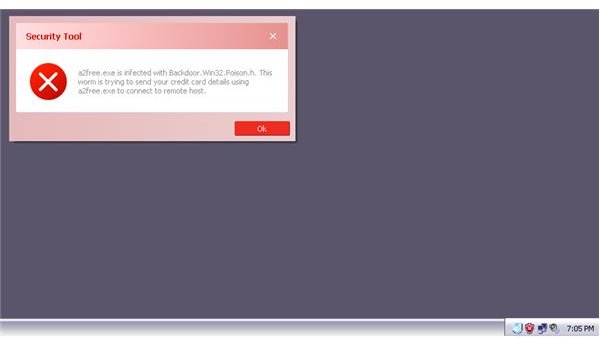
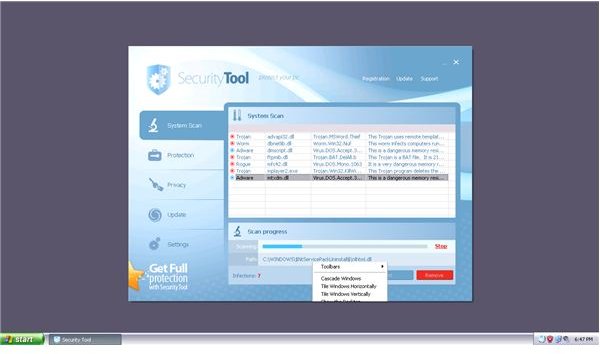
Here’s screenshots of a desktop with “Security Tool” fraud tool:

System with Fraud Tool Infection
click to enlarge
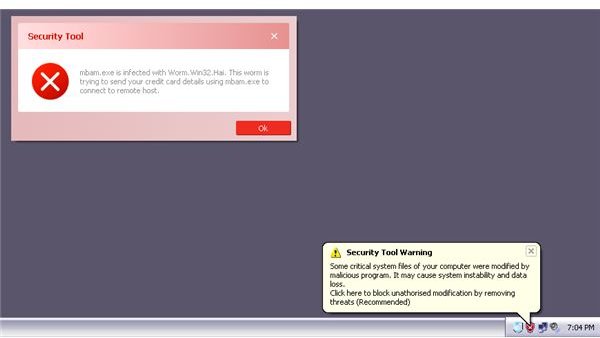
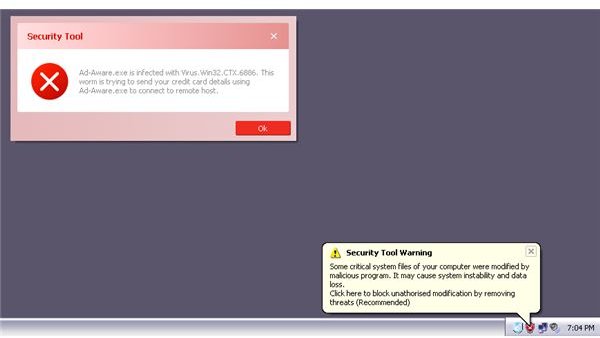
Once the system is infected, any applications or scanner that you launch or execute will fail to run. The fraud tool will intercept and display a dialog box that the legitimate and trusted application that you just opened is infected. If you’ve rebooted the computer, the fraud tool will continue to block the malware scanners and will display the alert as balloon notification using its icon.

To assist your anti-malware in cleaning the system, you should download rkill files. If your browser will not launch, you will need to use another clean PC to get rkill files and transfer it to the infected system.
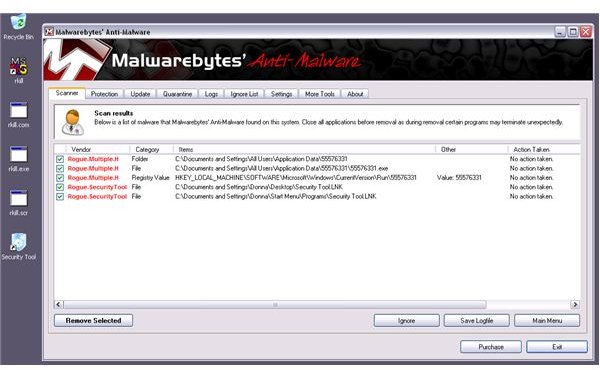
Malwarebytes' Anti-Malware
click to enlarge
Ad-Aware
click to enlarge
SUPERAntiSpyware
click to enlarge
Windows Defender
click to enlarge
A-squared Free
click to enlarge

Rkill In Action

Here’s example when rkill.exe is launched:
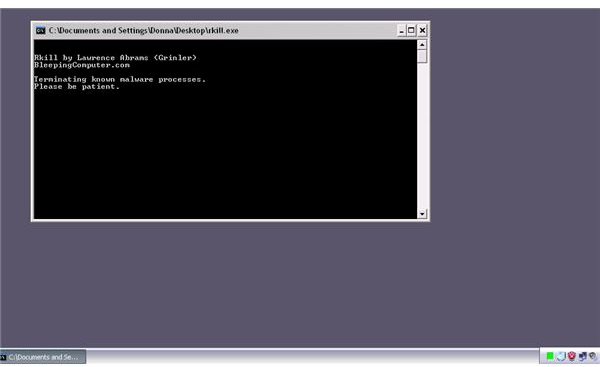
Rkill in Action
click to enlarge
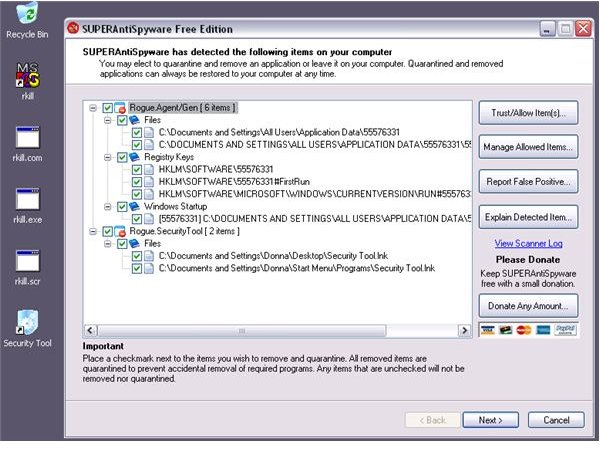
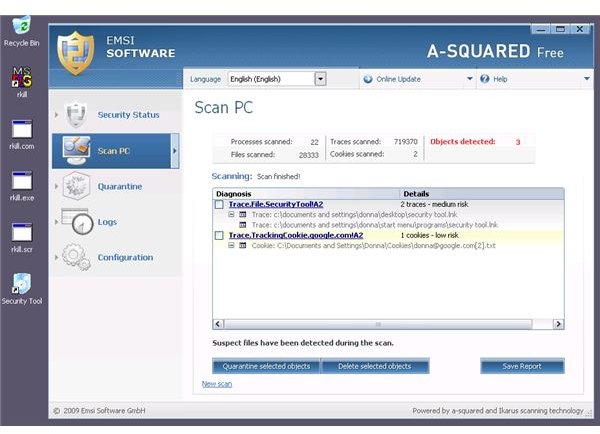
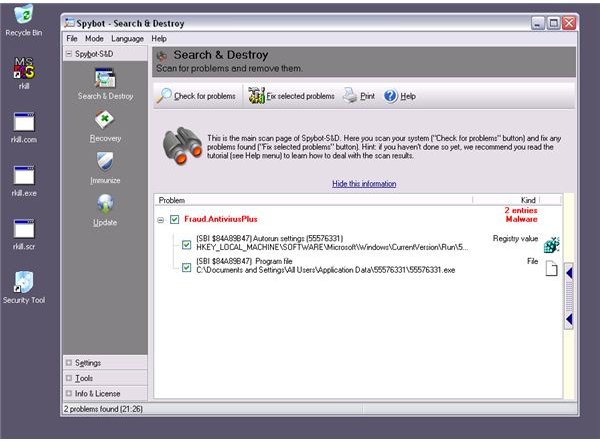
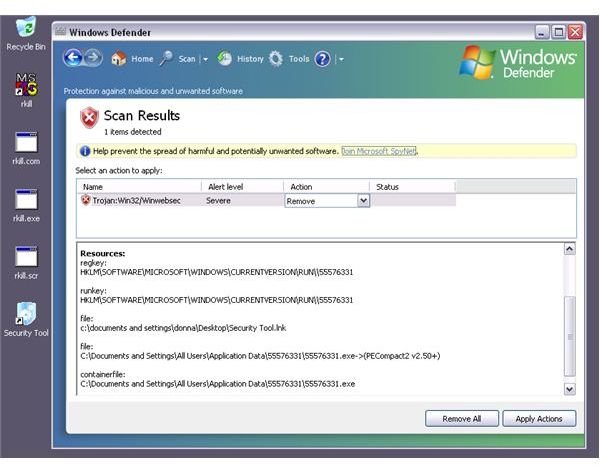
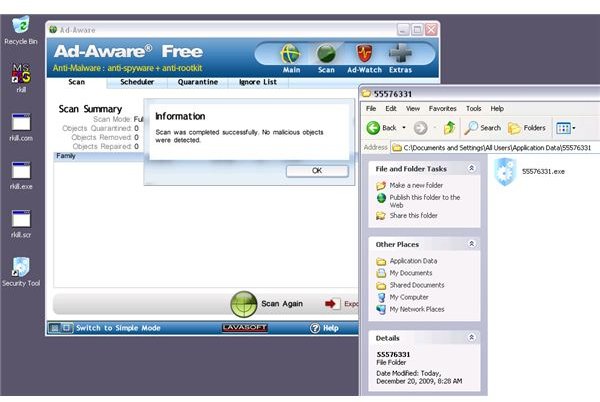
Rkill has finished and succeeded in terminating the processes of Security Tool. You can open your browser to download and install any malware scanners or open any malware scanner to update and run a scan. On this example, I let Ad-Aware, A-squared, Malwarebytes’ Anti-Malware, Spybot – Search & Destroy, SUPERAntiSpyware and Windows Defender to scan the system to hopefully detect the fraud tool, Security Tool. All of these except Ad-Aware have detected the critical infection on the system:
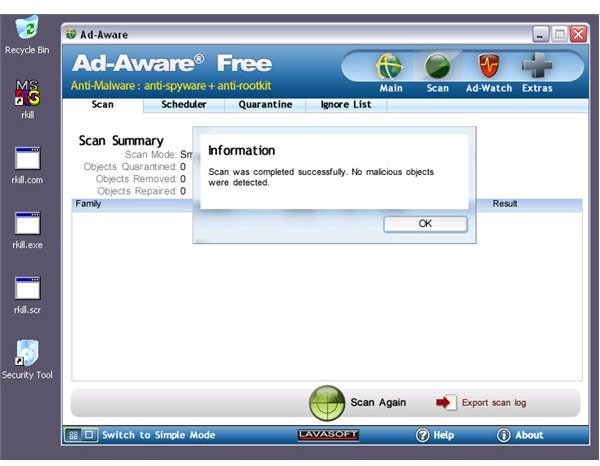
Quick Scan using Ad-Aware
click to enlarge
Full Scan using Ad-Aware
click to enlarge
Quick Scan using MBAM
click to enlarge
Quick Scan using SAS Free
click to enlarge
Smart Scan Using A2 Free
click to enlarge
Spybot-S&D Scan
click to enlarge
Quick Scan using Windows Defender
click to enlarge

What to do if Rkill will not run or terminate malicious processes?

If you first execute rkill.exe but the command prompt window did not open, you should keep trying to open rkill.exe. During this review, rkill.exe did not open at all. After few tries in executing rkill.exe, it able to bypass the malicious processes of Security Tool and succeed in terminating the offending processes.

If rkill.exe continue to not to run (after you’ve tried few times), you can proceed to use the other file format of rkill one at time until one of the file formats of rkill succeeded in terminating the malicious processes.

If in any event that none of rkill format will help in terminating the fraud tool processes, you should go to BleepingComputer.com’s Malware Removal forum for further assistance.

Final Words

Rkill is not a rogue and malware scanner or remover. It is a useful tool that will assist your anti-malware by terminating the malicious processes. It does not a user interface and there is no need to configure. Once you execute rkill, it will only look for malicious processes that were added by Trojans or any other rogue and malware. If your anti-malware or anti-virus will continue to run when there’s fraud tool infection, you can still use rkill to assist the malware scanners because rkill will successfully terminate the malicious processes which will help the anti-malware in cleaning the system. Temporary disable your anti-malware’s real-time protection when it detected rkill as malicious or suspect.

Keep Rkill files handy by storing it in your flash drive or in any location of your hard-drive. You’ll never know when you will need a great program!


Comments

Showing all 15 comments
 
superlegion May 13, 2011 4:28 AM
how to run rkill if you couldn't and you have to.
if you can't run rkill even if you opened it many times...try renaming it. the rogueware may be smarter than you think but may not be able to stop a renamed rkill file.
graham peters Oct 14, 2010 1:10 PM
hang em
make sure you start your pc in safe mode as soon as you hear it bleep, press F8 (but check this) or F2 ithink, then select net work offline in safe mode and download rkil / malware. You can then open up the control panel, open connections, click LAN settings and unclick the proxy server box. then run all the removal stuff
Donna Buenaventura Aug 28, 2010 9:50 AM
RE: Rkill: Malware Process Terminator and Anti-Malware Assistant - Part 2
Hello Troy2012,

The rogue program that you have - Security Suite require extra tool to completely remove from your PC.
Download TDSSKiller from http://support.kaspersky.com/downloads/utils/tdsskiller.exe or
http://support.kaspersky.com/downloads/utils/tdsskiller.zip
See: http://support.kaspersky.com/viruses/solutions?qid=208280684

Hope the above will help.

Regards,
Donna
Troy2012 Aug 28, 2010 8:55 AM
Security Suite--rkill/Malwarebytes' fail
This is day 2. I have downloaded rkill and iExplorer and eXplorer as well as Malwarebytes. I got rkill and Malwarebytes (MWB) to run in safemode with networking after adjusting the proxy settings. It cleaned some things, but not the Sec Suite virus. When I run my comp in normal mode--there it is. Furthermore, it deletes rkill/iexplorer/eXplorer or wont run them even as an administrator and even with their names changed from rkill--etc... So i still cant get MWB or whatever to run in normal mode/and in safe networking mode it says there are no viruses now. I just realized though that I have Vista 64 bit--does that change anything for me?

AND heres the new gem I'm getting when I try and install or remove stopzilla {Stopzilla does list this virus in its: "warning you're infected" pop-up--i just didn't wanna pay for it... yet} products while in safe networking mode:
The Windows Installer Service could not be accessed. This can occur if the Windows Installer is not correctly installed. Contact your support personnel for assitance.
Donna Buenaventura Aug 23, 2010 6:07 PM
RE: Rkill: Malware Process Terminator and Anti-Malware Assistant - Part 2
Hi Crystal,
Did you able to fix the rogue software using any scanner? the error you are seeing is due to file association issue that the malware or rogue software has modified. After you fixed or cleaned the computer, you can fix the file association in Windows.
For Windows 7 and Vista, use Microsoft Fix it 50194: http://support.microsoft.com/kb/950505
If that will not help, try in http://www.winhelponline.com/blog/file-asso-fixes-for-windows-7/
http://www.winhelponline.com/articles/105/1/File-association-fixes-for-Windows-Vista.html

For Windows XP: http://www.dougknox.com/xp/file_assoc.htm
Crystal Aug 23, 2010 5:55 PM
rekill
the black window popped up but this message box popped up too saying 'windows cannot open file. and: windows can go online and look it up automatically or u can manually select from a list of programs that are installed on ur computer.'
Donna Buenaventura Jul 21, 2010 3:19 AM
RE: Rkill: Malware Process Terminator and Anti-Malware Assistant - Part 2
Rebecca,

You might want to fix the exe association. If you have XP, go to http://www.dougknox.com/xp/file_assoc.htm then get EXE File Association Fix. If you have Vista, get it from http://www.winhelponline.com/articles/105/1/File-association-fixes-for-Windows-Vista.html
rebecca Jul 20, 2010 5:51 PM
rkill won't run - pls help
Hi there,

Pretty sure I have that weird PC Tools malware, as it appeared before. I seemed to ahve removed it in add/remove programs and haven't seen it since. I have tried tho run rkill (on my Dell XPS) several times in both safe mode and regular. I get as far as the b;lack screen that says "....please be patient" and then I get an overlay screen saying that Windows can't run/recognize the program, along with an option to search the web or choose from a list of programs. Any ideas? Thx in advance. :)
Donna Buenaventura Jul 8, 2010 4:34 AM
RE: Rkill: Malware Process Terminator and Anti-Malware Assistant - Part 2
Hi Bill,

Try use the possible solution at http://support.microsoft.com/kb/313222

Regards,
Donna
Bill Jul 8, 2010 12:41 AM
Run As... screen invoked everytime I try to launch an application
I had internet security 2010 malware infect my computer. I ran rkill and used malwarebytes to remove it., successfully it seems. But ever since then I get the "run as" dialog box opening up automatically whenever I try to launch any application while logged in to the originally infected user account. Unchecking the "Protect my computer and data ..." check box for the current user in the "Run As window allows the applications to launch. The "run as" dialog does not automatically appear when I launch applications while logged on to my other account on the same machine. I'm running Windows XP SP3. Could rkill have changed some registry settings for the infected user account to cause this? If so, what registry settings should I change to keep the "run as" box from automatically appearing upon every application launch for that account?
Rusty Jun 29, 2010 10:17 AM
rkill
Just simply awsome!!!
Rich B Jun 18, 2010 6:04 PM
RE: Rkill: Malware Process Terminator and Anti-Malware Assistant - Part 2
We had this happen on a work PC. I restarted the PC in safe mode, found where the virus was located on the PC (It pretends to be a legitimately installed program) and then deleted it. Last night however, I had a similar virus appear on my home pc and I could not restart in Safe Mode. As a last resort I ended up doing the following. Now, If you try to bring up task manager to close the virus down, the task manager screen only pops up briefly before the virus closes it again. I found out that if I kept Ctrl-Alt Del held down continuously the task manager screen kept re-opening. I called my wife over to use the mouse and click on End Task while I held down the keys. Not very technical I know, but it worked for me.
Chet May 3, 2010 7:32 PM
Removing Malware
After 9 hours rkill is the best tool ever!!! Thank you thank you so very much!!!!
Bill Apr 23, 2010 4:48 PM
Didn't work for me...
...and the malware blocks the bleepingcomputer domain so that I can't seek help from that forum. Just another dead end.
Roger Green Mar 21, 2010 8:19 AM
rkill
I used the rkill.exe method a couple of days ago for the first time on a computer that was infected by a rogue fake alert infection that disabled the control panel, startup, registry and all spyware scanners, etc and it worked succesfully...I then installed Malwarebytes from a CD I downloaded it onto and was able to remove all infections...Thank you rkill, it definetely made my job allot easier.
 
blog comments powered by Disqus
Email to a friend