Top 5 Free Start-up Managers
What is a Start-up Manager?
A Start-up Manager (like StartUpLite–see StartUpLite Review ) is a handy tool can make programs start or not start on logon, as well as start in a certain order. It can display and monitor programs as they start up or allow users to enable, disable, delete, and save added items which run when a system comes up.
Top 5 Free Start-up Managers
The Top 5 Free Start-up Managers are…
- Startup Delayer v2.5.138
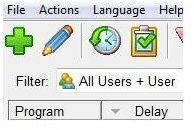
- It allows users to setup a “delay” (i.e., for the user to input how many seconds they wish after Windows has started) to load each program. How it works: a line appears to indicate how long a delay is to be before the program begins. Note: Any program not delayed by the user will start up as normal. This start-up manager utility is easy to use, creates a smoother start-up experience for users, and is capable of either working quietly in the background or showing the processes starting up.
- It’s compatible with Windows 98/ME/2000/XP/XP64/Vista
- File Size: 980 KB
- Downloadable at pcworld.com
- StartRight v.1.3.4
- It allows users to manage the execution of programs that are started by the operating system at logon time. Its features include program executing ordering and custom delays. Optional features include: auto-tune delays based on CPU usage, new item notification, automatically disable all new programs, and pause or stop program execution.
The benefit of this start-up manager utility is that it gives the Operating System time to execute programs.
- It’s compatible with Windows 95/98/ME/2000/XP/NT
- File Size: 433 KB
- Downloadable at softsea.com
- WhatInStartup v1.15
 - It allows users to easily disable, enable, or delete unwanted programs at Windows startup. How it works? The utility will display a listing of all programs that are loaded at Windows startup; it is at this point that the user needs to choose which option he or she desires: (F7) to disable the selected item(s), (F8) to enable the item(s) back after previously disabled, (Ctrl+Delete) to delete the item(s), or (Ctrl+S) to save the item(s) into text/csv/html/xml file. Note: The user can also use WhatInStartup on an External Drive.
- It’s compatible with Windows 7, Vista, 2003, XP, 2000
- File Size: 47.90 KB
- Downloadable at nirsoft.net
- CuperUtilities StartUp Manager v1.1
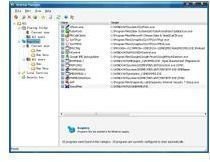
- With this manager, users can display, enable, disable, or delete certain programs from loading at system startup. In other words, users can control what programs run at system startup. Other features include: capable of displaying information about each running process, as well as all startup items from registry and startup folders. Note: The manager can run automatically on startup, or start and stop of all programs from startup manually. Furthermore, users are able to save and restore startup configurations.
- It’s compatible with Windows 98/2000/XP/2003 Server/Windows Vista
- File Size: 3.01MB
- Downloadable at freewarefiles.com
- Chameleon Startup Manager Free Edition 2.5
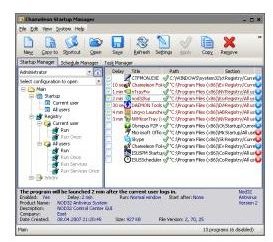
- This start-up manager accelerates Windows startup. Simply said, it allows users to specify various tasks to be run. It’s also capable of providing real-time monitoring of programs that are added to the startup list. In addition to Chameleon being a startup manager, it acts as a schedule and task manager too. Note: Users can create startup profiles and test different configurations by loading saved profiles.
- It’s compatible with Windows 2000, Windows Millennium, Windows Vista, Windows XP
- File Size: 2.3 MB
- Downloadable at wareseeker.com
References Section
What is Startup Manager?: https://startupmanager.org/
Best Free Startup Manager: https://www.techsupportalert.com/best-free-startup-manager.htm
Best Free Startup Managers: https://windowssecrets.com/reviews/3-Utilities/139-Best-free-startup-managers
