Top 5 Free Cookie Managers

Learning About Cookies and How to Manage Them
Assuming everyone knows what cookies are, knows when to use them (The Way The Cookie Crumbles) and allows them on their computers without fear, the next thing is finding the right Cookie Manager to use, right?
There are many cookies managers free to download on the Internet; some are better than others. There are cookie managers that can only monitor, view, delete, or keep cookies, and there are other cookie managers that can do it all. The purpose here is to share with computer users the available one(s) to identify and block specific types of cookies.
Even though cookies do not harm a computer (as pointed out by cookiecentral.com ) and are essential to automate logins (providing user verification and information) and do make it easier for accessing Web sites (saving time for users), cookies should be deleted from the Web browser once the computer is shutdown. Note: “A user can see the cookies installed on their computer by looking in their Temporary Internet Files or cookies folder - depending on the Internet browser being used.” [1] Deleting cookies manually is one option for users to help protect their privacy. Otherwise, consider using a cookie management program to delete them automatically.
In the next sections, users will be able to choose their own cookie management tool. Many are free to download so be sure to read about each one before making a choice.
Top 5 Free Cookie Managers
Users are now able to make their computers safe and secure by using a cookie manager. Here are the top 5 available on the Web to download for free…
1) Cookienator 2.5.32 - It lets users delete evil tracking cookies. O/S: XP/Vista and File size: 647 kb
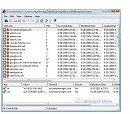
2) IECookiesView 1.74 - It displays all cookies that Internet Explorer stores.
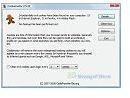
O/S: Win (All) and File size: 94 kb
3) LockJar 2.1
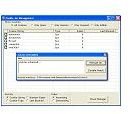
- It lets users manage their cookie intake. O/S: Win (All) and File size: 5153 kb
4) Cookie Monster 3.47
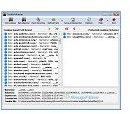
- It lets users manage browser cookies from a single location. O/S: Win (All) and File size: 672 kb
5) Cookie Jar 1.01
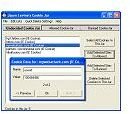
- It lets users manage their cookies by sorting them (i.e., to keep or delete cookies). O/S: Win (All) and File size: 68 kb
More “Free” Cookie Managers
In addition to those Top 5 Free Cookie Managers, there are several other programs worth mentioning…
-
Cookie Monitor 1.0 - It’s an easy-to-use utility that watches all cookie files on the computer. It works with the following platforms: Windows 95, Windows 98, Windows Me, Windows NT, Windows XP, and Windows 2000.
-
Cookie Cleaner 1.0 - It can remove all unwanted cookies safely and quickly. It works with the following platforms: Windows NT, Windows 2000, Windows Me, and Windows XP.
-
IECookiesView 1.70 - It’s able to display the cookies that Internet Explorer stores on the computer.
-
iWash 2.20 - It’s able to clean cookies and the cache whenever the user wishes to do so.
-
Expired Cookies Cleaner v.1.02 - It will remove expired cookies from the computer.
-
WebWasher - It’s known to crush cookies.
-
AdSubtract SE - It can block cookies.
-
Advanced Cookie Manager 1.27 - It’s a cookie viewer, cookie shredder and a cookie manager. With this utility, users can view, edit, backup and restore cookies on their computer.
-
Flash Cookie Cleaner 1.0 - It’s a freeware program from ConsumerSoft that can find, view, and clean Flash cookies on the computer.
-
AnalogX CookieWall 1.02 - It’s a firewall for cookies.
-
MozillaCookiesView 1.26 - A Cookie Manager provided by Mozilla (Firefox) and Netscape browsers.
Alternative Cookie Managers (for a price)
If one of the listed free cookie managers doesn’t seem to work for you, try a shareware program like: Cookie Cruncher v2.0 (for $24.95), Cookie Guard v1.42 ($25.00), Cookie Editor v1.6 ($12.00). Note: All these programs work with Windows XP platforms.
Top Cookie Managers (for a price): Cookie Crumble 1.0 ($12.95) and Cookie Pal 1.7c ($15.00)
Other useful shareware programs include: Auto Clear Cookies 2.1.1.6 ($29.95) and Delete Cookies 1.2 ($19.95)
References
- Cookie Management: http://www.spyware.lt/cookie-management/
- Cookie Managers: http://www.scanwith.com/Cookie_Management.htm
- Top 5 Cookie Managers: http://www.pcworld.com/article/44745/top_5_cookie_managers.html
- [1] ISPA, Cookies: Where can I see cookies?
- Image: Cookie Management
