Google Pack is free and includes PC Tools’ Spyware Doctor security software and Norton Security Scan from Symantec. Here you find all you want to know about Google Pack including how Google Pack compares to other free security programs, and much more.
What is Google Pack ?
Google Pack is the term for a free collection of essential pieces of software available from Google but including applications from third party vendors. Google Pack software, for instance, includes Google Chrome, Adobe Acrobat Reader, Skype as well as Norton Security Scan just to name a few. Google Pack is compatible with Windows XP, Vista and Windows 7 and contains the two security programs Spyware Doctor and Norton Security Scan.
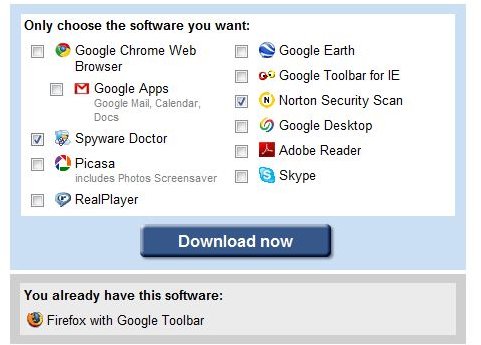
Google Pack is extremely easy to install. On the Google Pack web site simply select the applications you want and hit the download button. Then click Run on the button which appears. Your software is then being queued for download and install so that when the installer completes both, Norton Security Scan as well as Spyware Doctor, are up and running.
As with any antivirus-software and anti-spyware protection you should then run update to have the latest signature files installed. Whereas program upgrades can be managed trough Google (Pack) Updater use the Norton Security and Spyware Doctor Interfaces to download and install the latest malware signatures.
We are first going to have a look at Google’s free security software items, and then elaborate on how Norton Security Scan and Spyware Doctor perform compared to other free Security programs.
Spyware Doctor
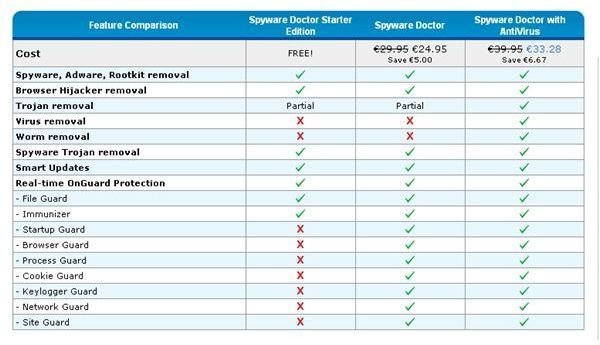
Google Pack includes PC Tools’ Spyware Doctor Starter Edition which provides a malware scanner as well as real-time protection against a variety of threats including rootkits, browser hijackers and, partially, Trojans.
However, the Spyware Doctor Starter Edition lacks any virus and worm removal capabilities! Along the same lines are most of PC Tools’ Spyware Doctor IntelliGuard real-time protection features only available if you upgrade to Spyware Doctor or to Spyware Doctor with AntiVirus editions. Please see the feature comparison screenshot below:
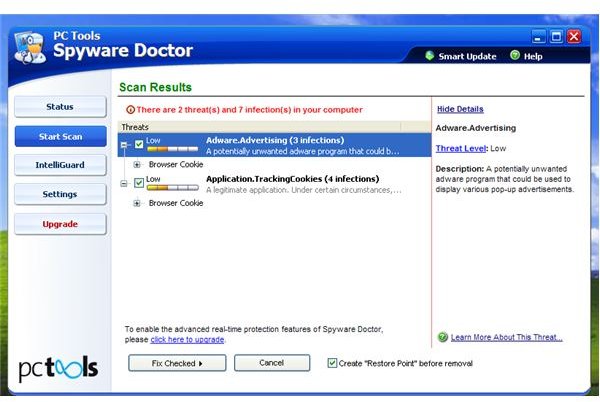
Turn IntelliGuard on if it has not been automatically enabled by selecting the IntelliGuard menu point from the left side of the interface and then clicking the link Click to activate IntelliGuard in the right pane. This enables the PC Tools’ Spyware Doctor Starter features File Guard and Immunizer Guard.
As, for instance, Startup Guard, Browser Guard, and Process Guard can only be activated in the full versions a computer running PC Tools’ Spyware Doctor Starter Edition with an anti-virus software such as Norton Security Scan also found in Google Pack is not as safe as it could be, and perhaps should be.
Norton Security Scan
Google Pack also includes Norton Security Scan which is a bare-bone anti-virus and anti-spyware program that lets you lets you scan your computer for malware either automatically or manually. There is nothing else the software does or that you could configure. Below you find a screenshot of its GUI:
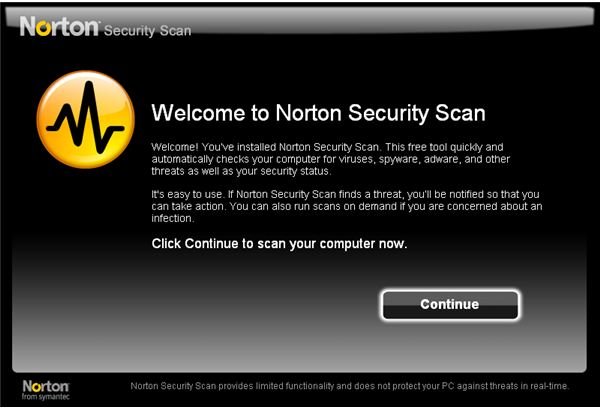
Despite the fact that Norton Security Scan, from Symantec, includes powerful anti-malware technology the software does by means no means provide optimal PC security. Why? Please check out our article Antivirus Programs and Antispyware Programs: Do You Really Need Both?
Taking into account what we already know and “Although a program may offer the option to upgrade to a paid version, you can continue to use the free version offered through Google Pack, as long as you have it installed [1]” from Google we can draw the conclusion that Norton Security Scan is a teaser to buy Norton 360, an excellent program by the way. More Information about Norton 360 can be found in Bright Hub’s article Norton 360 - Install-and-Forget Protection for Your PC .
Conclusion
Google’s free security software Spyware Doctor Starter Edition and Norton Security Scan provide basic protection against a number of malware. They are complementary and should be installed in parallel, for either offers some security which the other product lacks. Yet, not even the two together provide optimal protection unless at the least one is upgraded. If you are thinking about upgrading Norton 360 provides an excellent price to value ratio, but you may also want to have a look at Norton Internet Security 2010, also from Symantec. In case you do not upgrade check out Bright Hub’s review of Free AVG Link Scanner which is a free tool complementary to and compatible with major AV vendors’ products filling a large gap left by basic malware protection.
So how does Google Pack perform compared to other free security programs? Norton Security Scan and Spyware Doctor selected and packed by Google is very easy to install but does not provide optimal security protection as is the case with any other free anti-malware software which all lack one or more important element in PC and/or your online protection. Without revenue vendors of anti-virus software couldn’t pay their programmer’s wages and maintain their labs. Therefore, no premium security software is free. More on this can be found in Bright Hub’s article Do I Really Need to Buy an Antivirus Program? Are Paid Products Really Better than Free Products?
[1] https://www.google.com/support/pack/bin/answer.py?hl=en&answer=28063


