
An instructional guide to recovering deleted data using both personal and professional options.
Intro
In the course of computer usage in is inevitable that a user will eventually delete a file that was not intended for deletion. This is usually followed by a angry stampede of obscenities and flying PC peripherals. Once the dust has settled; sit down, take a deep breath and read on. Thanks to some handy built-in and third-party tools, you don’t have to get fired for trashing the big presentation due on Monday. Although, you might need a new mouse. Follow these simple steps and you will maximize your your chance of recovering deleted file(s).
1. Check the Recycle Bin
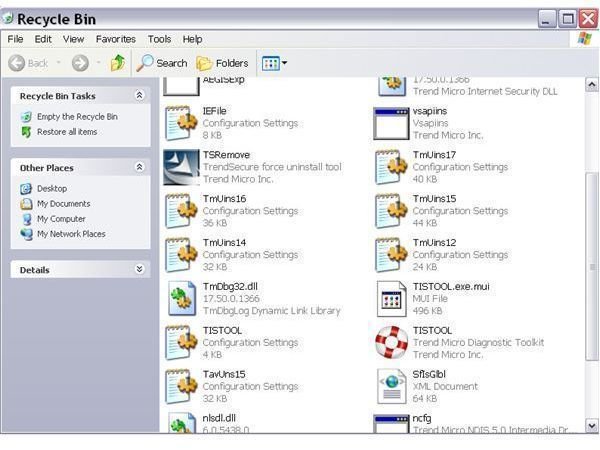
If you are already rolling your eyes, skip to number two, I won’t blame you. The first mistake that many users make is assuming their file is gone when all they have done is right-clicked and selected delete. Unless a user depresses the ‘Shift’ key while deleting, then the file(s) in question will be sent to the Recycle Bin to await a slow death. Hence, the first step to take in the recovery process is to double-click the Recycle Bin icon, located on your Windows desktop. If your file is locate here, congratulations, your job is really easy! Right-click the file and select ‘Restore’. Like magic, your file is right back in the original location. If your fortune is not so great and you have not found your file here, then flip the tape over to side B(not really) and continue on to step 2(really).
Recycle Bin
Halt New Data
The worst thing you can do while trying to recover deleted data is to introduce new data to the drive. Stop any downloads, installations, updates, etc. This step is related to how Windows manages it’s data. There are two parts to a file in a Windows system. The first is a flag, which is a small file with the location(or address) of the actual data, and the second is the data itself. When data is initially deleted on a Windows system only the flag is erased. The actual data is not erased until Windows needs the space for new, incoming data. By stopping the influx of new data you preserve the integrity of the erased data making restoration more likely.
Software Recovery
There are a number of different data recovery applications available on the web or at your local software retailer. These applications will scan your drive for deleted data and display of list of possible files available for restoration. There are usually several different levels of scans, many applications consisting of quick, full system and raw data scan levels. Always start with a quick scan and work your way up to a raw data scan(no pun intended). Unfortunately, the results of these scans may not be ordered as they were located before deletion, so this may entail a great deal of searching through lists of thousands of deleted files. The downside of using software like this is you are breaking the second step and adding data to a drive that contains your deleted data. This could weaken the integrity of the file and ultimately become a self defeating solution. These programs are best used on professional system designed for data recovery, computers will multiple drives, or by users comfortable installing the hard-drive in another computer, not installed on the affected system.
Professional Software Recovery
In some circumstances it may be beyond a users capability to recover the file without seeking professional assistance. Either too much time has passed and the file has been overwritten or the user is not comfortable recovering the file on the file on their own. If either of these descriptions fit you; unplug your entire computer and take it to a local repair shop. There, they will be able to scan the drive in a more suitable environment for data recovery and greatly increase the chances of recovering the needed data. Depending upon the location they may not locate the actual file(s) in question, so you should always ask before you purchase the service. Many shops will recover all available deleted data and put in on a Disc for you to repeat the painstaking search process described in the preceding step.
Professional Hardware Recovery
By now you are at the end of your rope(hopefully not literally). You have tried all available local options and nothing has worked. Where do you go from here? The answer is, ‘hardware recovery’. Your local repair shop may have a good suggestion; if not, consult your favorite search engine. These services are not available in most cities so you will most likely need to ship either the computer or the hard-drive to the company for inspection. This option is the most effective means of recovering lost data and the price tag will reflect that, so be prepared. Once you have made a selection and sent in the requested hardware; the professional data recovery businesses will examine your disk drive in a clean room using state-of-the-art recovery equipment. This process is so accurate that data has been able to be recovered even from computers found at the bottom of the sea. Once they are finished your computer will be returned along with a disk containing the deleted data. Once again, depending on the business, the data may not be sorted, so be sure and ask before you send.


