Sniffing Passwords With Wireshark
Understanding Wireshark
The technique of finding a password with Wireshark is relatively simple. Wireshark sniffs a network and monitors the traffic on the network. While sniffing is very efficient, it is not truly efficient on a switched network. Because switches commit and dedicate connections between computers, packets may not be picked up. (Switches can be tricked by committing an ARP poisoning of the switch- more on this later). A network with a hub is the easiest to capture packets on. Networks that use wireless are vulnerable whether they are switched or not. Wireshark is powerful enough to see the traffic of Windows, Mac and Linux. This application can see real or virtual computers.
Wireshark can be downloaded at https://www.wireshark.org. Wireshark contains WinPcap, a utility that works in the background with your network card. When downloading the software, WinPcap will be included.
Today, Wireshark runs on all major operating systems and can perform VoIP analysis, capture some compressed gzip files and decompress them. This top security program also offers some support for decryption against many very common protocols.
Promiscuous Mode
In order to start the program, (assuming Windows XP) click on Start, Programs, Wireshark (Group) and click on Wireshark.
Once the application starts-
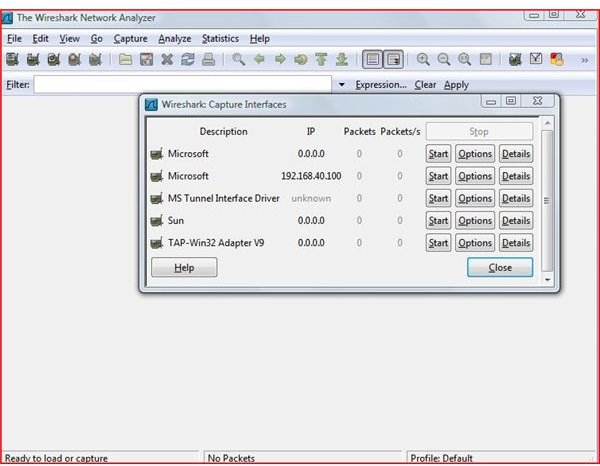
Click on Capture and go to Interfaces. Select the active network card. Now click on the Options button in the Window.
Make sure the Capture packets in promiscuous mode box is check in the Wireshark Capture Options check box.
Now click on Start (This starts the capture process)
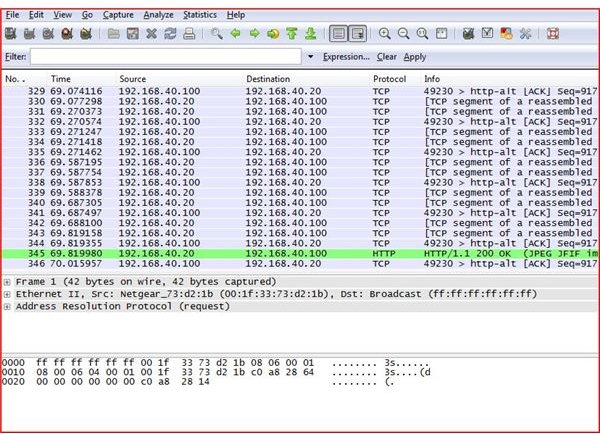
You will now see packets of data that are now passing across the network. Allow this application to run for several minutes. Return to the menu and click Stop.
You can find packets by typing key words or the word password and hitting enter to find the packets that may contain the password.
Wireshark
Conclusion
I do not support the use of this product in a malicious way: hacking into systems without permission is a crime - don’t do it! This tutorial is designed to show how vulnerable this application makes your company network. Always use the highest security methods of encryption possible and pass critical data over a VPN (this includes internal traffic). Use switches and take extra precautions by controlling and programming your wireless network at the highest encryption possible. Lockdown the average user. Keep policies and procedures in place. Restrict thumbdrive use. Maintain physical security of all network devices.
In today’s world, it’s not just the outside hackers, it’s the inside hackers that will steal your data.
More Tutorials!
If you’d like to read more articles like this, be sure to check out Bright Hub’s Ettercap Wifi Sniffing Tutorial, Ettercap DNS Redirection Tutorial and WIFI WEP Cracking Tutorial.
