A Guide To Anonymous Web Surfing
What is Anonymous Web Browsing?
When you surf the Web you normally create a trail of histories and files on your computer. Your browser, such as Internet Explorer or Firefox, records websites visited, search and download information, as well as web form data. This information is stored on your local hard disk along with cookies and temporary Internet files.
Applications to navigate the World Wide Web until now only provided methods for deleting these files and clearing the Internet history on a category basis, or altogether. However, downsides include that these measures are reactive, and that you remove all pertinent information, e.g. ‘Remember me on this site’ or ‘Save password’, independent of content sensitiveness or Web address.
In contrast, anonymous Web browsing implemented in Google Chrome, Internet Explorer 8 and Mozilla’s latest Firefox browser allows surfing anonymously by changing to stealth mode without generating a history in your browser records, with temporary Internet files eradicated on the fly; favorites and downloaded files are not deleted of course. As you can switch modes when you want anonymous Web browsing is not only proactive but also selective.
Anonymous Web browsing is advertised as a means of not giving the game away about your wife’s Christmas or birthday present you have been looking for in the Internet. Cynics on the other hand refer to Google Chrome‘s ‘Incognito’, Microsoft’s Internet Explorer 8 ‘InPrivacy’ and Firefox’ ‘Private Browsing’ anonymous Web browsing disrespectfully as ‘porno-mode’.
Fact is that these new Web browser features meet users’ demand for privacy, myself included: by means of visiting them in anonymous mode I can prevent specific URLs, for instance, those of online banking, from showing up with Smart Location Bar (Awesome Bar) in Firefox when typing a web address in normal mode, which is more than useful if somebody note close to me is looking over my shoulders. Apart from that, leaving no online banking information in my browser cache etc adds an additional layer of protection against online threats or computer theft.
Please note that anonymous Web browsing by means of Incognito, InPrivate or Private Browsing does not prevent what your Internet Service Provider or large funded organizations may log about your surfing habits. Neither protects anonymous Web browsing what others may record about you when visiting their sites.
Thus, Incognito, InPrivate or Private Browsing fortify your Internet privacy on the local computer only, without making your Web history forensically clean. Let’s have a look at them on the next page and check out the top anonymous Web proxy servers and the top Web anonymizers on page 3.
Incognito - Google Chrome
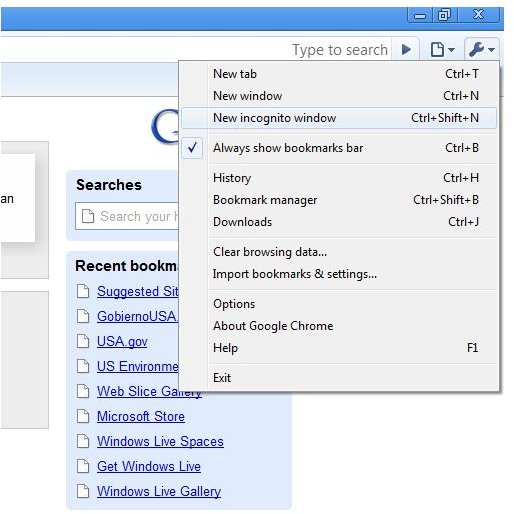
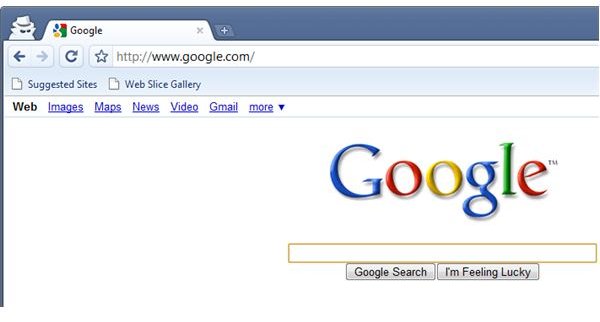
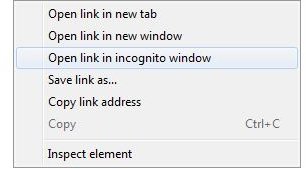
In Chrome press the Ctrl + Shift + N hotkey or go to the tool icon in the menu bar to open a new window in incognito mode, Google’s term for browsing the Web anonymously. In anonymous mode the top left corner of Chrome shows a spy with dark glasses, trench coat and hat, followed by the tabs which have their auto-suggest feature turned off. You can even start a link in incognito mode, something I haven’t noticed in the Firebox Beta and IE 8.
Incognito depicted – Click to Enlarge
InPrivate – Microsoft Internet Explorer 8
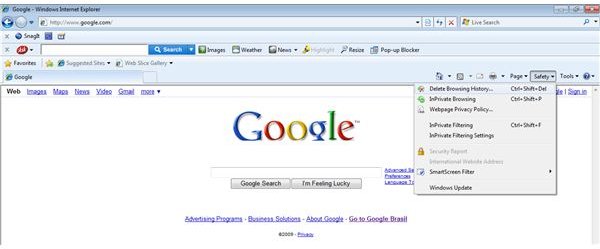
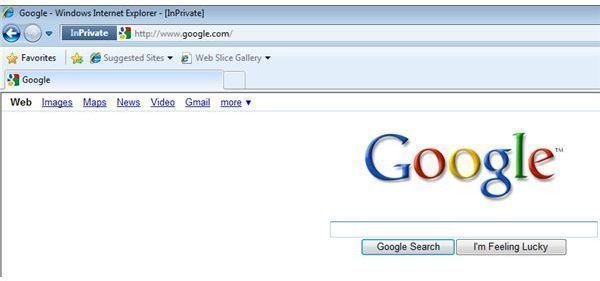
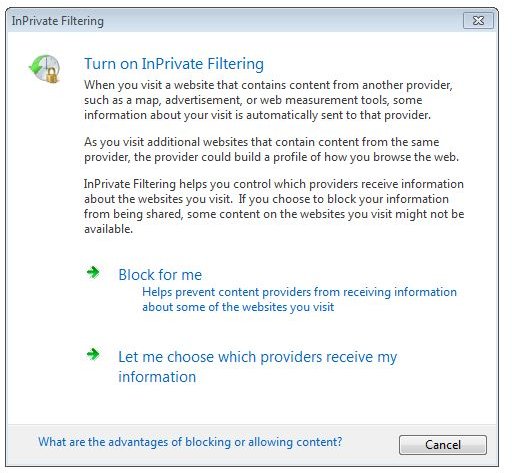
The menu bar of Internet Explorer in version 8 has a new item called Safety where you find InPrivate Browsing, Microsoft’s expression to surf the Web anonymously, and InPrivate Filtering to configure or block cross-site tracking mechanisms. You can activate InPrivate Browsing at any time in the safety menu or by using the hotkey Ctrl + Shift + P. When Internet Explorer 8 is running in is privacy mode its toolbars and your add-ons are disabled, and the address bar begins with an InPrivate favicon.
InPrivacy depicted – Click to Enlarge
Private Browsing - Mozilla Firefox
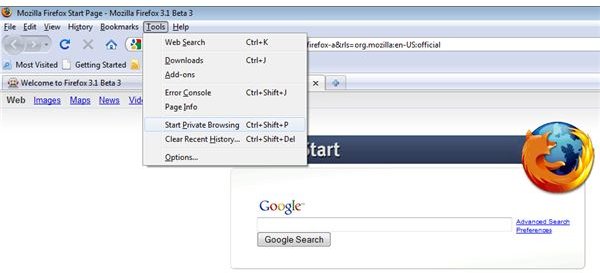
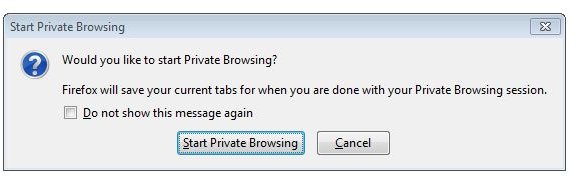
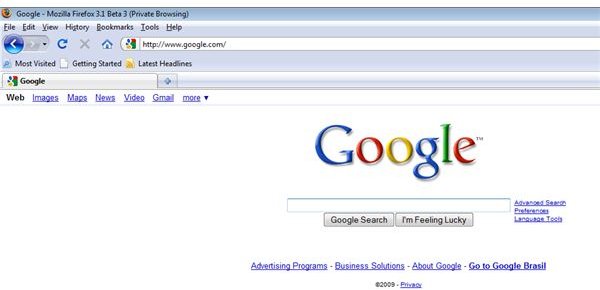
The latest release of Firefox, of course, includes anonymous Web browsing, too. Mozilla calls anonymous Web browsing ‘Private Browsing’. Firefox in privacy mode appends (Private Browsing) to title bars of windows and tabs without making use of a special favicon. To start Private Browsing press the hotkey Ctrl + Shift + P, or open Tools in the menu bar.
Private Browsing depicted – Click to Enlarge
Anonymous Web browsing by means of Incognito, InPrivate and Private Browsing gives you the option of visiting Web sites of in privacy, or clandestinely. Anonymous mode can be switched on either temporarily, for selectively visiting specific Internet addresses, or be used as a general means of privacy protection in new browsers.
As opposed to purging your Web history and deleting telltale files does anonymous Web browsing found in InPrivacy (Internet Explorer 8), Incognito (Google Chrome) and Private Browsing (Mozilla Firefox) not generate a history in your browser records, with temporary objects being purged when you close the session. Incognito & Co do an excellent job in protecting you from being spied on locally.
Now let’s look on the next page how anonymous proxy servers and anonymizer software are helpful in beefing up your Internet privacy and security by protecting the Web traffic and concealing your IP address.
SOCKS Proxies
SOCKS is an Internet network protocol for routing network traffic. The most recent standard is called SOCKS 5. Whereas Web proxies work by inspecting HTTP header information does a SOCKS proxy open a TCP or UDP socket connection. This has the advantage that traffic is not limited to HTTP web requests but can also include FTP downloads for example. Moreover, SOCKS proxies can handle video streams and Java Scripts far better than most http or web proxies. This is important when visiting social network sites such as YouTube and Face book for example. To use SOCKS you have to change your browser settings!
If you are interested in SOCKS proxies then make sure you don’t miss Bright Hub’s review of FoxyProxy: An Open Source <strong>Proxy Switcher</strong> for Firefox. Make sure you read about the separate Proxy Foxy Video Utility to visit YouTube, FaceBook etc.
Top Anonymous Web Proxy Servers
With an anonymous proxy server Web traffic originating from your browser is redirected to the Web proxy which acts as an intermediary. An anonymous or fully anonymous proxy sends Web requests on your behalf to the sites you are visiting and redirects responses to your computer, and vice versa.
If you connect to an anonymous proxy by means of the HTTP protocol your ISP can still see what you are doing in the Internet, whereas with HTTPS your ISP knows little more than that you are using a certain proxy because the Web traffic is encrypted. Furthermore and perhaps more important, a HTTP or HTTPS (secured HTTP) anonymous proxy conceals your identity and hides your IP address from the Web addresses you visit. However, unless you use a fully anonymous web proxy the site’s administrators can easily detect that you are concealing your identity, and perhaps block your web requests coming from the anonymous web proxy.
Anonymous proxy servers are particularly useful if you want to hide your identity sporadically as you have to navigate to the anonymous proxy’s Web site to start browsing the Web anonymously. However, some Web-based application may not work with an anonymous proxy. The more anonymous functionality you are looking for the likelier it is that it will incur a fee or force you to use a SOCKS proxy.
www.proxies4u.com for example provides a list with hundreds of continually checked and free anonymous proxy servers, so called web proxies which you can use without making changes to your system or browser configuration, just by entering the URL in a proxy’s surfbar.
The degree of anonymity depends whether or not the web proxy stores cookies on your behalf; most proxies give you the choice of anonymity versus functionality.
Top Web Anonymizers
Should you be looking for a straight-forward way to browse the web anonymously, or if you need a more general solution to secure your Internet traffic including programs like, for instance, instant messaging or chat, then anonymizer software may be right for you. Top web anonymizers additionally include anti-tracking mechanisms sometimes lacking in common anonymous web proxies.
GhostSurf also provides anonymous Internet browsing by encrypting your connection and hiding your IP address. The yearly subscription is 29.95 $. GhostSurf can be tried free for 15 days.
UltraSurf has been designed to overcome censorship, but provides anonymous Internet browsing by encrypting your connection and hiding your IP address, too. It’s completely free and available for public download. UltraSurf is definitively worth trying!
You may run this privacy test to check your Internet privacy before and after beefing up your means of browsing the Web anonymously. Perhaps you also want to ask yourself a moment what level of Internet privacy you really need, and why. In any case be aware that even if you spend money for anonymizer software or a fully anonymous web proxy service it will be an arms race with those tracking your identity and surfing habits. Needless to say that anonymous web proxy servers and intermediary computers belonging to anonymizer software keep logs, too.
Reference
GhostSurf - https://www.tenebril.com/consumer/ghostsurf/ghostsurf_standard.php
UltraSurf - https://www.ultrareach.com/
Screenshots by the writers
Author’s own opinion
