The good days are gone when we needed only an antivirus and a firewall to protect ourselves. The threats just got more serious, working at the lowest level of your operating system. These nasty programs are named rootkits and here is the top free anti-rootkit removal tools for Windows.
Introduction
What is a rootkit? Rootkits are the most sinister programs that can run inside your computer. They essentially reside at the lowest level of the operating system and work as services: their aim is not to destroy, but to hide. At first, these were the tools that system administrators used to access the information about the users and to prevent their access to the service modules. Then, the magnificent brains turned these programs to monitor the users’ activities, and even worse programmed these tools to hide the malware applications from the anti-malware tools: you are infected with a virus and here is a program that is hiding it from your anti-virus scanner. What can be worse?
In this article, we will look at the anti-rootkit applications for Windows and try to see how they work.
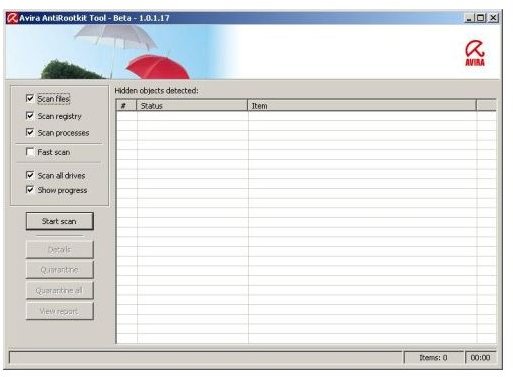
Avira Anti-rootkit Beta (Version 1.1.0.1) (5 out of 5)
Avira scans your computer for the active rootkit applications, not the ones that are inactive in the files. I found the application to be very reliable. It scans the whole registry values, system processes and running applications and watches them in resident (real-time) mode. If it detects any changes, it intervenes immediately and tries to find the reason of the change. If it decides that the change is due to a malicious program, it detects and removes it.
The software is a very powerful program from Avira and is in Virus Removal Tools section. It is also a very fast rootkit detector. You can find the results from the program’s logs when it finishes its scan.
Sophos Anti-Rootkit (Version 1.5) (2 out of 5)
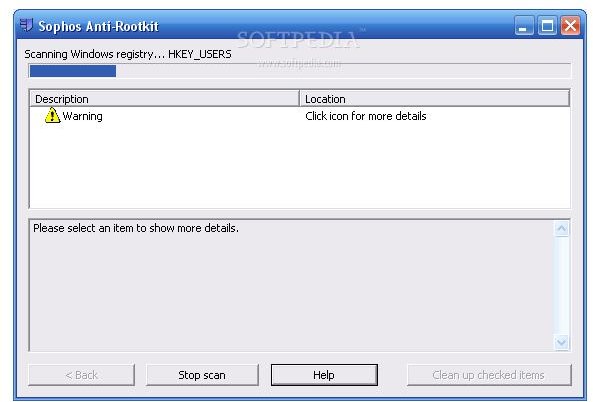
Sophos Anti-Rootkit is a powerful anti-rootkit detection and removal application with a strong rootkit signature database. Sophos scans your system for the rootkits and deletes them, thereby protecting you from the malware that can work with administrator rights. Imagine this scenario in a corporate network.
To avoid such a scenario, you have to update Sophos Anti-rootkit regularly with the new rootkit signatures. The program scans your computer’s disks, running processes and memory to find traces of rootkits. It also helps you to delete them if it finds one. After the scan process is complete, Sophos will list the items that it finds questionable. Tick the items that it finds and then click the “Clean up the selected items” button to clean them all. Once you restart your computer, you will no longer have them running on your computer.
I thought about removing Sophos from the evaluation and reviews overall, because it was so hard to find the download page for the product and it required a useless registration process to download a free program. Look Sophos, I am a regular user and I do not want to be a member to use your programs. Moreover, for two hours the registration confirmation message did not arrive (checked also the spam folder). If you insist that, I will go for your competitors. I am taking out one point for this reason from my evaluation.
TrendMicro Rootkit Buster Beta (Version 2.80.1077) (4 out of 5)
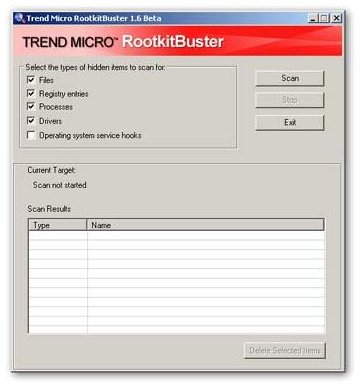
Rootkit Buster comes from one of the gurus in the anti-virus area: TrendMicro. The program is just a zipped executable (exe) file of 1 Megabyte in size. Rootkit Buster starts its scan from the Master Boot Record (MBR) of your hard disk and then carries on with hidden files, hidden registry values, hidden processes and finally hidden drivers.
Rootkit Buster displays its findings in a window and lets you delete them by clicking the “Delete Selected Items” button. When everything is complete, the system displays a log file.
Panda Anti-rootkit (Version 1.08) (5 out of 5)
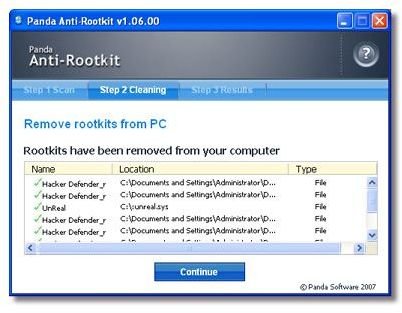
Panda is another anti-rootkit detection and removal tool. Panda runs as a three-step process: First step deeply scans your computer, second steps removes the findings and third step presents a report. When the program starts up, it asks you if you want to enable automatic updates; I strongly recommend you to enable this.
Panda does not leave anything to chance: in its scan, it checks the hidden drivers, the program modules that are running, registry values, non-standard connections such as IRP connections and goes as deep as possible. With this paranoid search, it leaves nothing to do for the rootkit applications.
You can download the product from Download.com .
Overall Evaluation
I have placed a couple of rootkits on my virtual Windows machine running XP SP3 and let all programs do their job. Panda and Avira could find and clean them all with a 100% rate, but Avira’s scan took a little bit longer. Therefore my evaluation is as follows:
- Panda Anti-rootkit
- Avira Anti-rootkit Beta
- TrendMicro Rootkit Buster Beta
- Sophos Anti-rootkit
My evaluation is based as follows:
- One point for overall rootkit detection: Finding all receives one point.
- One point for scan speed: Relative. Top two gets one point.
- One point for finding the download page: If it’s hard to find, lose this point.
The base point is 2, to think, develop and make a freely available program to take care of rootkits.


