What's New in Windows 7? An Overview of the Security Features in the New Operating System From Microsoft.

Action Center, AppLocker, BitLocker To Go, Backup
I’ve tried installing the Windows 7 beta as fresh install and as upgrade from Windows Vista. The installation was smooth and it did not take long to see the nearly 3 year old laptop to boot in Windows 7. When I fresh installed Windows 7 on my Dell laptop, all device drivers are installed except the drivers of the built-in webcam and the Ricoh media card reader. Since Dell let me download the driver and software for the webcam, I test by installing and it worked. Windows Update offered updates for NVIDIA graphics card driver and also the driver for Ricoh media card reader. Unlike earlier editions of Windows, a user need to ready or hunt for drivers. Microsoft is now making it sure that Windows 7 will have the widely-used device drivers ready when you install Windows 7 as upgrade or clean-install. I found the below 12 new and enhanced features in Windows 7.
Action Center
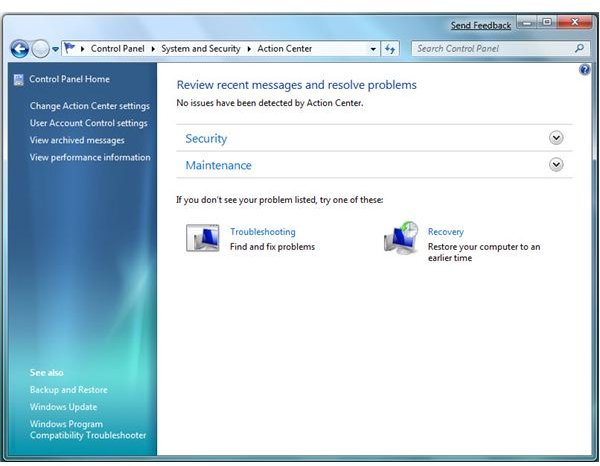
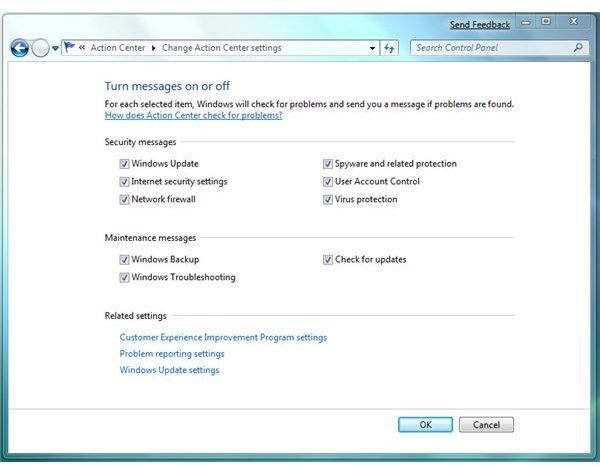
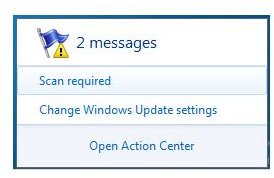
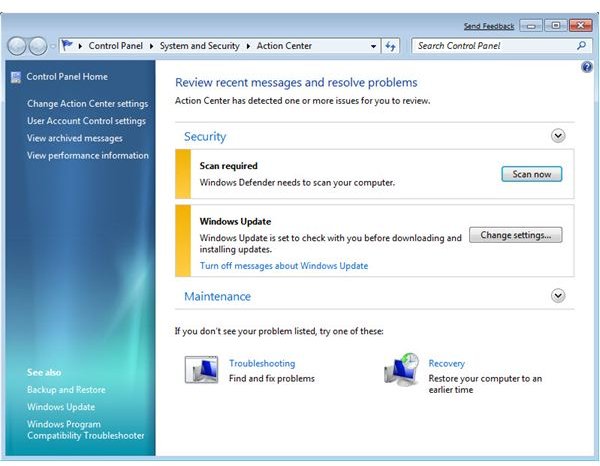
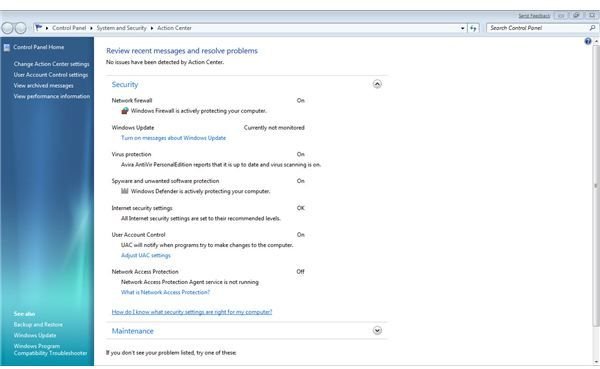
The new panel for Windows Security Center is now Action Center. It will display not only the security status of Windows but also the Maintenance status (whether you’ve created a backup already or if there’s any problem device or component in your computer that requires attention). In earlier edition of Windows, the security center icon will only appear if any of the monitored items by security center requires attention. With Action Center, there is a
in the notification area and it will

. I like Action Center because it is now integrated to the Problem and Solution section that you can find in Vista. If your device manager reports missing device driver, Action Center will alert you and offer you a solution. Action Center will also provide status if you have not scanned your system using Windows Defender and if a Windows Backup is currently running.
AppLocker
AppLocker a new feature in Windows 7 for System Administrators. Controlling what software can do is no difference in controlling user actions and this method is possible with the help of Application Locking. AppLocker can help prevent malware infection or installation of rogue software in a computer with Windows 7. This feature is one of the features in Windows 7 that I am sure will be very useful to many IT Administrators. Administrators will be able to maintain a list of applications or file extensions (.exe, .msi, .msp, scripts, .dll etc) that are creating problems or software that is bundled with unwanted components. Use AppLocker by adding the unwanted, rogue or dangerous program or the dll files as unauthorized software.
Bitlocker To Go
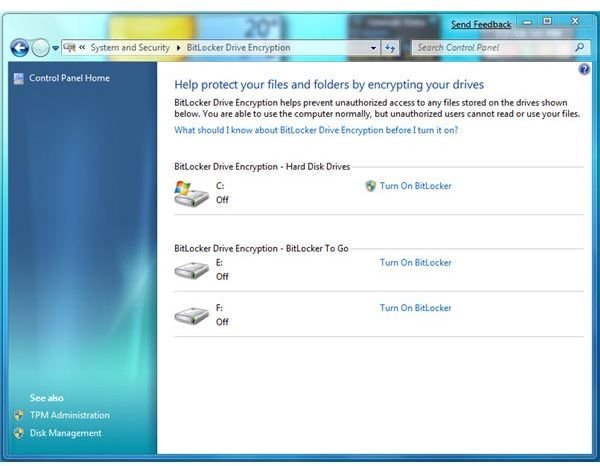
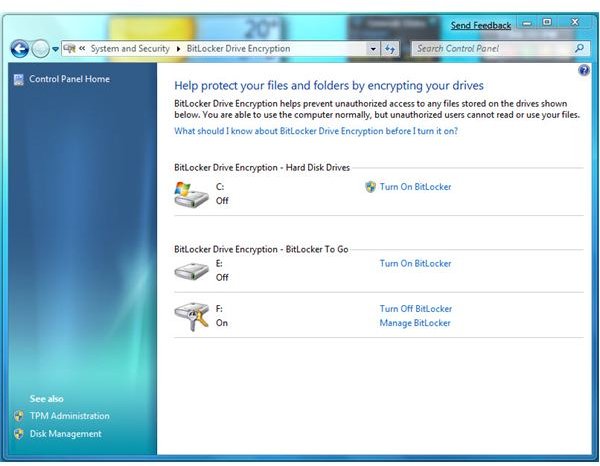
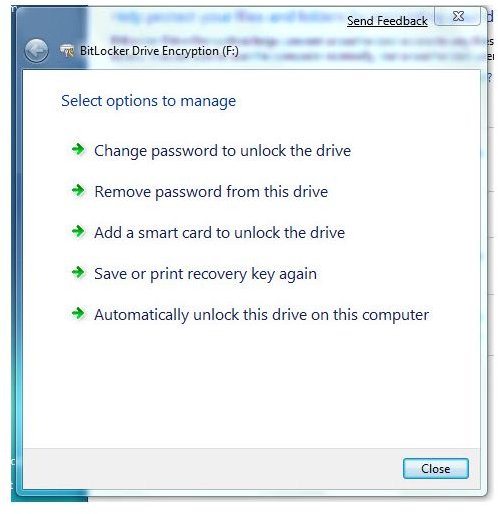
BitLocker let you password protect your entire drive by encrypting it and this feature was first introduced by Microsoft in Windows Vista. In the upcoming Windows 7, BitLocker To Go is one of the new security features that you can take advantage. You’ll be able to encrypt your Pen, Flash or any portable drives so no other users will be able to access or modify the content. BitLocker To Go is quite useful who want to have complete data privacy and security not only in the system drive but also removable drives. I tried using BitLocker To Go on one of my pen drives and it is so easy to use.
Screenshots of Action Center and Bitlocker To Go
Biometrics, Credential Manager, Direct Access
Biometrics
If you have a laptop or fingerprint reader, you can take advantage the new feature in Windows 7 to use the device not only to logon but can be used to grant permission through UAC. Look at below scenario on how Windows Biometrics Framework is useful:
You have a fingerprint reader and you are using it to logon to Windows or any applications that is compatible to the fingerprint reader software. You are prompted by UAC when a program is trying to make administrative action. With Biometrics in Windows 7, you will simply use the fingerprint reader to grant elevation action through UAC.
In Windows 7, you will see Biometric Devices Control Panel to manage or view the biometric devices.
Credential Manager
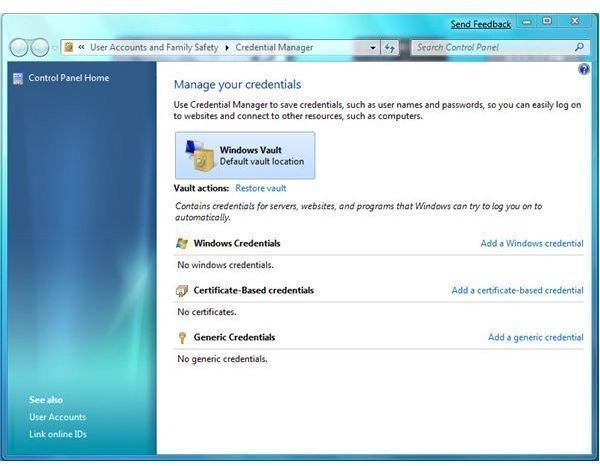
Credential Manager is another enhanced feature in Windows 7 where you will have your vault for your passwords. You can add or manage your credentials of your favorite websites without installing 3rd party credential manager or password manager. Windows XP have Credential Manager also but with less option.
DirectAccess
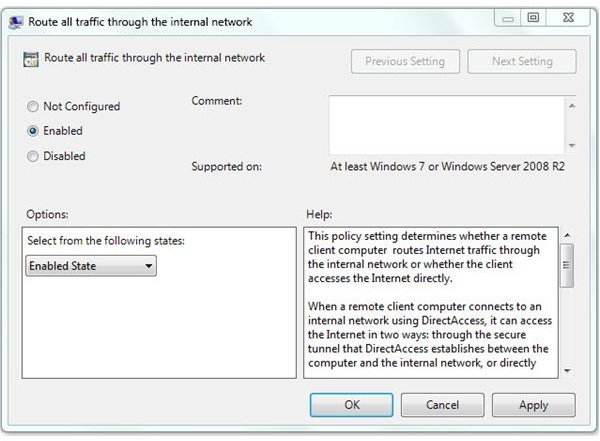
With DirectAccess in Windows 7, users who usually require access to their network will be able to have authenticated connection to the intranet via internet or while you’re on the go with your laptop.
HomeGroup, Internet Explorer 8, User Account Control
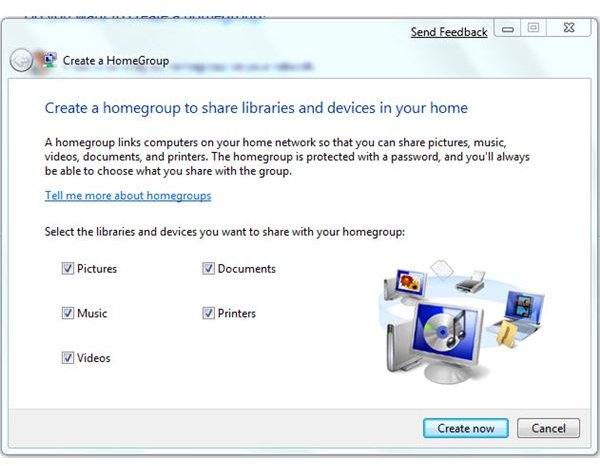
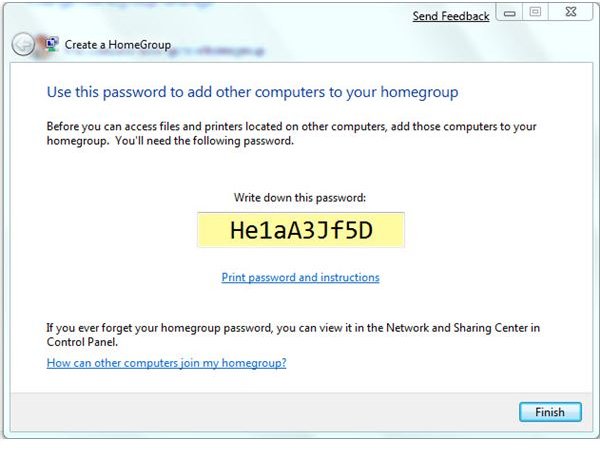
HomeGroup is another feature in Windows 7 which let users to share files. When creating a HomeGroup in Windows 7, you will be given a password (you can change the HomeGroup password, if you wish) that you can enter to connect to other Windows 7 users in your HomeGroup. It’s not a requirement to use HomeGroup if you prefer to use the existing credentials that you previously set-up on your home network.
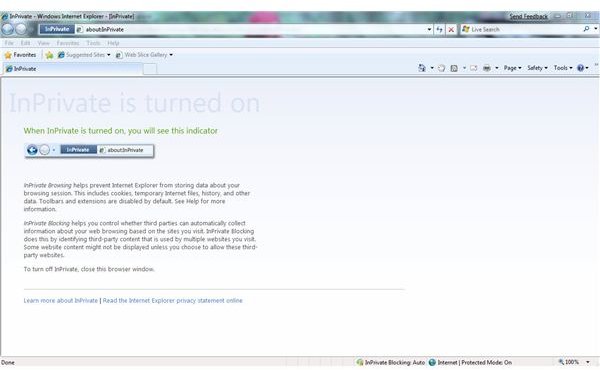
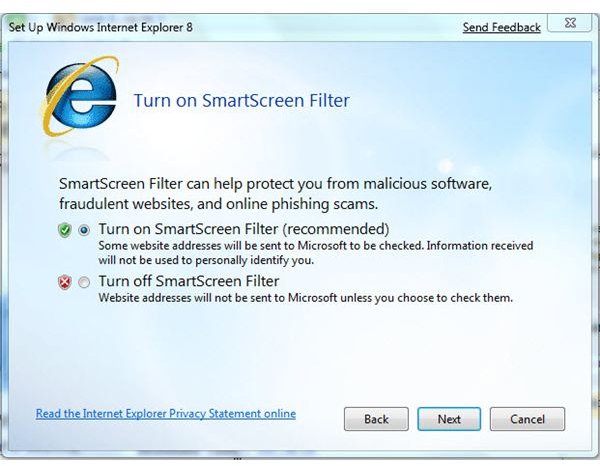
Internet Explorer 8 is included in Windows 7 and it has its own new features too! You’ll be able to use InPrivate Browsing and SmartScreen Filter features in IE8. With InPrivate Browsing, InPrivate Blocking and InPrivate RSS subscriptions, you are using the browser in private mode where no browsing information is stored (no cookies, no temporary files etc). The Anti-phishing filter in earlier version of Internet Explorer is now called SmartScreen.
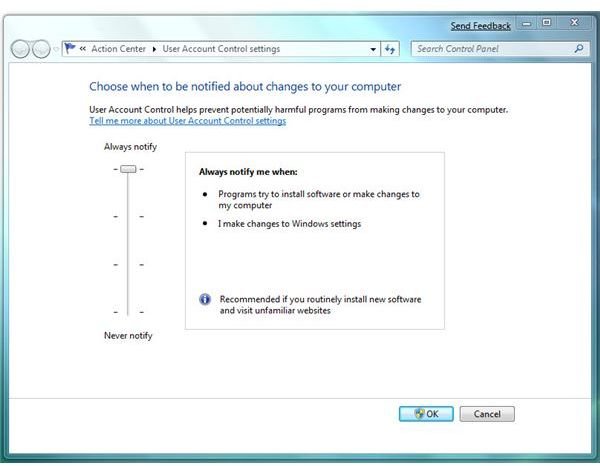
User Account Control (UAC) is not a new feature in Windows but in the upcoming Windows 7, expect UAC to act the way you want without turning it off or without digging in the policy editor in Windows to configure it. Microsoft respond to customer’s feedback about UAC by providing an easy to use control settings via Control Panel and allowing you to control how UAC will act when administrative action is needed. There are four available UAC settings for Windows 7 users:
- Always Notify - this setting is similar to what Vista users are seeing. It’s the most secure setting because you’ll be notified each time a program will make changes in your system or require a permission to modify or add anything in areas that UAC monitors. The desktop will be dimmed if this setting is selected
- Notify me only when programs try to make changes to my computer – this is the default settings of UAC in Windows 7. If you will use this setting, you are using a medium level of security because you will not see the UAC prompt when your user account will make changes in Windows that requires permission or administrative task. UAC will only prompt you when software will try to make changes in Windows that require permission of administrator. The desktop will not dim.
- Notify me only when programs try to make changes to my computer - this is similar to the above except Windows will have a secure desktop, also called dimming of the desktop
- Do not Notify me - choosing this option means you are turning off the UAC in Windows 7. This is the least secure setting so it’s not recommended to use this setting.
If I’m to choose what UAC setting it will be in a Windows 7, I will use Always Notify because it can help to secure your settings in Windows. It’s not anti-virus or intrusion protection but to prevent unwanted or unnecessary modification or addition on the system. Or just use a non-admin account which is most recommended setting that any Windows user should be using.
Screenshots of HomeGroup, Internet Explorer features, UAC
Windows Defender, Windows Firewall and Windows Update
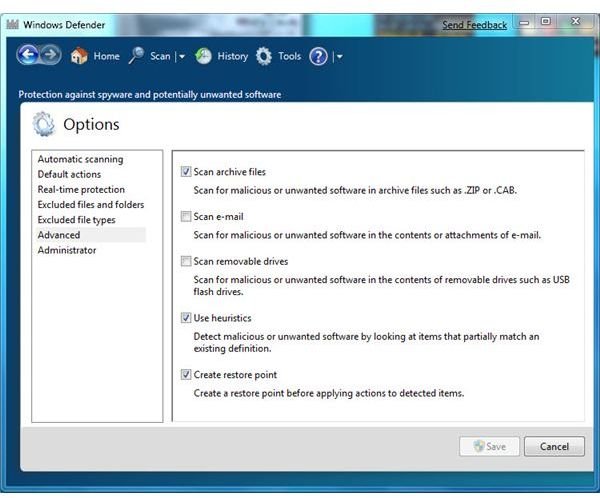
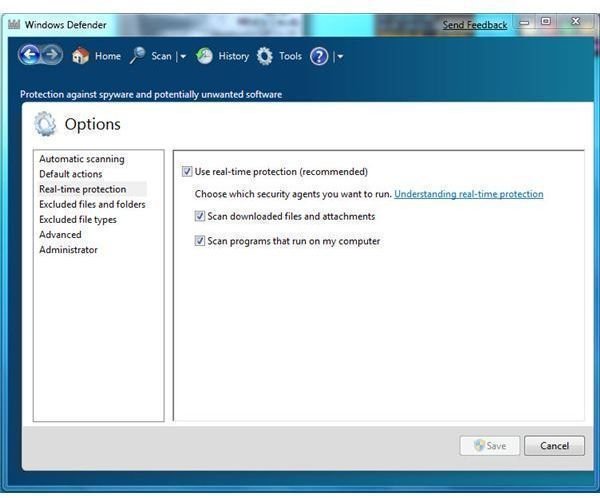
You will still see Windows Defender in Windows 7, the free antispyware by Microsoft. First thing that I notice is it does not have the Software Explorer anymore. Software Explorer is where you can view and manage the list of start-ups or running processes. Don’t worry for you can use WinPatrol and StartUpLite in managing start-up, running tasks and processes. The UI of Windows Defender has a change a bit also.
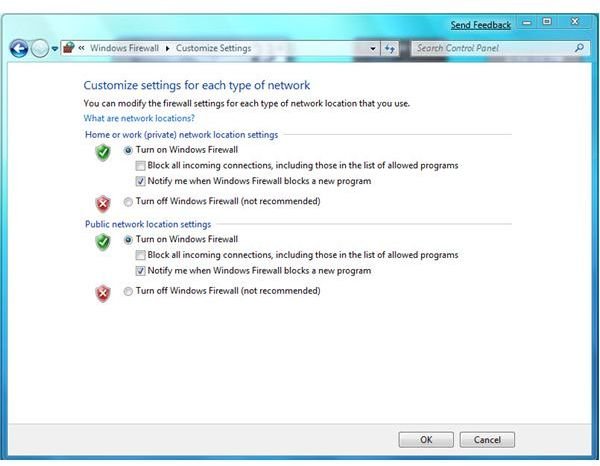
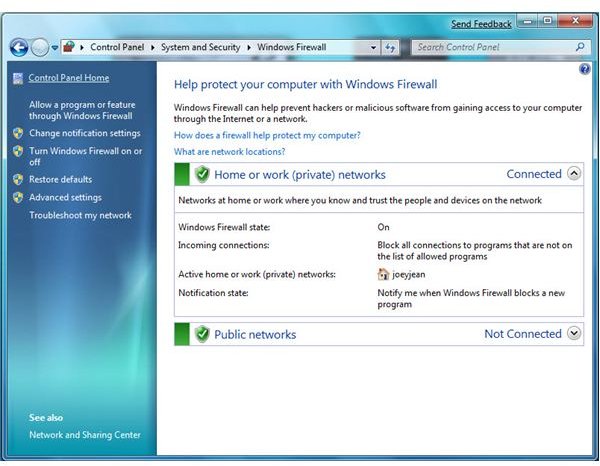
Windows Firewall has been enhanced in Windows 7 by allowing you to have a separate firewall setting if you are connected in your homegroup or in public network.
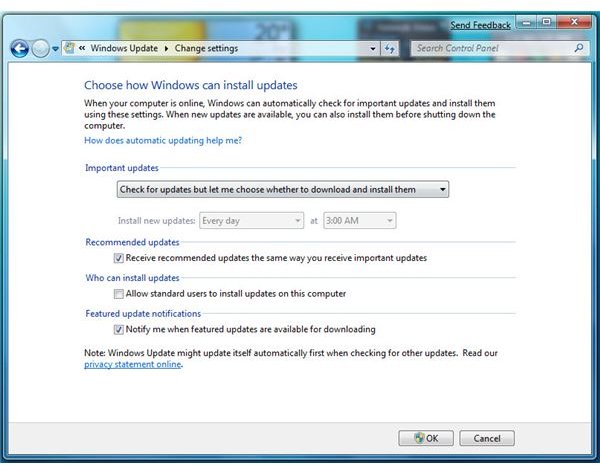
The Windows Update options in Windows 7 got 1 new item and that is to let you decide if you want standard users to install necessary updates for your Windows.
There are many other new things and improved features in Windows 7 that I did not write here and those are the user interface, controls, performance, networking tools, slideshow (I like this because it’s like using my laptop as Digital Frame), task bar and many more! I’m sure we’ll see more information when Microsoft’s Windows 7 goes RTM. And quite sure also that many software vendors are now busy beta-testing their existing software on Windows 7 or they have new ideas to offer that will add functionality in any new features of Windows 7. Home and Small Business users will definitely enjoy using Windows 7 because the features are not only going to help with the daily computing at your home or home office but will also provide extra layer of security and privacy.
Screenshots of Security Tools and Windows Update in Windows 7
Want to know more about the security features in Internet Explorer 8?
If you’d like to find out more about the new security features in Internet Explorer 8 (IE8) - the most recent version of Microsoft’s web browser - be sure to check out Steve Mallard’s article Security Features of Internet Explorer 8.
