Backing up your computer is one method of protection against hardware failure and malware infection. You don’t have to spend tons of money on a backup program. Explore these seven excellent options for Windows 7 and Vista.
Why Backup?
Not many users are creating or regularly doing a back-up. The tools are expensive and the process can be time consuming. If your computer is infected, some believe reformatting is the only way to get rid of bootkit and rootkit (e.g. Mebroot and Stoned bootkit). I don’t think reformatting is advisable all the time if the user has a good system or drive backup. I personally backup and restore my system using ImageX or Acronis True Image Home. Yes, I have two backup utilities to use just in case one fails!
When & How Often?
You can backup anytime you want. You should backup often, especially after completing a lot of security updates. Backing up does not require a whole day just a few minutes. Even my very first backup took less than an hour.
I see no reason for users to say ‘backup tools are expensive’ because there are good, free options. On the next few slides is my list of the top seven free backup programs to consider.
ImageX
ImageX.exe Tool is a powerful image capture utility but it is not shipped in Vista and Windows 7. Some of you maybe have it already if the PC manufacturer added it in your hard-drive. Example: Dell ships their PC with Recovery Partition and the ImageX.exe and other files required to use ImageX.exe is located in the local drive D:/Tools (a visible partition).
If you do not have ImageX.exe, you can get it for free by downloading the Windows Automated Installation Kit (WAIK) from Microsoft Download Center:
- The Windows Automated Installation Kit (AIK) for Windows 7
- Automated Installation Kit (AIK) for Windows Vista SP1 and Windows Server 2008
- If you are using Vista SP0 and higher, you can also get the Windows Automated Installation Kit (AIK) from here .
Once installed, you will find ImageX.exe in c:\Program Files\Windows AIK\Tools\x86\imagex.exe (please read the included documentation in Windows AIK program).
To use ImageX.exe in capturing or restoring the whole system drive or whole disk, you will need to boot to Vista or Windows 7 DVD installation disc, and then proceed by clicking Repair My Computer. Next, choose the Command Prompt to use the following commands:
imageX /apply or ImageX /capture to capture or restore your backup.
Example commands:
To apply or restore to an existing ImageX (.wim file) file, you will enter the following commands:
imagex /apply D:\Dell\Image\Factory.wim 1 c:
To capture or create a backup of your existing drive or system drive, you will use the following command:
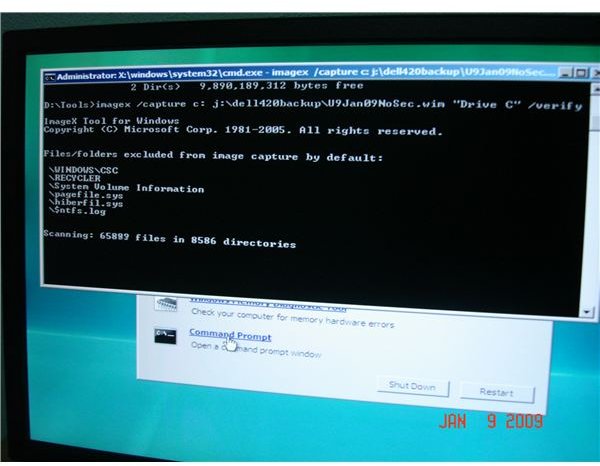
imagex /capture C: D:\Your backup folder\myfullbackup.wim “Drive C” /verify
Below are the screenshots when I backup a 320GB hard-drive.
GImageX
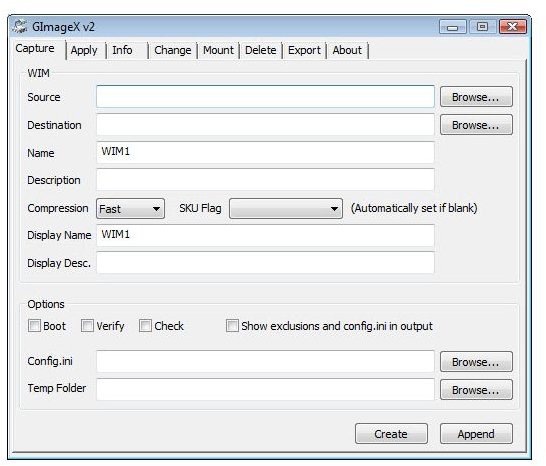
GImageX is similar to ImageX Tool in WAIK by Microsoft. The only difference is it is necessary to is the command line. Users unfamiliar with using this utility may prefer ImageX with Graphical User Interface (GUI). GImageX is free and you can download it from the authors’ website . This free backup tool runs on Windows 7 and Vista.
Replicator
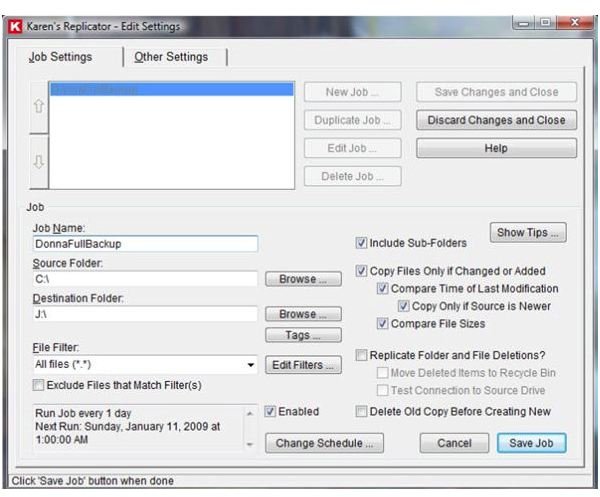
Karen’s Replicator is one of the easiest full backup utility I’ve seen! It lets you backup files; folders and even entire drive. It runs on any versions of Windows operating system. See the screenshot below on how to create a full backup of your Drive C, where Windows is usually installed.
DriveImage XML
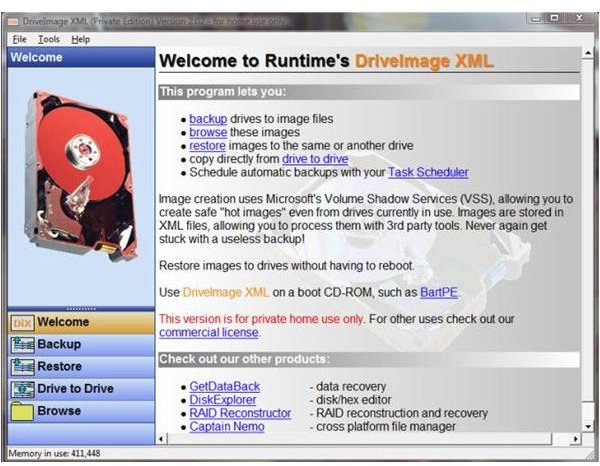
DriveImage XML backup program runs in XP, Vista, Windows 7 and Windows 2003. You can also use it to restore your full backup without the need to reboot (although it’s best to reboot to refresh your PC!). The free version also includes a backup scheduler and browsing of existing backups created using DriveImage XML.
Backup & Recovery Free Advanced by Paragon Software
Paragon offers a free backup program that runs in Windows 7, Vista and XP systems. The Backup & Recovery Free Advanced includes a system backup, restore and FTP backup. You can also take advantage of the “Backup Capsule” feature which means the backup is placed in a secure location of the system drive.
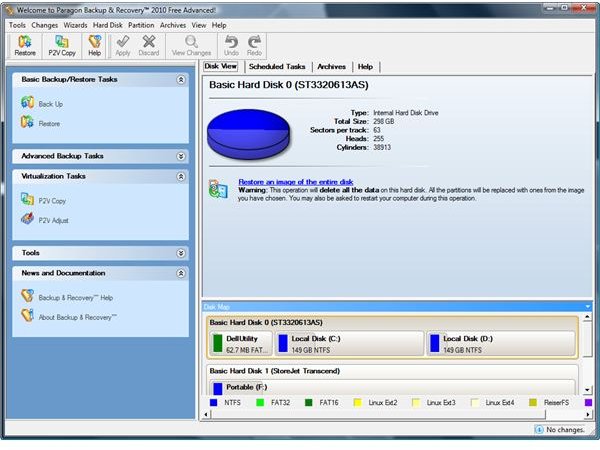
Note: E-mail registration is required to register and use the free edition of Paragon Backup program.
Windows 7 Backup and Restore and Vista Complete PC Backup Utility
Some editions (see note below) of Vista include Complete PC backup utility. The Complete PC Backup in Vista allows you to backup your files or the whole system drive to a network drive, a removable drive or another partition not in use by the system. The image below is the screenshot of Windows Complete Backup in Vista Ultimate edition:
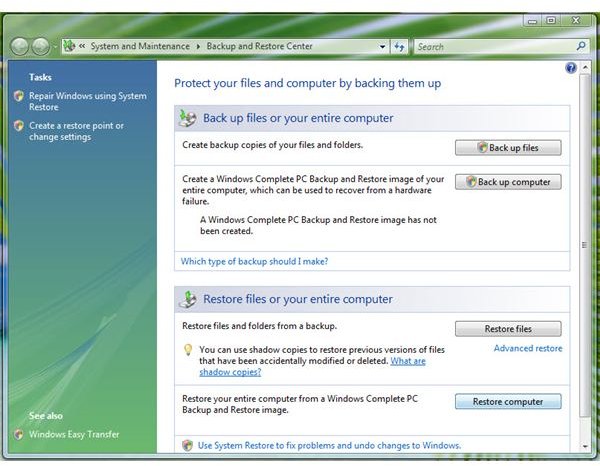
Note: Included in Business, Ultimate and Enterprise editions of Windows Vista.
All editions of Windows 7 includes a backup utility, however the Starter, Home Basic and Home Premium editions do not include backing up to a network drive.
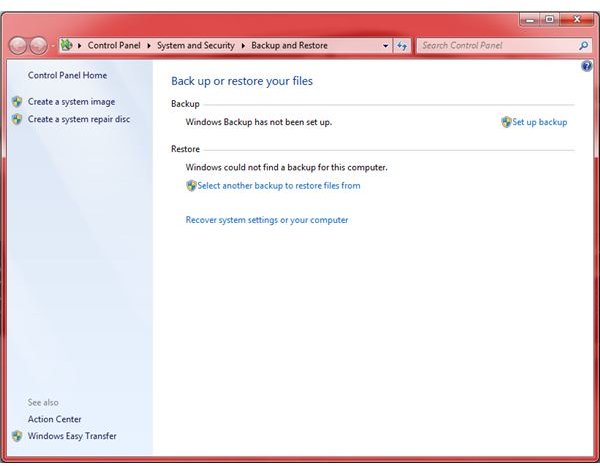
Reminder: Always remember to insert the last backup disk instead of the first backup disk when restoring to your backup from removable disc. It’s not First In, First Out (FIFO) but Last Out, First In (LOFI).
If you have a Seagate or Maxtor hard-drive, you can take advantage of the OEM edition of Acronis True Image backup utility. You can download DiscWizard at Seagate website .
For users who prefer paying for a Windows backup software, which includes support and extra features in backing up your computer (additional features include exploring the backup, drive cleanser, backup scheduler and Try&Decide), I highly recommend using Acronis True Image or Paragon’s System Backup 2010 .
Whatever method you will use, it is always recommended to have a complete backup of the whole drive in addition to a system drive backup. This allows you to recover to your previous working system state in 10 to 30 minutes!
Note: The time restoring a backup depends on the file types you will be restoring or backing-up. If you have plenty of .mov, .mpeg, .wav, .mp3 or other media files, the backup and restore may take longer.
The Best Place to Store Backups
Where is the best place to store your backups? Keeping them on the same partition - or even the same drive - as the one you’ve backed up is rather pointless as, should that drive fail, both your data and your backups will be lost. An external hard drive is a better option, but not perfect as a fire or other disaster could damage both your computer and the external drive. Check out our article ioSafe: A Secure, Disaster-Proof External Hard Drive for a possible solution!


