Trend Micro’s Worry-Free Business Security Advanced truly lives up to its name. WFB provides a centralized server protection for your entire business. With a centralized server and the Client / Server Security Agent, your entire network will be protected from malicious websites and
Trend Micro WFB Security (5 out of 5)
See our Trend Micro Worry-Free Business Security 6.0 Review for a review of the latest version of WFBS.
Trend Micro’s Worry-Free Business Security Advanced truly lives up to its name. WFB provides a centralized server protection for your entire business. With a centralized server and the Client / Server Security Agent, your entire network will be protected from malicious websites (drive by downloads), malware, spyware, and spam.
Trend Micro’s latest version has Windows Vista support for 32 and 64 bit edition computers. This support adds Microsoft’s latest operating system flawlessly (My installation was on Server 2003 and Windows Vista).
Behavior Monitoring which is also included helps to protect computers from end user changes to the operating system, registry along with files and folders. Protection of computers also includes Web Reputation evaluates the potential security risk of website URLs just prior to a website visit. Web Reputation works by querying Trend Micro’s Security database. This prevents end users from picking up viruses and malware.
I tested this by traveling to several hacking sites and was promptly warned . Kudos to Trend for having an up to date database. I had several dark websites that are not well known that I research that made their list! (TrendSecure™ ) TrendSecure was added with the Client Server Security Agent as a plug-in to my web browser.
With PoP3 Main Scan and IM Content Filtering, Trend Micro lived up to their history of quality. I also tested Intuit™ Protection which protects the files and folders of your Quickbooks installation from unauthorized changes by other programs. I ran this test on a sample Quickbooks install and felt comfortable with installation and protection. Trend Micro’s Worry Free Business Advanced is truly an all in one security suite that meets the needs of all businesses.
The administrative logistics behind the installation and operation are minimal and can save time and money for network and system administrators. With the insecurity of the web, Trend Micro’s WFB Advanced is a top rated performer that takes the worry away from any system administrator.
WFB Installation
After making the initial 700+mb download for this review, the installation went flawlessly. With the installation of the client/server, sql and Apache Server, the installation including updates took approximately 25 minutes.
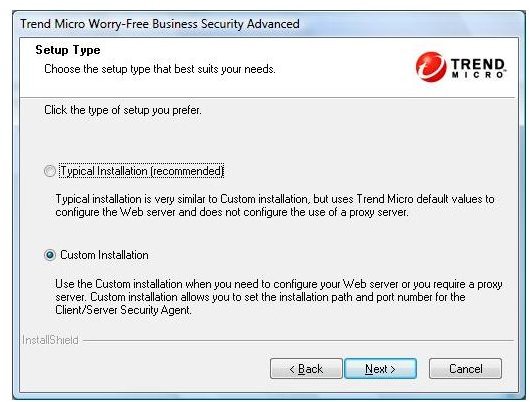
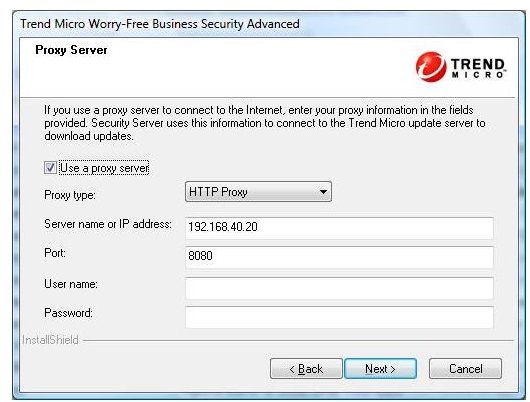
During the initial installation, I was impressed with the all inclusive installation that took customized settings for a proxy server. This was particularly an important part of the installation on a Windows 2003 server that was configured behind a proxy. Many programs fail because this small but critical setting is required in many organizations.
Equally impressive was the automatic uninstall of my current antivirus software. Trend put this important step in to avoid conflicts from other antivirus software vendors.
Installation
Proxy Customization
Client / Server Agent
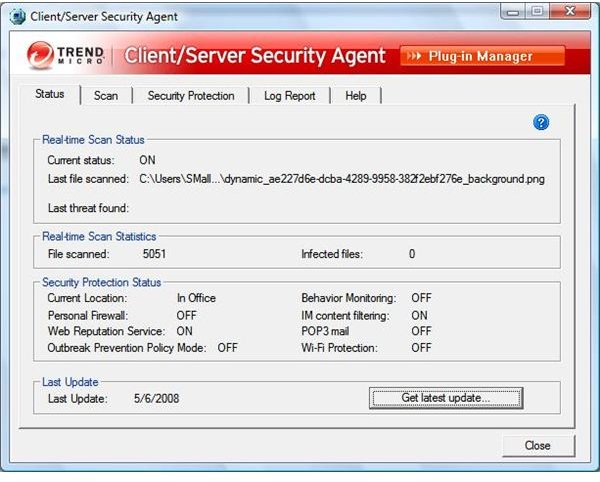
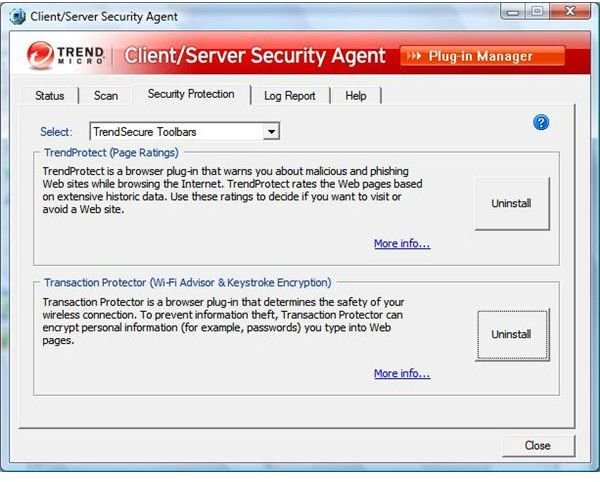
The Client / Server Security Agent Console for each workstation and server is an excellent tool that offers an agent for the Apache server and database information installed. This console is easy to operate and offers status, scan, security and log information. TrendProtect and Transaction Protector can be installed as toolbars and plug-ins in this console. With TrendProtect protecting you as you surf from malicious websites, Transaction Protector helps to encrypt information that you transmit to the web. This console offers the ability to update your WFB automatically or manually. All in all, the Client / Server Security Agent is a great tool and an asset to businesses with multiple computers. The agent answers to your Apache server when queried and reports vulnerabilities and exploits that may make your computer’s security weak.
WFB Agent Status
WFB Agent Protection
WFB Server Console
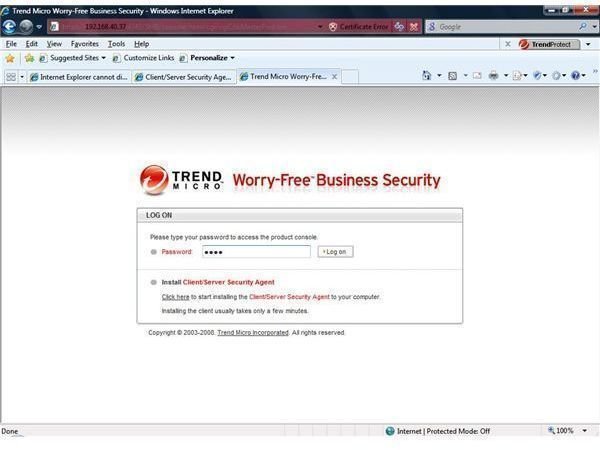
During my installation, I elected to install Apache Server to challenge the installation. WFB installed flawlessly and Apache started immediately. Upon opening Internet Explorer, I added the port 4343 after the local ip address for a secure login (this port was established during the installation).
WFB Apache Login
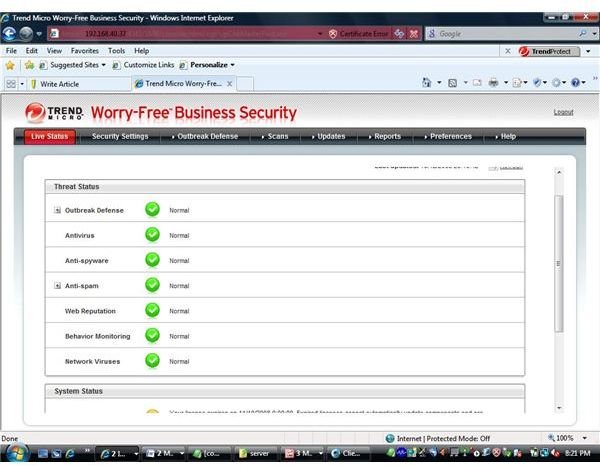
Live Status Information
The Live Status information tab give information about the status of each of the components included with Trend Micro’s WFB. The information includes information about virus database, updates, license information, unusual system events, behavior monitoring, web repudiation, outbreak defense and spam information if you have an exchange database installed.
Live Status
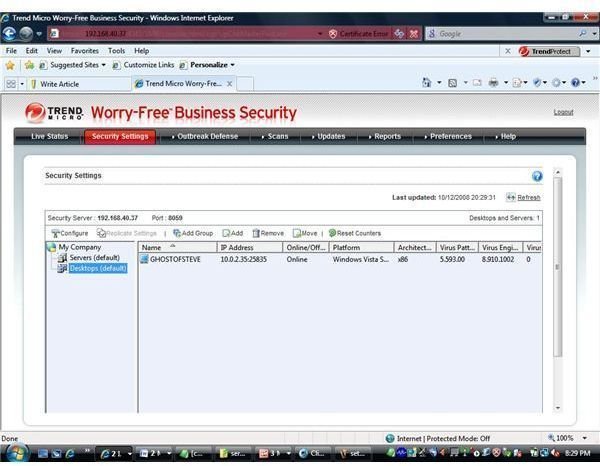
Security Settings
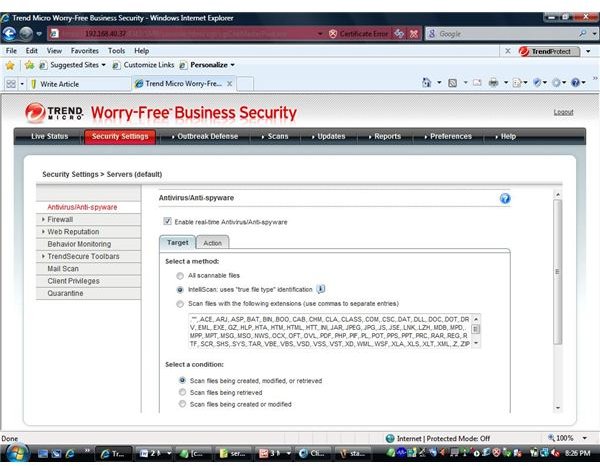
The Security Settings tab allows you to add groups, computers and configure your settings for your server. As the illustration below shows, file extensions. firewall information, client privileges and information about each component can be configured.
Server and PC List
Server Settings
Outbreak Defense and Scanning
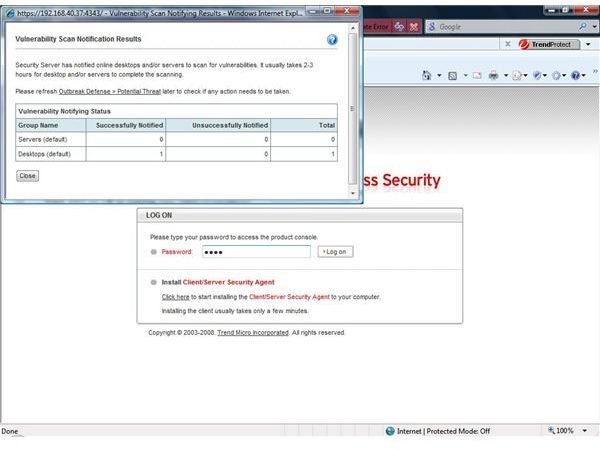
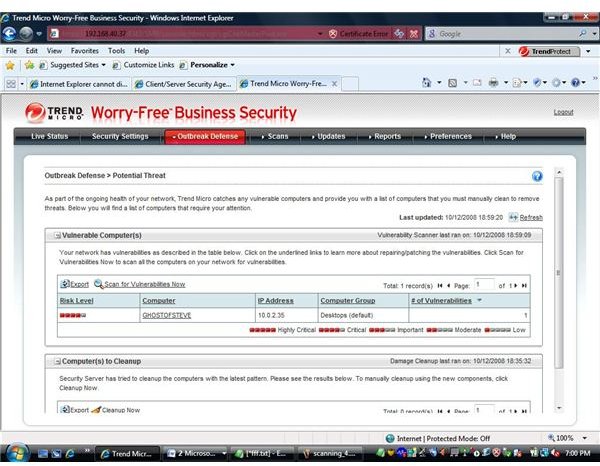
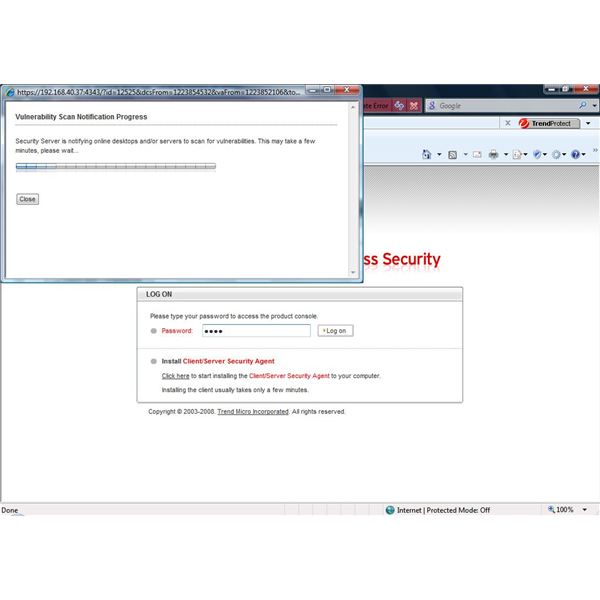
The Outbreak Defense and Scanning options offer a complete scan of each computer and server using the WFB agent. I was really surprised and impressed when the scan returned that my laptop had a vulnerability. This scan from the server across your network is an invaluable tool that saves administrative overhead. The scan and defense allows you to manually scan at anytime or to schedule a scan. Exceptions can be created with rules for common information and services allowing an administrator to have full control of this valuable tool. The results from reports and information can be viewed under the report section.
Scanning Information
Conclusion
Trend Micro’s Worry-Free Business Security is an excellent resource for your information technology team. The low administrative requirements holds down overhead and the ROI (Return of Investment) can be immediately seen by the easy to understand consoles. Trend Micro is on target and the protection this product supplies is superior and excellent.
More Reviews!
Would you like to read more reviews? Look around Bright Hub and you’ll find reviews of numerous other anti-virus solutions including Norton Internet Security , Kaspersky Internet Security , ESET Smart Security , McAfee Total Protection , Blink Professional and ZoneAlarm Internet Security Suite .


