OpenOffice.org Free Word Processor for Mac
With a host of compatibility issues to consider when choosing which program to use as your word processor on Mac it can be a nightmare to find one that is not only easy to use and does everything you need but one which can also save your documents as .doc. Some free word processors you can find online include, Openoffice, Bean and AbiWord.
OpenOffice (4 out of 5)
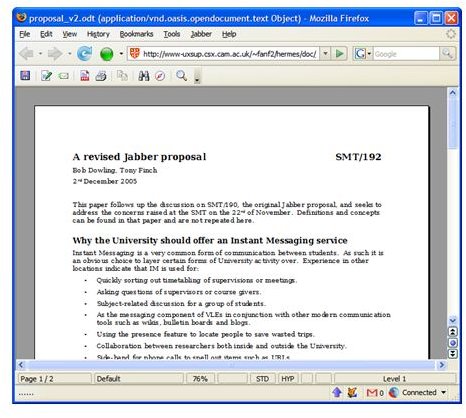
OpenOffice is one of the leading open source office software suites available online. At OpenOffice.org you can download their full package for free, which includes presentations, spreadsheets, databases and a word processor based on Windows XP’s edition of Microsoft Word.
OpenOffice’s word processor is one which should take no time getting used to. Most people will recognise its interface and layout as that of Microsoft Office XP, so for that reason it is easy to use. All the basics are there, but refreshingly for a free piece of software available online its ability to lay out tables is very user-friendly. Its most important feature, though, is the fact that, although it encourages users to save documents as ODF files (OpenOffice’s own file format) in order to keep layouts and formats the same, it does allow documents to be saved as .doc files, therefore cutting out any of the usual compatibility issues with Windows. I have yet to find an issue with OpenOffice as a word processor, but what of its other features, all the extras surely being one of the main reasons why most will choose to set this as their default program?
OpenOffice’s spreadsheet is also very recognisable with users able to interact with the sheets, columns and rows in much the way we are used to. Different formulae templates are available along the top and users have the option to save the spreadsheet in Microsoft Excel format. Users can also export the spreadsheet to PDF with minimum of fuss, allowing it to be viewed in Preview or indeed in OpenOffice’s presentation section.
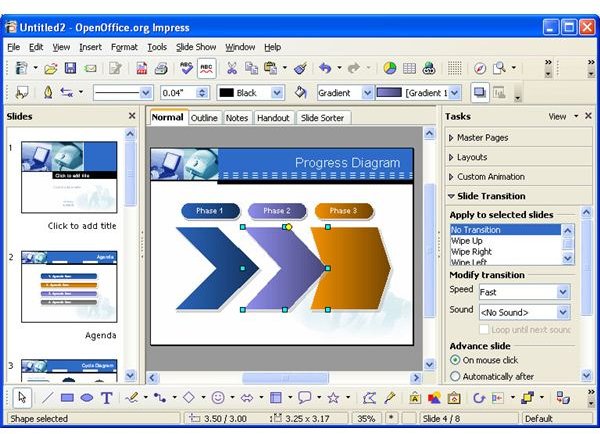
OpenOffice’s presentation maker gives users the option to save files as .ppt, therefore allowing their presentations to be seen by pretty much anyone. An important feature for students and business-men alike, this is, as far as I can tell, one of the main reasons for OpenOffice being the leader in open source software. The only downside to the whole OpenOffice package is that it is quite a laborious program, taking up more space on your hard drive than most programs. For a simpler, free, word processor then, which doesn’t include a full office package, Bean is a good option.
Bean (3 out of 5)
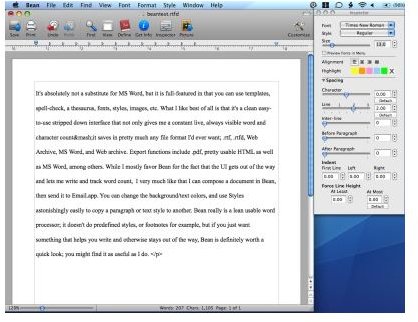
Bean, although a little simplistic, is an excellent free improvement to your Mac. If TextEdit or the extortionate Windows Office for Mac are all you can find to use on a project and you don’t feel like downloading the whole OpenOffice package, then you are left with no option but to look for a free alternative word processor which doesn’t take up much room on your hard drive.
Bean gives you all the basics you need in a word processor. You can format, choose your font and size and more importantly save your documents in .doc format. All the fonts are here and have clearly been lifted from Windows. Other features include linkable text and a clever offline dictionary. The GUI is pleasant and the program is quite easy to use. It has, however, left out some important features. Tables are impossible to do and it doesn’t do footnotes, while some formatting may not be kept across all programs.
This is actually one of my favourite programs to use but for some it may not provide enough features. AbiWord, then, is another free download for Mac.
AbiWord (4 out of 5)
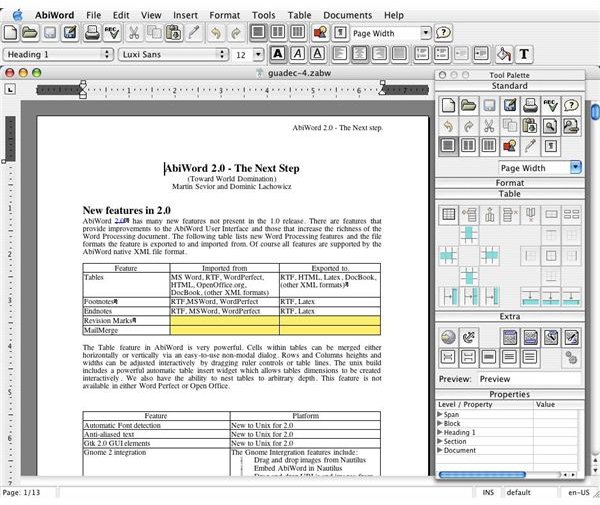
AbiWord is exclusively a word processor for Macs, which is able to read and write all industry standard document types. It is also available in many different languages, making it a favourite alternative to OpenOffice. Unlike Bean, which needs Mac OS X 10.4 or higher to run, AbiWord is available for Macs running 10.2 or higher. It is easy to use and provides users with all the features that are available on Windows Office, including all the features, such as tables and footnotes, which are missing from the simpler Bean.
However, despite its claims that their source code is “carefully written so that AbiWord will run on virtually any operating system with a minimum of time spent on porting”, more than myself have found that it can be quite slow to not only open but also run. Apart from this, though, it does everything you need it to do well, and if OpenOffice is too laborious a program and Bean is too simple, AbiWord is the perfect alternative.