Remove unneeded language files from your Mac with this simple freeware.
iCleanLanguage does one thing: it removes the language files you don’t use from your Mac to free up that space for something better. Let’s face it. Most of use don’t need a computer that can run in Tagalog or Finnish (unless, or course, you speak and read those languages). Getting rid of those unused language files is a great idea, and it couldn’t be easier.
Download and Installation (4 out of 5)
You can download iCleanLanguage at the developer’s website (which doubles as a guide to the application). The download is on the Software page if you scroll down. Once you click on it, a .dmg file will be on you Desktop for you to open. It will prompt you to move iCleanLanguage into the Applications folder and then you can ust it to free up some space on your Mac!
Features (4 out of 5)
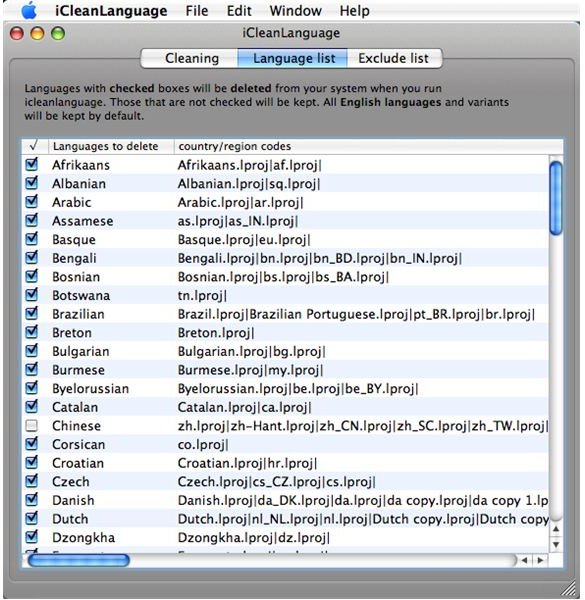
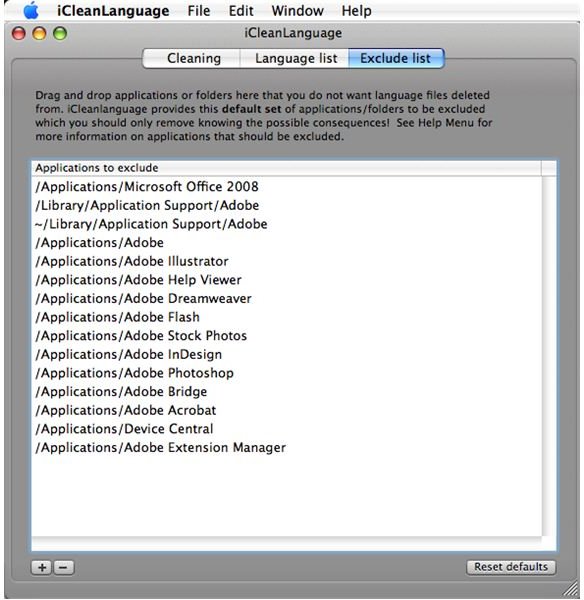
Since iCleanLanguage does only one thing, it doesn’t have a whole lot in terms of fancy, but at least it does what it is supposed to well. First you can choose which languages you want to be deleted from your Mac (English is a default and will be saved no matter what). You can also put applications and files in the Exclude list, and these will be untouched by iCleanLanguage no matter what.
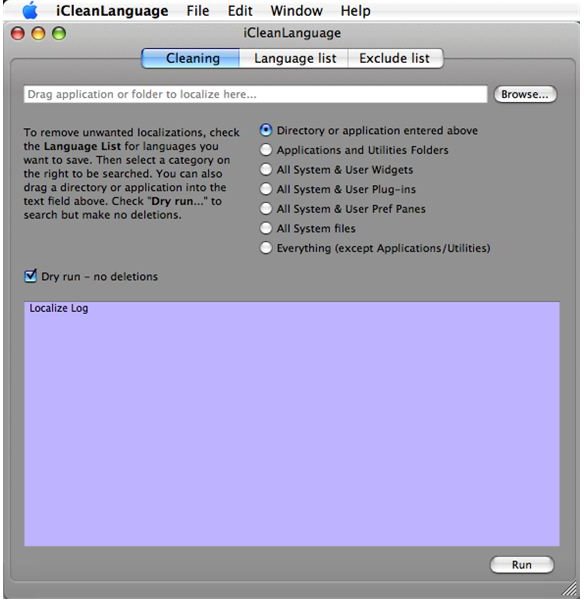
You can also choose how thoroughly you want iCleanLanguage to be run. It can do anything from clearing one folder or application of unwanted languages to clearing your entire computer.
Then there is the removal of the languages itself. If you are leery, you can do a dry run that will not erase any language files, but will simply locate them.
I ran a dry run and a run on Everything (except Applications and Utilities) and they both worked fine. However, iCleanLanguage did slow down my other programs quite a bit, so I suggest running it when you are not going to need your computer for an hour or more.
Usefulness (4 out of 5)
iCleanLanguage is really the most useful the first time you run it, but it can be used on new programs with multi-language support that you might install in the future.
Once I ran it on my MacBook, I freed up just over 1 GB of space (the program tells you how much space it freed), all on unused language files. That’s a pretty decent chunk of wasted space, in most cases. Even if you only run it once, iCleanLanguage is still a must have for any Mac user.
Overall (4 out of 5)
iCleanLanguage is pretty awesome. It does what it supposed to and does it well. It takes a little bit of time, but that is to be expected for the number of files it has to cover. All in all, iCleanLanguage is great piece of freeware (donations are accepted) for any Mac user who wants to free up some gigs on their computer.


