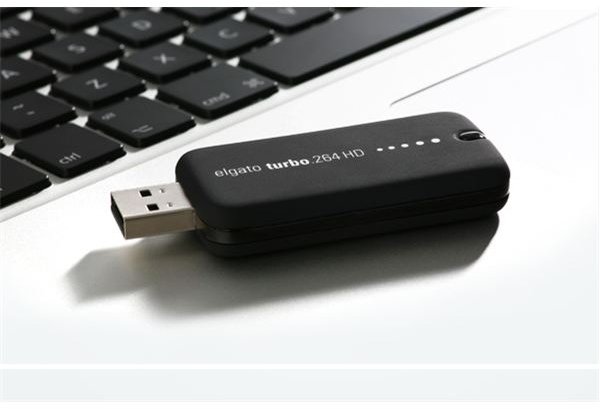
Tired of waiting for that video or movie to convert into a format that you can watch on your iPod or AppleTV? Then forget Speed Racer and Go Turbo for standard or high-definition video. Let this hardware acceleration stick do all the hard work while your Mac blithely goes on its way.
Say Hello to Video Hardware Acceleration
Watching video, but not on the TV has become a part of my life - and I bet yours as well. I have it on my iPhone and my iPod and my AppleTV, you get the picture. But I’ve been bummed by the time I’ve had to spend doing the conversions from one video format to another that works with the device intended for. That’s why I got Turbo.264 a while back - a hardware stick that uses its own acceleration built in to do the converting. But it couldn’t do high-definition which made it less useful now that HD is more a part of my life. So I was glad to be introduced to its big brother Turbo.264 HD.
And Why Should You Care?
What’s the reason for using Turbo.264 HD? It takes a load off of the computer’s CPU - hardware acceleration always being preferable. That might seem not a big issue if using a Mac Pro as I am, but surprisingly enough when doing video encoding and playing a DVD at the same time and having a few other things going on - even the Mac Pro seems to chug along a little slower and less competently. Oh - hardware acceleration tends to be faster and Turbo is no exception either. I know, because I watch a lot of fan-subbed Japanese anime in the MKV format that I change to Quicktime before converting to watch on my iPod Touch. Turbo converts this in half the time a software program would take.
Now those with slower machines will find Turbo even more an effective means of converting video without having to baby the process along. Just make sure it’s an Intel machine with a Core processor that’s running a recent version of OSX.
Installing Turbo
Installation is about as simple as you could ask for - I took out the Turbo.264 HD stick and plugged it into my USB hub. I then opened the installation disc and dragged the program to the desktop. Running the program, I went to Preferences and checked if there was an update. There was - adding Snow Leopard compatibility - so I clicked on it to download and install the update. Thus ended the setup. And thanks Elgato for including the USB extender.
But the fact that you have to enter in a serial key for the software (provided on the back of the CD envelope) seems a bit unnecessary since the software won’t run without its hardware in place. Guess some things never change…
Using Turbo
Using Turbo HD is easy - helped along by my having had its lesser sibling for standard-definition content. The video file window is about twice the size of the one I’m used to but that makes sense I guess since high-definition is now part of the picture.
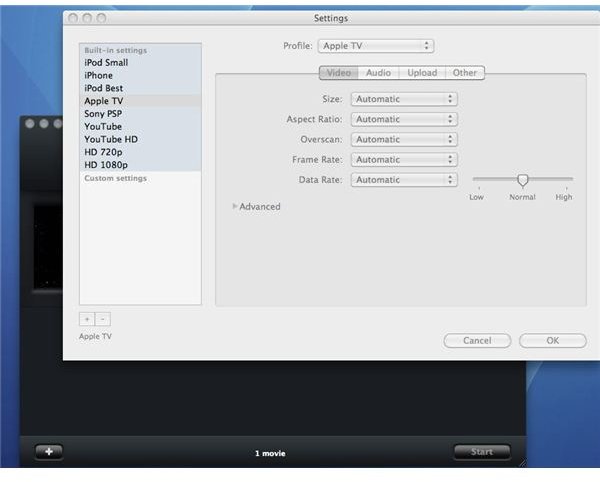
In use, not much has changed. You drag in a file and watch it take form on the video window. Turbo handles a wide range, from Quicktime to AVI to DiVx to Video-TS files from DVDs. Or have it do YouTube in standard or HD resolutions or Sony’s PSP or just plain old good 720p or 1080p HD (too bad I don’t have a Blu-ray burner and even more too bad that the Mac doesn’t yet support BD). Plus now it also recognizes AVCHD camcorders that are attached to the Mac. The H.264 standard gives you a small but powerful file, easily viewed on an AppleTV or iPhone or iPod or whatever. Of course you’re picking from pre-sets for the most part - but it’s just as easy to create a custom setting (I ups the ante for AppleTV video all the time). Still it’s not going to be perfect until it has a subtitle section for switching between English and other languages.
Now when it’s done, Turbo signals you and transfers the converted video to iTunes for use. Of course you can have it transferred somewhere else if you’d rather - one good thing is that unlike some software converters I used to use, there is no copy being made along with the file being transferred to iTunes. So that eliminates having another file to delete afterwards.
Now those with slower machines will find Turbo even more an effective means of converting video without having to baby the process along.
Finish it Up and Go On to Something Else
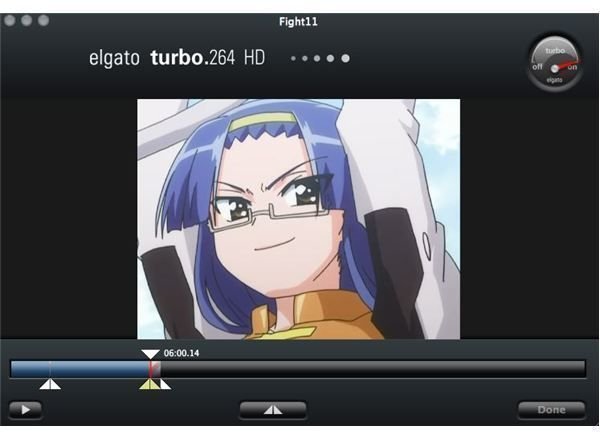
I should mention that there are some differences for Turbo HD, compared to the standard-def model. Probably the most useful is that you can view the video and trim its length and listen to it while doing so. It’s not major editing, but still useful for trimming a file down.
Turbo.264 HD won’t significantly change the way you do things when it comes to video conversion, but it will free you and the Mac up from having to nurse it along. That’s worth a lot in my book.
Resource


