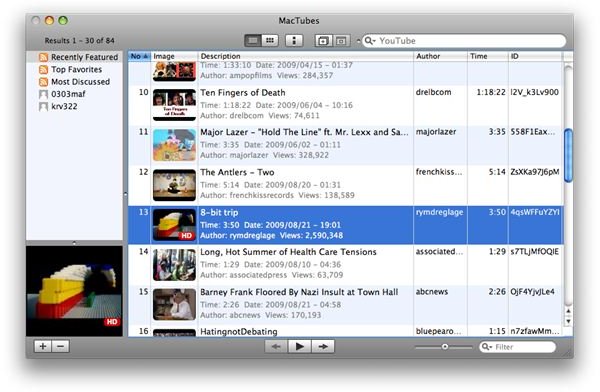
MacTubes is a YouTube desktop client for Mac OS X that you can use to search and play videos from the site. You will also be able to download videos to either FLV or MP4 file formats so you can enjoy them in your Mac or sync them into your iPod, iPod Touch, or iPhone.
Search. Play. Download.
MacTubes does this job very well. When you are connected to the Internet, you can run this app and search for YouTube videos available online. MacTubes has its own movie window where videos can be played in. Subsequently, the app allows you to download the video as well, as either FLV, MP4, or HD when available. MacTubes’ movie window also allows you to maximize to full screen any video you are currently watching.
Since this is an app highly dependent on online content, naturally you have to be connected to the internet to be able to perform the app functionalities, and the speed and responsiveness of the app depends on how fast your connection is.
The design of the app takes on common elements and layouts from YouTube itself, so it is a familiar playing ground when you work your way around the MacTubes interface.
Feels Familiar
MacTubes is one of those apps you’d know how to use right away. Akin to iTunes, its design feels very familiar and easy to understand.
We can discuss the layout of the apps in four segments: the Toolbar, the Sidebar, the Results Pane, and the Bottom Bar.
The Toolbar is a simple quick access of commands. You can opt to view search results by list or thumbnails, bring up the inspector, or arrange search results by relevance, date the video was added, view count, and by rating. This is where you can enter keywords to bring up videos you are looking for. The search box also keeps a record of your search history for convenience.
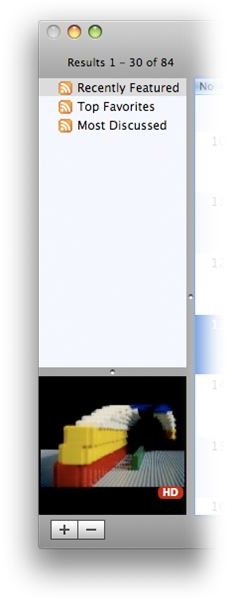
The Sidebar is where you can save and configure your search queries or RSS based searches. You can even set up a sidebar entry for your favorite YouTube authors. This is a very useful feature you might want to take the time to set up because it really allows you to personalize the app to make it work for you.
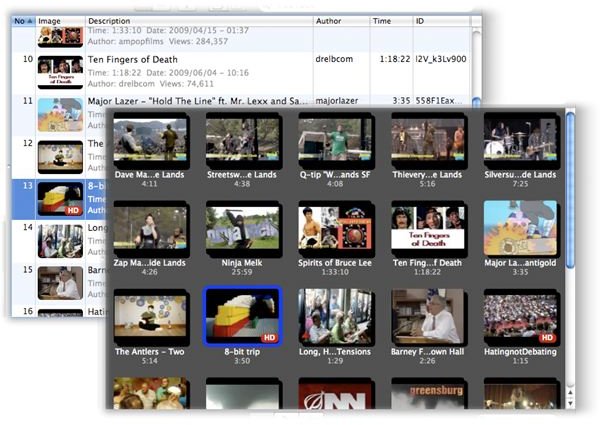
The Results Pane may be displayed either by list view or thumbnail view. This is where your search results appear when you enter keywords on the search bar. Thumbnails are marked with a red HD when high definition alternatives are available for the video.
The Bottom bar contains sidebar management buttons, like adding or deleting custom playlist, search, and feeds. It also contains several playback controls and a filter box. The filter box allows you to filter - based on your search - by keyword, author, or video title.
You can look at the image gallery below to familiarize yourself with the interface.
MacTubes Layout


The Video Player
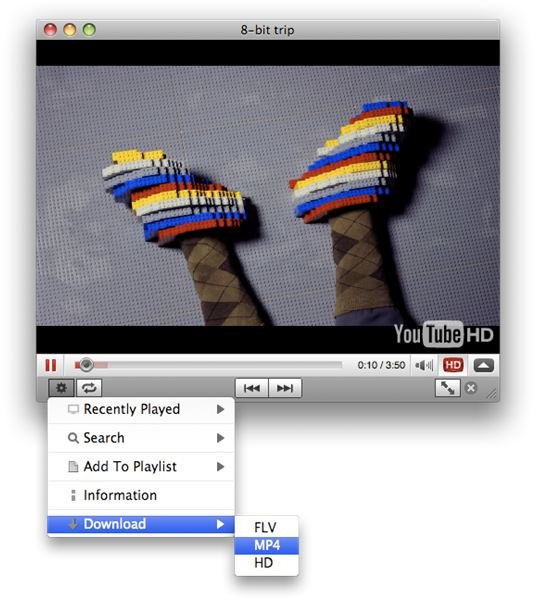
MacTubes plays videos in its own floating video player, with the YouTube clip imbedded within. Using this video player, you can set the video to full screen, go back to the previous window or to the next, or download the file as either FLV, MP4, or HD when available. You can also do more in the video player, like viewing recently played video, adding it to the playlist and others. You can also paste a YouTube link to open with the video player.
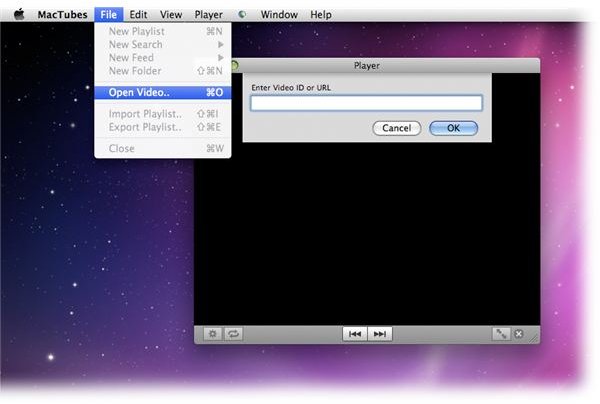
In its current version, downloading FLV and MP4 is fine, but downloading HD content seems to always fail every time. This may be a bug the developers are working on at the moment, but in the meantime, this feature may be considered not fully functional for now.
Overall Performance
MacTubes does a good job as a desktop client for YouTube, and does a very good job downloading your favorite clips on to your Mac. However, the promise of the capability of getting the HD version of high definition content is a let down in its current version, but something to look forward to in future updates.
MacTubes is a free app that can be downloaded here . Enjoy!


