Audio Editing Made Easy With Fission

Remove, Split, and Crop
The basics of audio editing are of course in place in Fission.
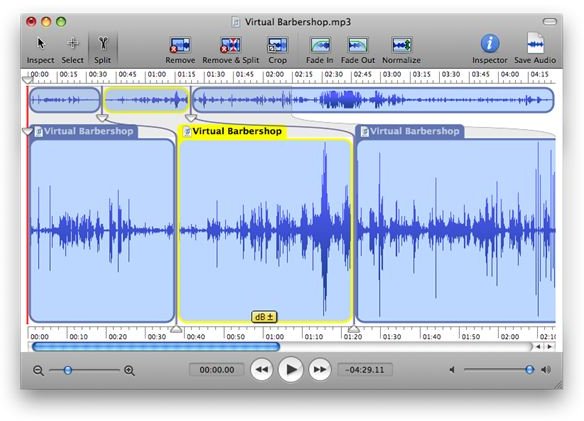
You can remove a section by highlighting what you want to be cut off your audio file. You can split the file into several sections to save in multiple different audio files. You can even crop sections to completely take it off the audio file you are currently editing.
Achieving so is as easy as highlighting a section of your choosing, and clicking the corresponding toolbar icon to apply the changes you prefer. The app’s toolbar contains all of the common tasks you need for audio editing and serves as a quick and simple solution to using the app.
Fade Effects and Audio Tweaks
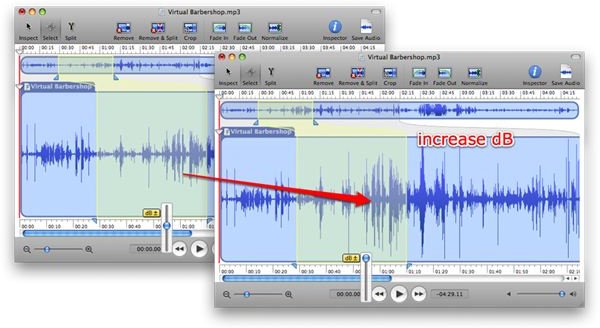
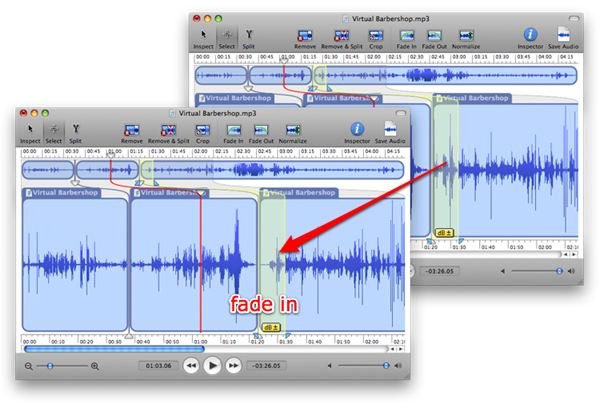
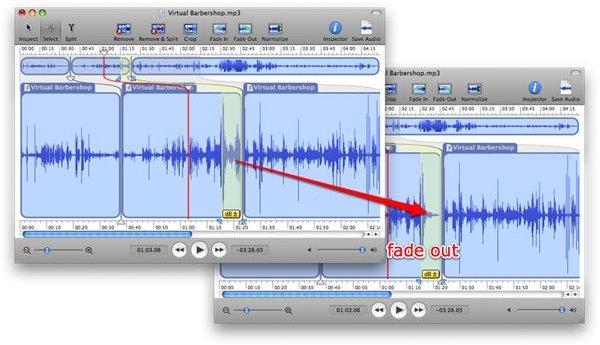
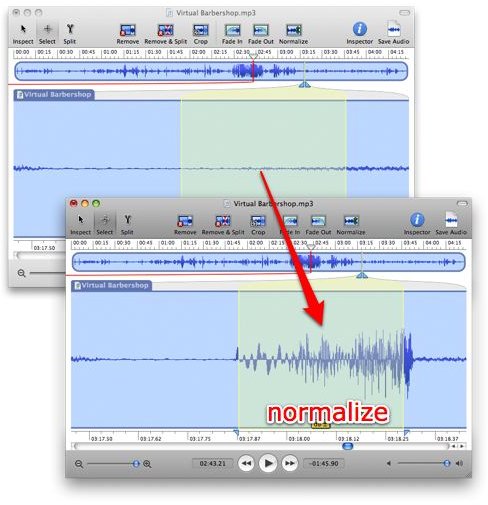
You can fade highlighted sections in and out with a simple click. Furthermore, you can edit your audio file by increasing or decreasing the sound clip you’ve selected with the volume adjuster or choose to normalize your audio.
Audio normalization in Fission is a simple click away, and does a great job distributing the correct amplification and attenuation of parts of your audio that may be too quiet or too loud.
Fission In Action
Small Interface Niceties
There are several interface elements that makes audio editing a wonderful experience in Fission.
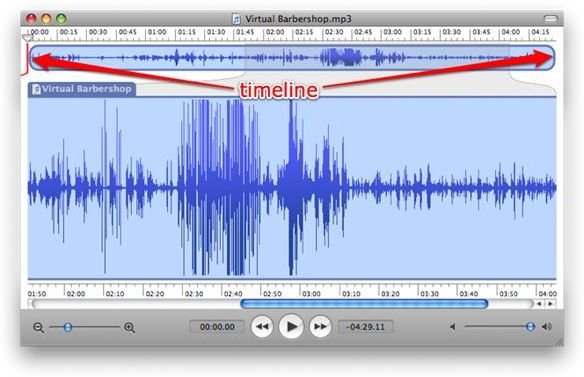
Below the toolbar is the whole app’s start to end diagram. What you see enlarged in the middle is a section of the timeline above it.
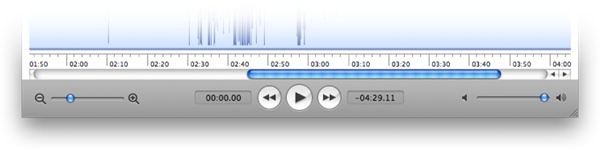
At the bottom of the app window are several tool bars that can help you move about the audio file you are editing. You can move end to end with the horizontal toolbar just below the visual representation of your audio file, you can zoom in and out, rewind, play or fast forward to a certain section, and you can even adjust the volume on the fly when previewing your file.
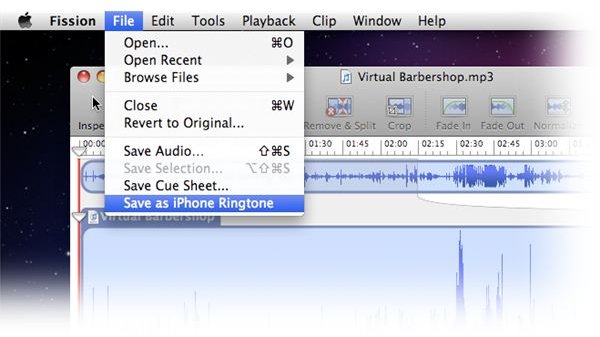
For iPhone users, this is a great alternative app if you are not a fan of creating ringtones directly from iTunes. Using Fission, you can edit your audio to perfection and save them as an iPhone ringtone that you can easily add to your ringtone library, ready for syncing with your iPhone.
Download and Install
Fission can be previewed by downloading a trial version from Rogue Amoeba. The app costs $32 and it is well worth the penny if you are an audio editor looking for a simple and straight forward utility for all of your audio editing needs.
