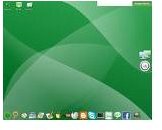
If you want to get set up with Enlightenment Linux this guide can get you going without any trouble.
Getting started with Enlightenment Linux can be a stressful experience for some. If you have never used anything but Windows there is admittedly a bit of a learning curve. Luckily for you that curve can be flattened out with some great instructions. Those are what you have just found. With these instructions your trip to enlightenment will be a blissfully Zen one.
Downloading The OS
Downloading an operating system is a lot like downloading any other file. They do tend to be a lot larger, so be prepared for a bit of a wait. You can get a copy of the enlightenment flavor of Linux here . Just be patient.
Burning The ISO Disk
Burning the disk with an operating system is not as simple as burning a standard data disk you need to take some special steps. First is to get a piece of software capable of [burning an ISO file](https:// http//www.brighthub.com/computing/linux/articles/31948.aspx ). The instructions below work with ISO Recorder, which is a recorder for Windows XP.
- Download the ISO CD image to a folder on your computer.
- Insert a blank CD in your CD or DVD drive.
- Searchfor the downloaded file.
- Locate the ISO file, right-click the file name, and then click Copy image to CD to open the ISO Recorder Wizard.
- Follow along with the Wizard.
The Dreaded Install
Take a deep breath and relax. Everything will be fine. Installation can be relatively painless if you know what to do. Just try these steps and all will be well. Just be aware that these are the instructions for installing on Ubuntu. If you want to install on another platform you will have to go to the official site documentation.
1. Make sure that you already have the correct libraries installed. You will need to have these:
- m4
- autoconf
- automake (1.7 or higher)
- libtool
- pkg-config
- texinfo
- zlib
- libpng
- jpeg
- freetype2
- xorg-x11 or xfree86
- x11-libs
- dbus
- hal
- pam (required for desklock)
- liblua (5.1)
2. Install your eight core libraries. They should be installed in this order:
The simplest way to do that is with the following commands.
$ svn co https://svn.enlightenment.org/svn/e/trunk/eina eina-svn$ svn co https://svn.enlightenment.org/svn/e/trunk/eet eet-svn$ svn co https://svn.enlightenment.org/svn/e/trunk/evas evas-svn$ svn co https://svn.enlightenment.org/svn/e/trunk/ecore ecore-svn$ svn co https://svn.enlightenment.org/svn/e/trunk/efreet efreet-svn$ svn co https://svn.enlightenment.org/svn/e/trunk/embryo embryo-svn$ svn co https://svn.enlightenment.org/svn/e/trunk/edje edje-svn$ svn co https://svn.enlightenment.org/svn/e/trunk/e _dbus e_dbus-svn
3. Install the directories with this code.
$ ./autogen.sh$ make $ make install (as root)
Just be sure that you enter each of the corresponding directories, in the order that we installed them above, and compile them.
4. Use this code to install the Enlightenment software itself.
$ svn co https://svn.enlightenment.org/svn/e/trunk/e e17-svn then this code
$ cd /path/to/e17/apps/e$ ./autogen.sh$ make$ make install
5. Run the software with this code.
$ sudo ldconfig$ make install$ make install
I’m Not Familiar with Linux Commands or Installing Directories
That’s OK. There are lots of resources that can help you to get familiar with Linux command basics. Try these articles:
- Set of Commands Used in Linux and their Meaning
- Linux Commands Syntax: The cd Command
- The Structure of Linux Explained - How Linux Fits Together
What Is Linux?
Linux is a family of operating systems that are all based on the Linux kernel, originally written in 1991 by Linus Torvalds. Many different types, sometimes called flavors, of Linux have been created by developers from all over the world.


