Overview of the Smoothwall Router for Network Security
A Trusted Name
Smoothwall is a powerful network and personal firewal
l program that has been around for many years, and is trusted amongst Linux enthusiasts and professionals alike. There are several incarnations of Smoothwall, including the commercial supported version called Smoothwall LTD and the home and business free version called Smoothwall Express.
Smoothwall is a complete firewall operating system, of sorts. It is meant to be installed on its own computer and set between the Internet and the user’s computers. For home and business users who likely connect via a cable or DSL modem, the Smoothwall router and firewall should sit between the modem and the internal network, whether its a single computer or several connected via a workgroup switch or similar device. Just remember, if you’re connecting two similar devices they must be connected by a crossover cable.
System Requirements
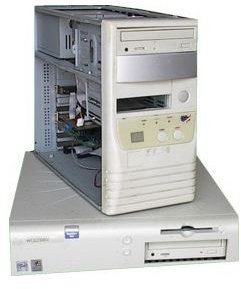
For the most part, any old PC that is no longer “up to date” for normal use can be adapted to be a Linux Smoothwall Router and Firewall. The system requirements are extremely low, with any 386 and later Intel machine recommended, a minimum of 8MB RAM, and only 100MB of disk space. Any computer made within the last 15 or so years will suffice just fine. Note: Installing Smoothwall on a hard drive will erase all data on that drive. Since most people have old out of date computers sitting around, or in storage, Smoothwall makes securing your network almost entirely “free”.
One thing you must ensure that your firewall computer has is two Network Interface Cards (NICs) - One to connect to the cable modem and one to connect to a computer or switch.
Obtaining Smoothwall
Versions of Smoothwall Express can be obtained directly from the developer’s website. Downloads come in the form of .ISO CD images, which will have to be burned to a CD and installed on the intended machine, which of course must have a CD ROM drive. 32 and 64-bit versions are available.
Smoothwall Limited is the commercial branch of Smoothwall development. While the software remains Open Source and therefore free (as in freedom, not free of cost), commercial users such as large businesses, schools, etc pay for, not just the software, but the professional support that comes with it.
Installation
Smoothwall installation is incredibly straight-forward, much like any other operating system install. You’ll need to have your BIOS configured to boot from a CD, and then installation will automatically begin. The hard drive will need to be formatted so depending on the size of hard drive installed in your firewall machine, this could take several minutes.
After automatic installation is completed, Smoothwall will scan the computer and identify all network interfaces. Smoothwall uses a neat color coding system to identify the purposes of each NIC. Red is assigned to the Internet network interface. Orange is assigned for special purpose interfaces, such as a DMZ (demilitarized zone, term for a more publicly accessible area of the network), and Green for “trusted network” - basically your Internal network, should you choose to set it up that way.
You’re going to want your Green interface setup with a static IP address consistent with the addressing scheme of your LAN, such as 192.168.1.1. After you’ve configured interfaces you’ll have to reboot the machine. After the reboot, you’ll be able to use the web interface to manage the firewall and router.
You can access the Smoothwall router from your Internal network via your
