Building and installing a kernel module can be a frustrating task for some users. However the steps required are frequently the same and with a couple of points observed, the process is fairly simple.
Introduction
Before discussing the details of building kernel modules, we first need to have a basic understanding of what a kernel module is and why they are used. Loadable Kernel Modules are pieces of code, not normally present in the Linux kernel, which are only loaded when needed by a device. This has some distinct advantages. The first one is, you do not waste your memory for a device that is not used. Second, you do not need to recompile your kernel when you add and remove devices from your system (assume that you have a BlackBerry and you then buy a -say- Nokia and you still reserve memory for a BlackBerry that you no longer own and use). Third, your kernel size is kept to a minimum improving boot time. Fourth, modules are easy to maintain giving you the opportunity to update your device drivers frequently without touching your base kernel. Fifth, you can diagnose problems easily by removing the latest kernel module if you suspect it to be buggy.
A loadable kernel module does not mean that it is a user-space program. Once it is loaded into memory, it acts as a part of the kernel. This is a point where most users tend to think the modules as user-space programs. They are not.
Before attempting to install any kernel module, make sure that kernel sources are installed. In Fedora, you can do that by issuing yum update first (to install the latest updates) and then yum install kernel-devel.
Building and Installing a Kernel Module
In this example lets assume we have downloaded a module-xyz.tar.gz file, which contains the module we want to install. To do it the smart way, we will take the following steps:
- Open the tar.gz archive by tar -zxvf module-xyz.tar.gz
- Copy the created directory, say module-xyz to /lib/modules/kernel-version/build directory by cp -R module-xyz /lib/modules/$(`uname -r)/modules
- Issue make but NOT make install
- This will create a module.xyz.ko file. Issue depmod -a to determine interdependencies with the other modules.
- Issue insmod module.xyz to load the module.
Kernel Module Utilities
To play with the loadable kernel modules, we have to know the essential commands and what they do:
- insmod: insert a module into the kernel
- rmmod: remove a module from the kernel
- depmod: determine dependencies between modules
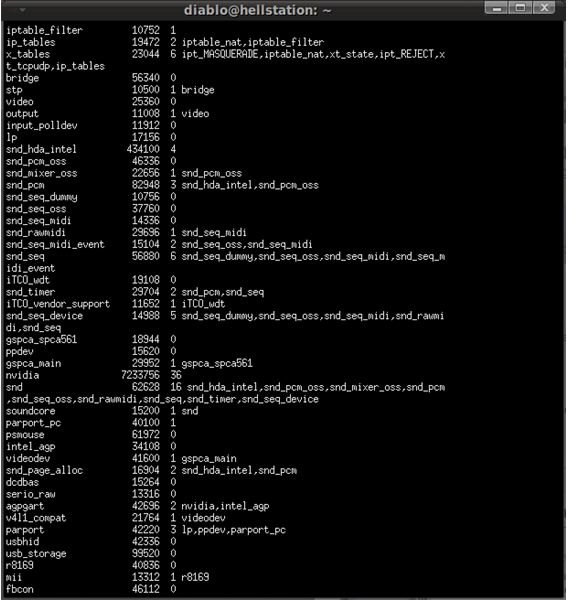
- lsmod: list currently loaded modules
If you want to blacklist a kernel module, simply add a line to the /etc/modprobe.d/blacklist.conf file with the blacklist module syntax. For example if you have a wireless card that uses a Texas Instruments chipset that uses the acx100 module, you can add blacklist acx100 and have the module disabled.
Bright Hub tip: If you want to know which hardware component uses which kernel module, you can issue lspci -k.
Conclusion
Playing with kernel modules is not a point-and-click job. As we have seen above, it involves command line usage and going deep into the system’s heart. I suggest you do your research, check the documentation and exercise extreme caution when attempting to install your own kernel modules.


