Looking for a cutting edge Linux distribution that rivals Ubuntu, OpenSuse, and Mandriva as being one of the most user-friendly distribution on the market today? Look no further! I bring you Fedora 11 “Leonidas”.
Quicklinks
- Official Fedora Website
- Fedora 11 Release Notes
- Fedora Wiki
- Fedora 11 32-bit LiveCD
- Fedora 11 64-bit LiveCD
- Get Fedora! (All Versions)
Installation
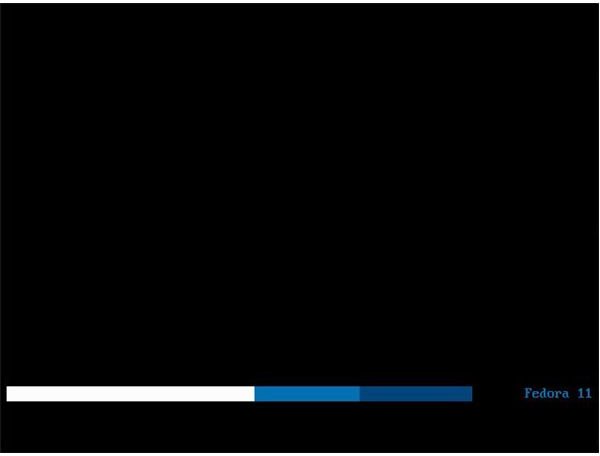
Upon sitting down at my test machine, inserting the Fedora 11 “Leonidas” LiveCD, and booting to the desktop, I noticed a couple things right away. First, the loading screen is a simple blue loading bar. Second, the boot process is extremely quick. Does the first have anything to do with the second? It sure does. The Fedora 11 development team has decided to go with speed instead of looks during the boot process and I think Fedora 11 users will be thrilled with this small change to speed up the LiveCD boot time. It’s not as pretty as previous Fedora loading screens but after booting Fedora half a dozen times, or any other distribution for that matter, does anyone care what they are looking at while their system is booting? If it’s a long drawn out boot process you say? What if I told you you’d be looking at your login prompt in under 20 seconds? Not so important now! More on this later.
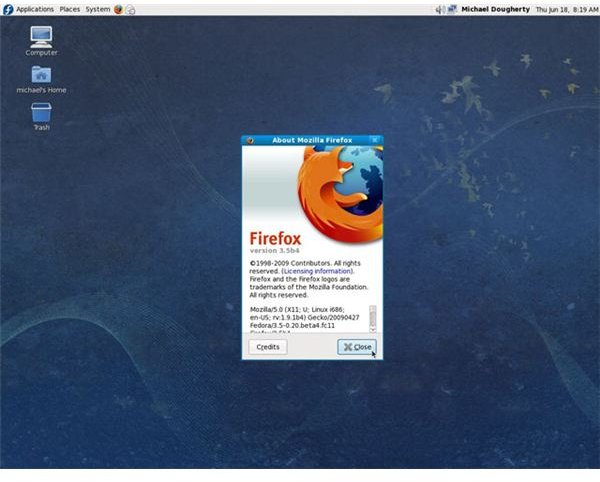
At the Fedora 11 LiveCD desktop I decided to take a look around and see what applications came pre-installed. As expected in a Fedora release I found a very up-to-date list of available applications; Firefox 3.5 Beta 4, GIMP 2.6.6, Abiword 2.6.8, Rythmbox 0.12.1, and GNOME desktop 2.26.1 are all included.
Satisfied with the look-and-feel of the desktop, speed of the LiveCD system, and available applications, it was time to do my install. After hundreds, if not thousands, of distribution installs. I wish there was something exciting to report about the install procedure but there is not. The most exciting thing I had to do during the Fedora 11 install was enter a root password. The install went smoothly and quickly. Don’t get me wrong, such a simple and problem free install is what we want, but it makes for boring writing!
Above when I said the install went smoothly and quickly … I do mean quickly. I was able to boot the LiveCD, install the system, reboot, and log in to my new system in just under 12 minutes. Fedora 11 has done a wonderful job of streamlining the install process which benefits new and experienced users alike.
The 20 Second Challenge!

Does Fedora 11 boot as fast as promised ? I decided to do a simple test to find out. I shut down my Fedora 11 test machine, fired up a simple stop-watch on my iMac and put this lofty goal to the test. I started the stop-watch at the boot prompt and stopped it at the gnome login screen. The result? Just over 18 seconds … Compare this to Fedora 10 and it’s 30 second boot time , which in my experience it rarely made, and all I can say is that they’ve done a wonderful job “trimming the fat” to get the boot time of Fedora 11 down to under 20 seconds. Will all users boot in 18 seconds? Of course not, this will depend on the machine, but I would expect a sub 20 second boot time on most modern machines.
Initial Impressions
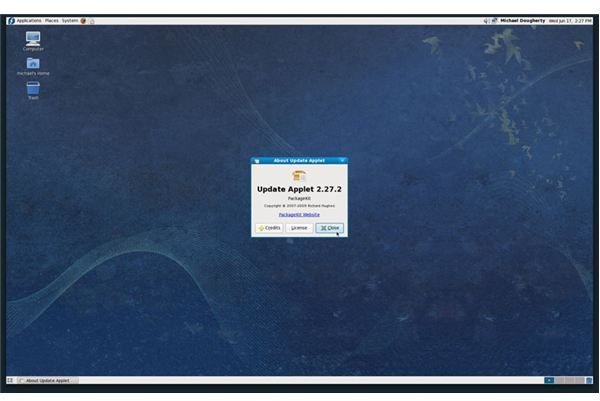
Still a little stunned at the 18 second boot time I decided to take Fedora 11 for a test drive. I setup my Fedora 11 system as I would any system; installing updates, making changes to the GUI (Graphical User Interface) to fit my personal tastes, and installing additional software (covered in the next several sections). During this process of getting my Fedora 11 system just how I like it, there are two things to note. I didn’t experience a single crash and not once was I forced to open a terminal window to accomplish any of my tasks. No crashes during this process is certainly a good thing but what surprised me was how user-friendly Fedora 11 is. Fedora is notorious for being one of those distributions where you have to have some command line knowledge in order to get things working properly. Not long ago I recommended Fedora to users who wanted more of a challenge, but with the release of Fedora 11, an update may be in store for the article. Fedora 11 may not be quite as easy to use as distributions such as Ubuntu and Mandriva, but during my use of the system it came darn close. The combination of Gnome Package Manager and PackageKit make installing and maintaining software on a Fedora 11 based system a breeze and I would not hesitate to recommend Fedora 11 to new users.
Presto!
For dial-up users or users who incur bandwidth usage charges Fedora 11 brings you Presto support. Presto is now found in the Fedora 11 repositories and can be installed from the command line using yum install yum-presto. There’s that nasty command line we were trying to avoid! Presto allows you to download delta RPMs instead of the full RPM package when applying updates. In layman terms you simply download the information you need instead of all information contained in a package. The amount of download savings will vary but from what I’ve heard from people who make use of Presto the savings can be quite significant, up to a 90% in some cases. This will allow dial-up users to finally update their Fedora 11 installs and also result in huge savings for people who pay for their bandwidth. This is a very cool addition to the Fedora system that shows a dedication to their entire user-base - not just the ones lucky enough to have high-speed and/or free bandwidth.
What’s Missing
The biggest thing you will notice missing in Fedora 11 are non-free applications and codecs. They are not ‘missing’ per-se but left out purposely. Fedora operates on a fairly strict guideline of using ‘open’ or ‘free’ software and adhering to this philosophy means certain non-free components must be left out of the Fedora 11 default install.
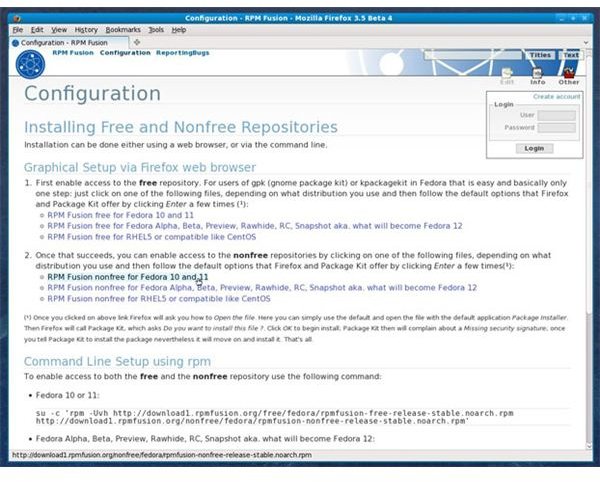
If you are like me there are several non-free components that you must have to make your system meet your needs, and I will explain how to do this in a moment. First, I would like to remind my readers that our long term goal, as Linux enthusiasts, should be to find ‘open’ or ‘free’ alternatives to these non-free components. We are not there yet, but in time I hope we will be able to meet all our needs using only Open Source components. Now I will climb off my soapbox and explain how to enable both the free and non-free RPM Fusion repositories. The RPM Fusion repositories are solid and will enable you to access most proprietary multimedia content.
To enable the RPM Fusion repositories simply visit the RPM Fusion Configuration page and follow the directions. Once you have completed this procedure anytime you encounter a multimedia file that requires a non-free component you will be given the option to let Fedora install it for you. Pretty straightforward!
Goodies “Under the Hood”
Fedora is well known for it’s commitment to innovation and Fedora 11 is no exception. With Fedora 11 we see the first distribution to replace ext3 with ext4 as the default file system. Is this a huge risk? Not really … at this point the ext4 file system has matured to the point where users can be confident it will have no adverse effects on their system. It has good e2fsprogs support, is stable, and users should notice better performance. This does not change the fact that Fedora is once again taking a step forward before any other distribution. The ext3 file system is really starting to show it’s age and I applaud Fedora for taking the initiative to, hopefully, start a trend which will result in more distributions making ext4 their default file system. Ubuntu has already included ext4 as their default file system for installs with the alpha of Ubuntu 9.10 and i expect most other distributions to follow suit. One thing to note is that before Fedora 11 several distributions did offer ext4 as an option (including Ubuntu), however, we are only now seeing it being adopted as the default file system.

Other improvements “Under the Hood” include:
- DRI2
- Making Nouveau the default NVIDIA driver
- Radeon 3D Update
The above improvements are geared mostly towards graphics performance but many other improvements have been made to Fedora 11. Please visit the Fedora 11 Feature List page for full details.
Conclusion

As stated earlier, in the past I had recommended that users have 3 - 6 months of Linux experience before making the jump to Fedora. With the release of Fedora 11 I would now have every confidence in recommending it to a new linux user. Fedora 11 is stable, fast, and has made major strides towards making it one of the most user-friendly distributions on the market today. If the Fedora developers can maintain their philosophy of including cutting edge software and components while still maintaining the level of ease-of-use we see in Fedora 11 I see a very bright future for Fedora. Kudos to the Fedora developers. Keep up the great work!


