Free Windows Emulation / Virtualization on Linux: VirtualBox and Wine
Introduction
Today we will take a look at two free software products that will allow you to run your Windows applications on your Linux PC (Personal Computer). In today’s world it is sometimes not feasible to run a single OS (Operating System) due to the limitations of the OS and it’s hardware and/or software support. For example, you want to make full use of your new “Optimized for Windows Vista” piece of hardware or you want to be able to run your favorite Windows application while keeping Linux as your main OS. VirtualBox and Wine (Wine is not an Emulator) to the rescue!
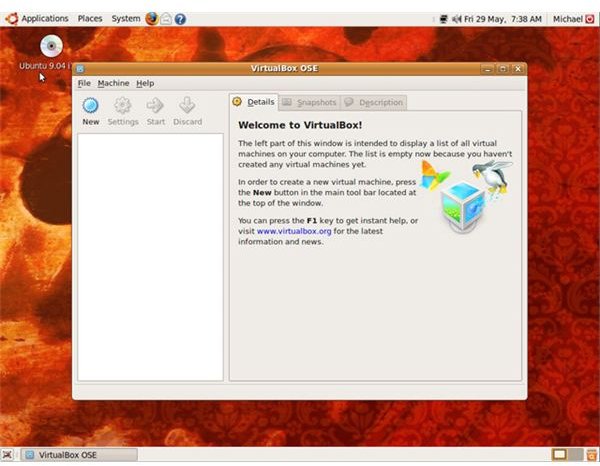
VirtualBox
VirtualBox is a powerful x86 virtualization product that is freely available as Open Source Software under the terms of the GNU General Public License (GPL). VirtualBox can be run on a Windows, Linux, Macintosh, or OpenSolaris host and currently supports the Microsoft Windows family and the Linux family of OS’s as your guest OS. Other guest OS’s are also partially supported such as: FreeBSD, OpenBSD, DOS, and OS/2. VirtualBox will require a valid copy of the OS you want to run as well as the resources to run a second OS in addition to your Linux distribution.
Pros:
- Free (GPL)
- Any software that will run in Windows will run in your Windows virtual machine.
- Great community should you come across problems.
- All work within VirtualBox is done via GUI.
- Great software test bed.
Cons:
- Requires a valid copy of Windows.
- Requires more resources for optimal performance (compared to Wine).
Wine (Wine is not an Emulator)
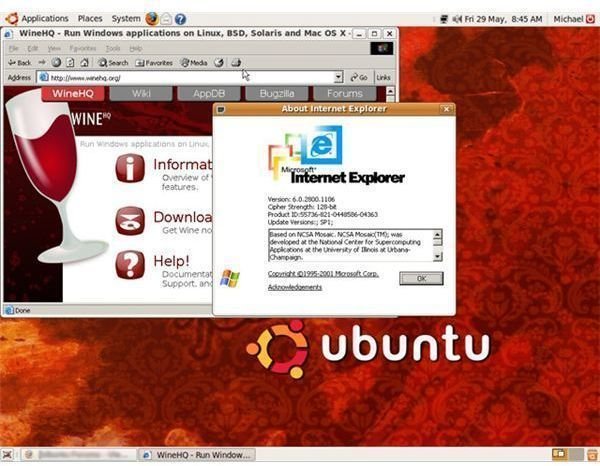
Wine is a translation layer capable of running Windows applications in Linux. Windows applications running in Wine behave similar to how they would natively without the performance penalties of an emulator. Wine can run Windows programs on Linux, FreeBSD, and Solaris and requires a x86 processor. Wine does not require a valid copy of Windows to run. Unlike VirtualBox Wine uses the Wine API to run Windows applications right in Linux as opposed to running Windows on top of Linux and then loading your Windows applications.
Pros:
- Free (GPL)
- Huge community should you come across any problems.
- Does not require a copy of Windows.
- Requires less resources (compared to VirtualBox).
Cons:
- Not all Windows applications are supported.
- Requires some command line knowledge.
- Harder to setup and configure than VirtualBox.
Final Thoughts
While some Linux purists believe that emulation and virtualization software is “Bad for Linux” I believe this to be false. Both these products perform equally well depending on your specific needs, and should that one piece of Windows software be stopping you from moving to a Linux based system, I recommend you give each a chance. As a general rule of thumb I try to encourage people to use the Linux equivalent of the Windows software in question, however, this is not always an option. In that case I see no problem at all with making use of the tools available to you. Linux is all about choice and this is just one more example of the options available on your Linux system.
Fact: There is a huge amount of software designed to run on Microsoft Windows.
Fact: Not all Windows software has a Linux equivalent or has yet to be ported to Linux.
Fact: Linux users still need to access Windows software for some very valid reasons.
Fact: Having emulation and virtualization software available to users will not stop software companies from porting their software to Linux.
Fact: Not having the option of emulation and virtualization WILL stop many users from making the switch to Linux. These users do not want to lose access to their favorite Windows program.
Fact: Linux having a low market share WILL stop software companies from porting their software to Linux.
So, in the end emulation and virtualization software is good for everyone. It allows Windows users to make the switch to Linux without the worry of losing access to their favorite Windows software and greatly eases their transition from Windows to Linux. In time this will result in a larger market share for Linux forcing software companies to take a closer look at whether they should port their software to Linux.
