Which Linux distribution is best for me? A question often asked but rarely answered. I will go out on a limb here and actually give you an answer based on your specific needs!
Introduction
Recently a colleague of mine wrote an article trying to address “The Unanswerable Question” in which she talks about which Linux distribution is best as well as the common view that no Linux distribution can suit every users needs. I agree with this (although I believe a few come very close,) however, I do think some Linux distributions are leaps and bounds ahead of others in certain areas that we can classify. Don’t get me wrong, I am not saying I can answer “The Unanswerable Question” for you! I am confident enough however to point you in the right direction of a Linux distribution that will best suit your needs.
I am a Linux Newbie and Just Need a Starting Place
Three words. Ubuntu, Ubuntu, and Ubuntu! Many people recommend this Linux distribution with the justification “It just works” but I am making this recommendation for a different reason. As far as “It just works” distributions go, along with Mandriva , I believe it comes closest to this philosophy but my reason for picking this Linux distribution for users new to Linux is the community . That’s right! Other Linux users. The Ubuntu community is by far the largest and quickest to respond to user submitted questions. This is mostly due to the sheer number of Ubuntu users and, as a new Linux user, why not take advantage of these numbers during your times of need because not even Ubuntu “Just works” all the time. As my colleague said, the best Linux for you, as a newbie, is the one you can get help with when you need it.
My “It Just Works” Recommendations:
Ubuntu Linux is designed as a complete desktop replacement. It aims to be an out-of-the-box replacement for operating systems such as Microsoft Windows and Mac OS X and does a fairly good job of doing just that. Ubuntu comes with a Live CD (more on this later), a graphical installer, the option to install within a Windows system using Wubi , the ability to dual boot with other operating systems easily, a complete office productivity suite (OpenOffice ), a huge online repository of Open Source software, and a self updating system to keep your computer up-to-date and secure. You will get this and more with the worlds fastest growing Linux distribution.
Linux Mint is based on Ubuntu and attempts to offer you all that Ubuntu does and more. With Linux Mint you will get an Ubuntu based system with a custom desktop, several Linux Mint specific configuration tools, a Linux Mint repository of additional software (as well as the ability to use the Ubuntu repositories), the addition of several non-free media codecs, support for DVD playback, and your most common browser plugins all pre-installed.
Mandriva Linux (formerly Mandrake) is well known for it’s pleasant user environment as well as its friendliness to new users. A Live CD, quick and easy installation, all the applications you need to get started pre-installed, as well as several Mandriva Linux specific configuration tools are all at your fingertips in this visually pleasing and easy to use Linux distribution.
OpenSUSE Linux is Novell’s community-supported version of their commercially produced SUSE Linux. The goals of this Linux distribution are threefold: make OpenSUSE Linux the most widely used Linux distribution, make OpenSUSE Linux the best option for new and experienced Linux users alike, and to target Linux software vendors by simplifying the packaging process. OpenSuse Linux, in my humble opinion is one of the best KDE based Linux distributions available. Their searchable menu (similar to Windows Vista) and the sheer beauty of their KDE desktop release makes it my Linux of choice for a KDE based desktop.
I’m Past the Linux Learning Curve and Want More of a Challenge
For users who have wet their feet in the Linux world and are ready to move on to a slightly more complicated Linux distribution that, perhaps, will allow them to learn more about the inner workings of a Linux system or simply offer a more challenging Linux experience I recommend Fedora Linux . This is the community-supported free distribution of Red Hat Linux and although it does not offer some of the features of a Linux distribution such as Ubuntu, it is still very easy to setup and offers a pleasant user experience.
My “I Want to Learn More” Recommendations:
The Fedora Project is a free project designed by Red Hat. It is open for all to participate in and promises the continued development of a free, general purpose operating system built on entirely open source software. With the release of Fedora Linux 10 the Fedora Project has added many impressive features, streamlined the install process, and sports a shiny new look. For the Linux user 3 - 6 months into their Linux learning experience I wouldn’t hesitate to recommend Fedora Linux 10.
One of the longest running Linux distributions, Slackware Linux, still has a large and loyal following and for good reason. Slackware Linux places stability and a friendly user experience above all other goals while still offering a full featured desktop, robust server environment, and a full range of development tools for the new and experienced software developer alike.
I’m a Linux Guru!
I will only make one recommendation here and that is Gentoo Linux . This was one of my first Linux distributions and to this day, although I no longer use it on a daily basis, it still has a special place in my heart. Geared towards network professionals and software developers Gentoo Linux is compiled from the ground up. What does this mean to someone who uses Gentoo Linux? An extremely fast system compiled from scratch for your computer architecture. Gentoo continues on with this practice concerning package management as well. The system is called portage and allows you to compile your programs as they are installed. This results in a slower install but each package is optimized for your system, resulting in faster load times and use. If you are looking to delve deeper into the inner workings of Linux while optimizing your programs for maximum performance don’t hesitate to try Gentoo Linux !
Honorable Mentions:
Sabayon Linux is a fork of the Gentoo Linux project. Sabayon Linux simplifies the Gentoo Linux install process while maintaining compatibility with Gentoo Linux and is equally tweaker friendly.
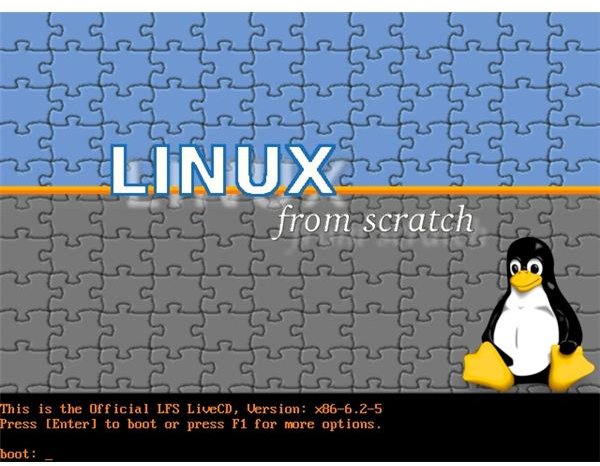
LFS (Linux From Scratch) is a project that provides you with step-by-step instructions for building your own custom Linux system, entirely from source code. I have not personally made use of this Linux distribution but have heard good things. If you are looking for a challenge don’t hesitate to visit the LFS homepage and wade right in!
I Have an Older System and/or Feel the Need for Speed
I love Puppy Linux so I might be a bit biased here. Puppy Linux has been one of my favorite distributions for quite some time now. It’s not only small and lightweight but offers almost everything a user could want in a tiny 100MB footprint! A perfectly viable alternative to Puppy Linux is DSL (Damn Small Linux), offering a great selection of tools to help get an ancient or crashed system back up on its feet. Often used as a system recovery tool, DSL has a tiny 50MB footprint, is well maintained, and is never a bad choice for breathing life back into that ancient laptop sitting in your closet collecting dust.
My “I Feel the Need for Speed” Recommendations:
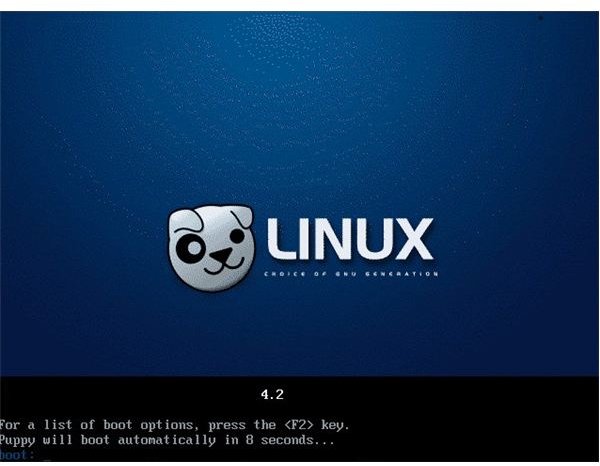
Puppy Linux was first released in 2003 and takes pride in the fact it has no formal structure or agenda. You are given the freedom to, pretty much, do what you want with the OS (Operating System.) Isn’t that what Open Source is all about?
With Puppy Linux you are able to re-master your own version of the OS, aptly called a Puplet, and then use that customized Puppy Linux as your OS. We will not go in-depth about these customization options, as this is not the main focus of this article, but once we have you up and running on your USB Key I recommend taking a closer look at what Puppy Linux has to offer in the area of customization. Like DSL (Damn Small Linux) Puppy Linux has a simplified GUI but offers a slightly better visual experience.
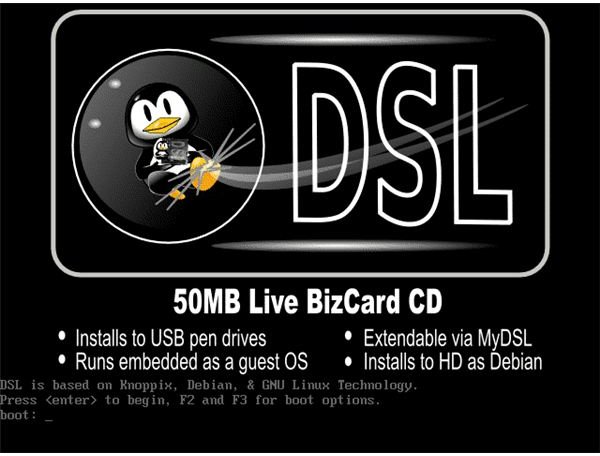
DSL began as the quest of one man to see how many Linux desktop applications he could fit inside a 50MB Live CD. Over time it has grown into what it is today, a nearly complete desktop system that can run fully in your computers memory, requiring as little as 128MB of RAM. I highly recommend this distribution if you intend on using your Linux USB Key on older hardware and/or prefer a simplified GUI.
In Short
If I was put on the spot, as I often am, these would be my picks for each section. You’re mileage may vary but instead of the usual “There is no best Linux distribution!” I’m going to take a risk and give you the answers you want!
If you’re a Newbie: Ubuntu
If you’re looking to learn a little more: Fedora
If you’re an experienced Linux user: Gentoo
If you want a small, fast, system that you will run from CD or USB Key: Puppy Linux
If you have an older system or want a troubleshooting tool: DSL (Damn Small Linux)
Live CDs
Live CDs are an excellent way to test drive any or all Linux distributions. Most major distributions offer a Live CD with which you can run the Linux distribution from the CD without making any changes to your system. This gives users the chance to get a feel for each Linux distribution before installing it to their hard drive. I highly recommend downloading all Live CDs before making your final decision on which Linux distribution is right for you. Here are links to the Live CDs of the Linux distributions mentioned in this article:
- Ubuntu Linux
- Linux Mint
- Mandriva Linux
- OpenSUSE Linux
- Fedora Linux
- Slackware Linux
- Gentoo Linux
- Sabayon Linux
- LFS (Linux From Scratch)
- Puppy Linux
- DSL (Damn Small Linux)
Conclusion
While it’s true there is no best Linux distribution that will satisfy the needs of all users there are definite front runners when it comes to satisfying the needs of specific users.
The closest thing we have to a household name in the Linux community at the present time is Ubuntu. Dell picking up the Ubuntu Linux distribution and shipping new PCs with it pre-installed was a major step in the right direction as far as bringing Linux into the mainstream. Keep in mind the above is not a definitive list of the best Linux distributions for every task.
Should we want to get even more specific we could delve into the best Linux distribution for audio and video editing (Ubuntu Studio ), a Linux distribution aimed at educators (Edubuntu ), and many other specialized Linux distributions. For the time being I will leave you with the above recommendations and hope I’ve done my part to answer the question “Which Linux distribution is best for me?” Until next time. Keep it open source.


