Take Linux with you! The days of expensive USB Keys and confusing installation procedures are over. Today we highlight three of our favorite portable Linux distributions that will allow you to carry your favorite open source operating system around in your pocket!
Introduction
In this edition of “How can I be more of a geek” (oh c’mon you know you are one!) we take a look at how to pick a Linux distribution for your USB Key, install it on said USB Key, and finally what you will gain (apart from the cool factor) from having your own portable Linux OS.
Which Linux distribution should I put on my USB Key?
Sadly there is no quick and easy answer to this question. Never fear, here at Bright Hub we have the research for you! In this article we will be looking at two Linux distributions designed from the ground up to be small, and thus easy to run from today’s USB Keys - Damn Small Linux and Puppy Linux, and the not so small but very popular Ubuntu.
This is not to say that other popular, and not so popular, Linux distributions cannot be installed onto a portable USB Key. Several other distributions have been successfully installed to USB Key, however, many of them take much more work to get up and running than the three we will be focusing on.
Installation
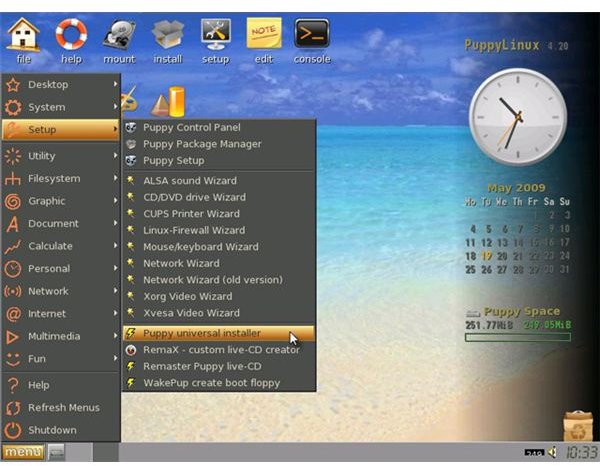
Each of the three Linux distributions we have chosen to highlight in this article have very simple graphical installers setup to allow you to easily install to USB Key. So instead of boring you with 3 step by step guides to these installs I will give you a basic outline of what steps are required for all three Linux distributions.
- Be sure you have a working CD/DVD drive.
- Download the Live CD image for the Linux distribution of your choice.
- Burn the image.
- Make sure your computer is setup to boot from a CD/DVD drive.
- Boot the Live CD.
- Find and start the graphical installer.
- Follow the prompts during the install process.
That’s it! With these three Linux distributions it really is that easy. Make sure any computer you want to use your new Linux USB Key on has its BIOS set to allow booting from USB Devices, insert the USB Key, and reboot. You are now in your own personal portable Linux environment.
DSL (Damn Small Linux)
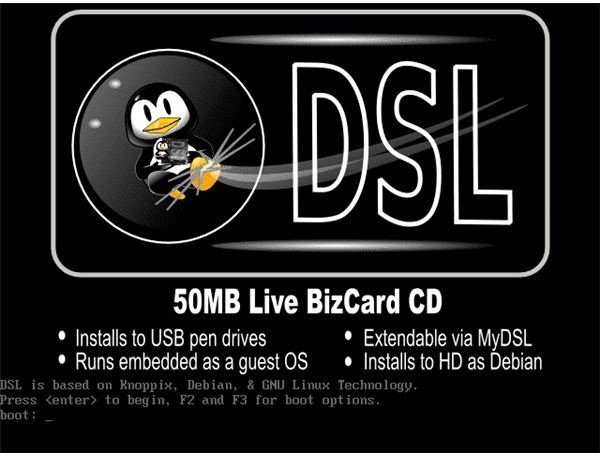
DSL began as the quest of one man to see how many Linux desktop applications he could fit inside a 50MB Live CD. Over time it has grown into what it is today, a nearly complete desktop system that can run fully in your computers memory, requiring as little as 128MB of RAM . I highly recommend this distribution if you intend on using your Linux USB Key on older hardware and/or prefer a simplified GUI.
Puppy Linux
Puppy Linux was first released in 2003 and takes pride in the fact it has no formal structure or agenda. You are given the freedom to, pretty much, do what you want with the OS (Operating System). Isn’t that what Open Source is all about?
With Puppy Linux you are able to remaster our own version of the OS, aptly called a Puplet, and then use that customized Puppy Linux as your OS. We will not go in-depth about these customization options, as this is not the main focus of this article, but once we have you up and running on your USB Key I recommend taking a closer look at what Puppy Linux has to offer in the area of customization. Like DSL (Damn Small Linux) Puppy Linux has a simplified GUI but offers a slightly better visual experience.
Ubuntu Linux

Ubuntu Linux was not designed from the ground up to be a “small” Linux distribution, unlike DSL and Puppy Linux, but does contain a straight forward graphical interface to assist you in installing it to a USB Key. The main difference between Ubuntu Linux and the other distributions we have discussed is size and popularity . Ubuntu Linux has a huge community to draw upon should you have any problems with your USB Key install or any other issues you may come across.
Now that we’ve taken a cursory look at each, lets address the big question!
Why would I want a Portable Linux USB Key?
Apart from the cool factor, mentioned in my opening paragraph, there are many practical uses for your new Linux USB Key. Lets take a look at a few situations where your Linux USB Key will save the day!
Scenario #1: Hard drive dies: Imagine for a minute your computers hard drive dies, a scary prospect I know, without your Linux USB Key you are without a computer! With your Linux USB Key you are now able to boot from your USB Key and have access to your e-mail, your IM (Instant Messenger) contacts, and a fully functional web-browser.
Scenario #2: Technical Support: Most of us have been there, whether it be for ourselves, friends and family, or a client, something goes wrong with the operating system. You can now use your Linux USB Key to boot into a fully functional operating system, troubleshoot various software issues, remove malware/spyware/a virus, and most importantly mount drives and retrieve important information from an unstable system.
Scenario #3: I love Linux!: Most of us still have friends/family/clients still using a non-*NIX based operating system. What happens when we are forced to use these “other" operating systems? We fumble, fidget, and sit there wishing we had access to our Linux system. Now you do! Simply boot any computer outfitted with a USB port with your Linux USB Key and enjoy the wonderful world of Linux. Not only does this put us back in our comfort zone but we no longer have to make any changes to the system we are using to check our e-mail, log into our instant messenger accounts, or hang out in our favorite IRC (Internet Relay Chat) channel.
The possibilities are really endless with your new Linux USB Key. Use your imagination and make use of it as much as you can. The geek in all of us will sleep better at night knowing you can enjoy Linux from virtually anywhere!


