Web Server Development on Ubuntu with XAMPP: Linux Web Server Hosting For Beginners
Getting started with XAMPP
XAMPP is a LAMPP (Linux, Apache, MySQL, PHP and Perl) web server package available for Linux, Macintosh and Windows, produced and maintained by a group called Apache Friends. XAMPP does not appear in the normal Ubuntu repositories, and it must be downloaded from the XAMPP home page at https://www.apachefriends.org/en/xampp.html. The Linux version is a hefty 55Mb, but installation is just a matter of unpacking it to the /opt/lampp directory with the following command, issued in whatever directory you downloaded the file to:
sudo tar xvfz xampp-linux-1.7.tar.gz -C /opt
To activate XAMPP issue the terminal command:
sudo /opt/lampp/lampp start
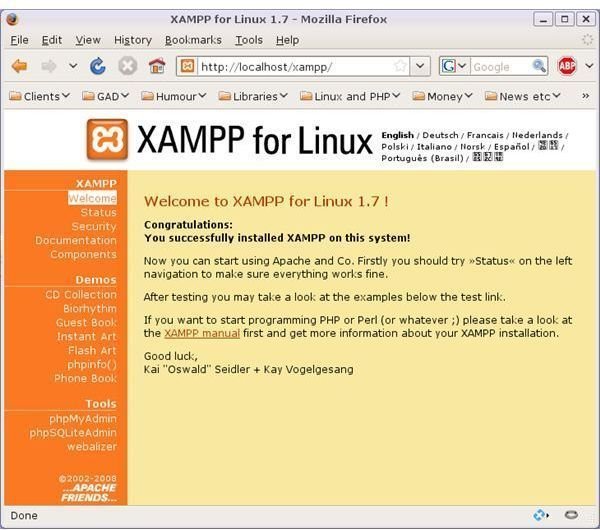
To check that XAMPP is running, open a web browser and enter the URL: https://localhost. You should see the XAMPP Start page. The web directory referred to by that address will be on your file system as /opt/lampp/htdocs. The default home page – index.html – installed in this directory redirects the user to a language selection page and then to the XAMPP start page. Create a new index.html in this directory, and this file will become your home page.
To stop XAMPP issue the same command, substituting ‘stop’ for ‘start’:
sudo /opt/lampp/lampp stop
Additional implementations of XAMPP
To install a second implementation of XAMPP, just make a different directory and unpack the compressed installation file into it: e.g.
sudo mkdir /opt/test1
sudo tar xvfz xampp-linux-1.7.tar.gz -C /opt/test1
and run the second version as follows:
sudo /opt/test1/lampp/lampp start
Now your home directory will be /opt/test1/lampp/htdocs
With XAMPP running you can create MySQL databases with PHPMyAdmin (https://localhost/phpmyadmin) and debug, and run PHP scripts. All the XAMPP configuration files are text-based, so you can tinker with these to your heart’s content. XAMPP also supports an FTP server, ProFTPD, so you can use this to simulate uploading and downloading material, to and from your site.
XAMPP has no security settings, so it is not intended for genuine live web hosting, but it is a neat little development tool. You can find an extensive and lively discussion of its capabilities in the Ubuntu forums at https://ubuntuforums.org/showthread.php?t=223410.
