Want to use Firefox and Google Gmail in offline mode? Currently, 64-bit Linux versions are not supported by the Google Gears package. You can trust the Linux community to come through with the fix, however. Here, in pictures and text, is how to run Google Gears in 64-bit Linux.
Introduction
Recently I wrote about using Google Gmail in offline mode on a Windows laptop and observed that it couldn’t have been created previously because the supporting structure was not in place for it. The enabling structure came in the form of Google Gears, which powers the online/offline capability of Google Docs and Google Reader.
With some interest and anticipation, I decided to try out offline Gmail on my Linux laptop. I had recently removed openSuse 11.1 and installed Ubunto 8.10 Desktop 64-bit edition instead. Since offline Gmail was already set up on my Windows notebook, the link for it was present when I visited my Gmail account.
If you’re starting from Linux and using a 64-bit version, the steps involved are similar, but not exactly the same. Start from your Gmail page in your browser and click “Settings.” Then click “Labs.” Look for the section called “Offline.” It starts, “Make Gmail go where the Internet doesn’t.” Click “Enable,” and then scroll all the way down and select “Save Changes.”
Back on your normal Gmail page, a new link will have appeared labeled “Offline Gmail.” If you click it, it will advise you that you need to download Google Gears in order to use Offline Gmail.
If you’re using a 32-bit version of Linux, this is well and good. Click the “Install" link and continue.
However, if you’re using a 64-bit of version, you won’t know that package is not compatible until after the download when the Firefox Add-On manager tells you. Google does not, in fact, have a version of Google Gears that works in 64-bit Linux.
But, as is often the case, the greater Linux community steps forward when the need arises. A fellow named Niels Peen downloaded the source and compiled it himself for 64-bit Linux. He graciously wants to “save us the hassle” and is freely offering his installer for a 64-bit version of Google Gears. Niels has tested it with Wordpress, Offline Gmail, and Firefox 3.05 in Kubuntu 8.10. I’ve installed it and am using it with Offline Gmail in Firefox 3.05 in Ubuntu 8.10 Intrepid Ibex (Gnome).
Setting Up 64-Bit Gears in Linux
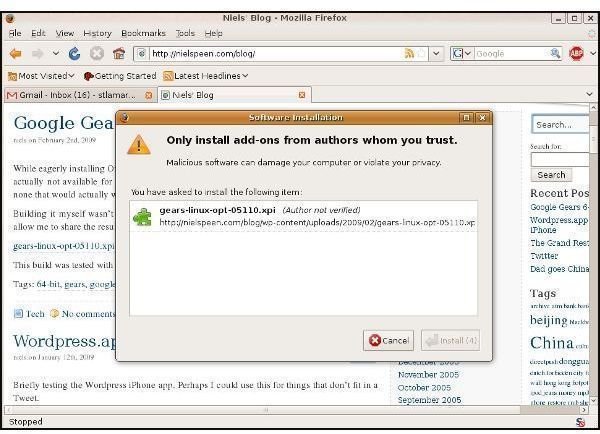
First, go to Niels’s blog using Firefox , and click on the “gears-linux-opt-05110.xpi” (or later version) link. Firefox will then know what to do with it: the “Software Installation” dialog will soon appear offering to download the “.xpi” or “zippy” installation file.
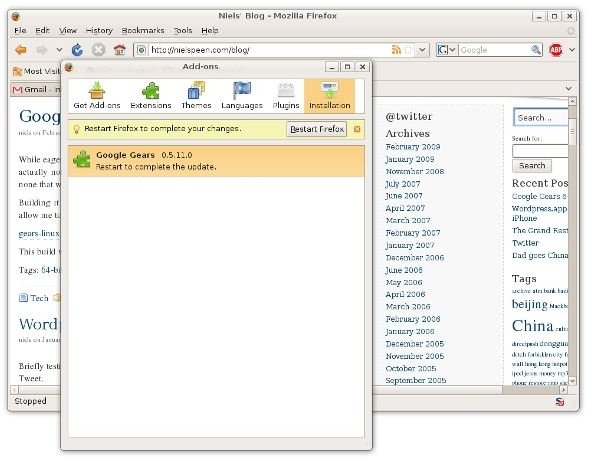
This will turn into the “Add-Ons” dialog. Rather than complaining about compatibility, it will be asking you to restart Firefox.
Enabling Offline Gmail and Downloading Email
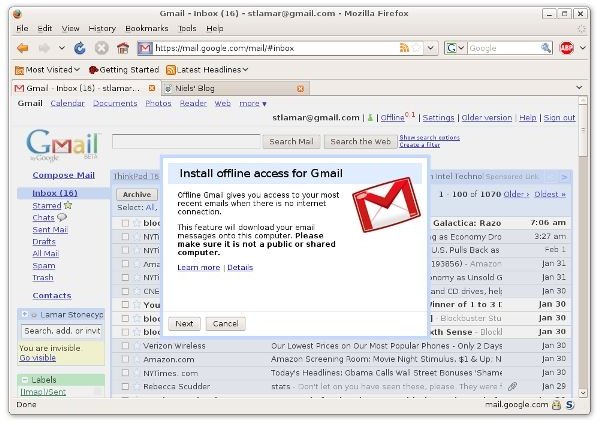
When Firefox restarts, click on the “Offline” link. Then you’ll see this dialog. Click “Next” to continue.
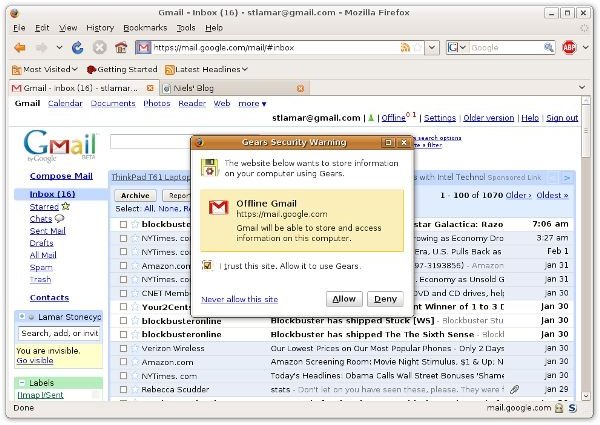
It’s only takes a short while for Firefox to prepare. The next dialog you see will be a standard warning panel that the website wants to “store information on your computer using Gears.” You’ll see this on any Gears-enabled website you go to, and Gears will not be used unless you explicitly allow it.
Then Offline Gmail will begin downloading email to your PC. This took about ten minutes on my notebook, and it downloaded 1,070 messages back to Jan 10, 2007. The “Flaky Connection” feature is also interesting. It allows Gmail to operate in a combined offline/online mode until the Internet connection improves.
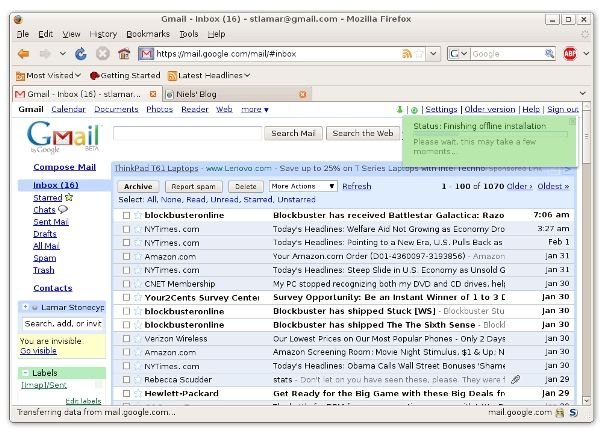
The panel will change to “Status Synchronized” when the download is complete. At this point, you can go off-line and continue to work in Gmail.
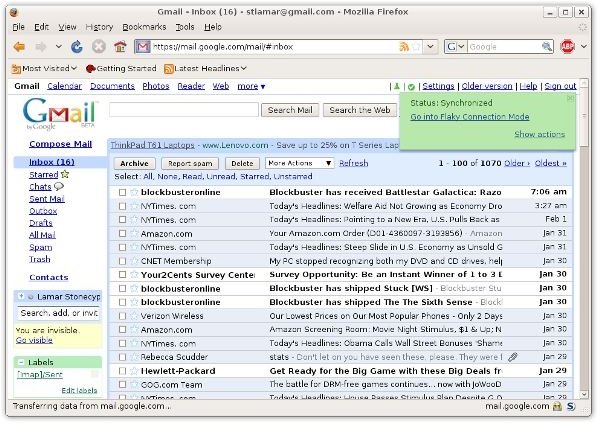
Working Offline in Gmail
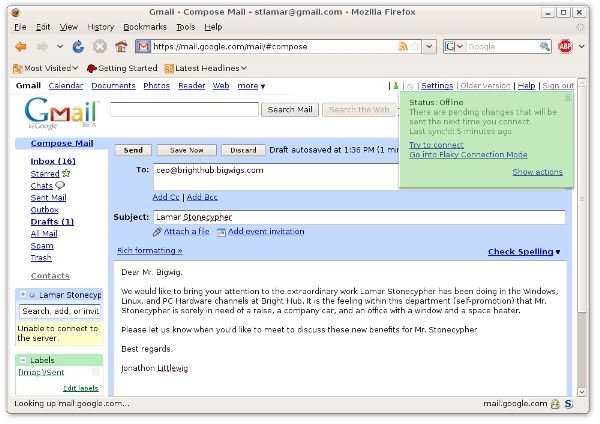
Here’s composing an outgoing message in Gmail.
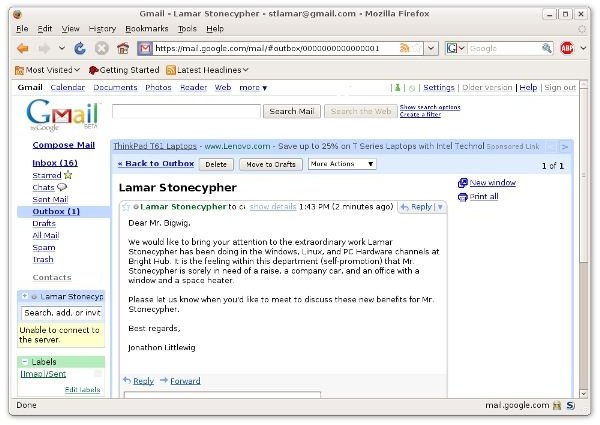
And here’s the message opened in the Outbox.
Questions About Google Gears in Linux
Where are the configuration files stored?
- /home/~user/.mozilla/firefox/<firefox’s profile id>/Gears for Firefox
What do the files do? (This was obtained from the Google Gears FAQ .)
- localserver.db - This is a SQLite database that keeps track of all files that are stored in the LocalServer across all domains. This file is used in the internals of the Gears code, and cannot be accessed from within a Gears program.
- permissions.db - This is a SQLite database that keeps track of all domains that have been allowed to use Gears
- <domain>/http_80/<filename>#database - This is a SQLite database file that has been created by an application on <domain>
- <domain>/http_80/<filename>#localserver - This is a folder that contains files cached by either type of LocalServer store, a ResourceStore or a ManagedResourceStore, created by <domain >
How Do I Delete All Downloaded Email?
- Go to Gmail → Settings → Offline and click “Disable.” According to Google, “This will disable offline access for your computer and delete the mail that you’ve previously downloaded. If you decide to enable offline access sometime in the future, you’ll download messages you’ve received since you last synced but won’t have to start from scratch.” They go on to point out that when you enable offline mail on your laptop, it’s not automatically enabled on all the computers you use, even though the Offline selection shows whenever you connect to your account.
Summary
When I first heard about Offline Gmail, I thought that Google had taken a big, obvious step. Desktop users have long been able to work offline in applications like Microsoft Office Outlook and Thunderbird. Web email users of sites like Hotmail, Yahoo, and Gmail have not had this convenience until now.
Now we can take Gmail with us on our Linux laptop and work on our email in places where we can’t connect like on the plane or in a taxi. And it’s all thanks to the Google Labs team and a generous Kubunto user named Niels Peen.


