Running Windows Programs Under Linux: Running Windows and Linux Together
1.Matching applications
The number of programs appearing in Linux versions is increasing all the time. You may find that your favorite program is already available in a Linux version; or if not, something very similar is. A prime examples are the Mozilla suite of Internet programs – Firefox for web browsing, Thunderbird for email, and the Sunbird calendar application. Not only do these run identically on both platforms, but nearly all the add-on extensions for these free programs work the same way. Google Picasa is also available for both platforms.
There are also increasing numbers of Linux programs which look and function in very similar ways to their Windows equivalents. Call it ‘cloning’, call it ‘reverse engineering’, but however you describe it, the fact is that an ordinary Excel user could happily work for a week in a Linux application like OpenOffice Calc without even noticing the difference and PowerPoint users will find the same to be true of OpenOffice Impress.
2.Wine
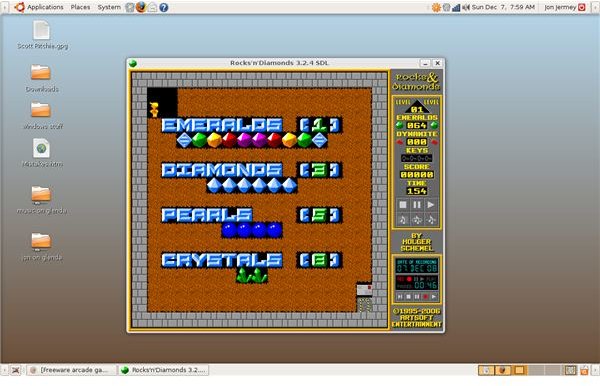
Wine (WINdows Emulator) is a free program designed to run Windows programs without Windows. (For the technically-minded, Wine is an Open Source implementation of the Windows API). It doesn’t work for all programs, but development is ongoing, with new releases each month, and new applications being catered for all the time. The most recent version of Wine can be downloaded from www.winehq.org. It may already be included in your Linux default repositories; check your Add / Remove Applications menu.
Once Wine is installed you should be able to copy executable Windows installation files on to your Linux system and run them with a double-click, or activate them directly from a CD. Wine adds a new item to the Applications menu, and when your Windows programs run they will be able to access the whole of your Linux file system in the same way Linux applications can.
3.CrossOver
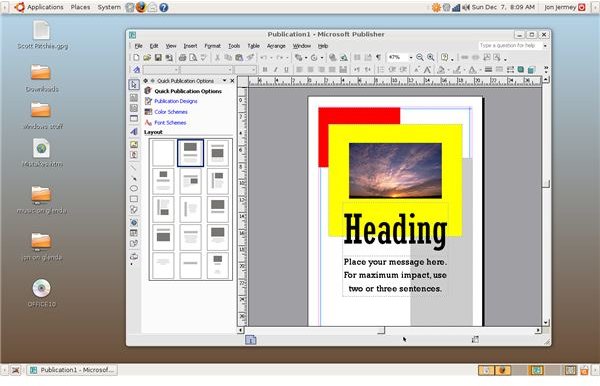
CrossOver is a commercial version of Wine developed and maintained by the CodeWeavers corporation. It is targeted at specific Windows programs – notably most versions of Microsoft Office – which Wine will not always run. As well as a couple of Linux versions for different distros, CrossOver is also available for the Apple Macintosh. A games version tweaked for graphics is also available.
The full version of CrossOver can be downloaded and trialled for seven days without payment. The Standard versions of each package can be registered for US $39.95 and a Pro version for enterprise installations is US $69.95. You can download CrossOver from www.codeweavers.com.
4. Full virtualization
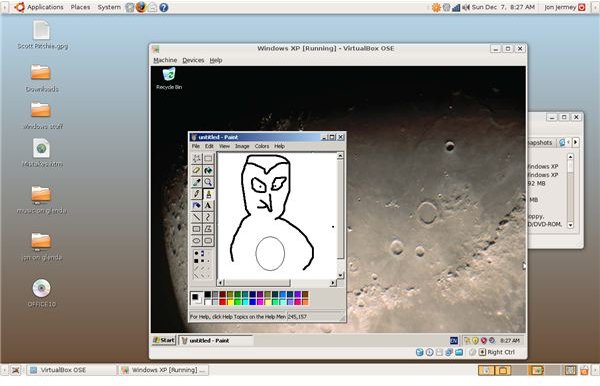
Another area where Linux (and Microsoft, for that matter) has made great progress recently has been in supporting virtualization. On a virtualized system, the real PC puts aside a box of memory in which another operating system can be installed and run. To this ‘child’ system, it looks like it is running on a real computer, but in reality all the inputs and outputs go through the parent system. There are advantages to this: a child system can be saved at any time as a file on the parent system, and restored into that state by reloading the file. Viruses and other threats can be blocked by the parent system too.
From a Linux perspective this means that a copy of Microsoft Windows can be installed on to a Linux system and run as if it were on a PC of its own. Although the Windows system doesn’t ‘see’ the Linux parent, files can be shared via a designated directory, usually located on the Desktop. Most Linux distros now come with a preferred virtualization system, and there are several others available – Vbox, QEMU, Xen and KVM are all well-known names in this area. Note that running a virtualized Windows system entails the same legal and financial obligations as running a ‘real’ one; the Windows software must be paid for and registered. You will also need a Windows CD to install it from.
Of course the same applies in reverse, and Linux operating systems can also be hosted on Windows PCs via virtualization. Microsoft has recently released their own free virtualization software, Virtual PC, which is proving very popular.
5.Online applications
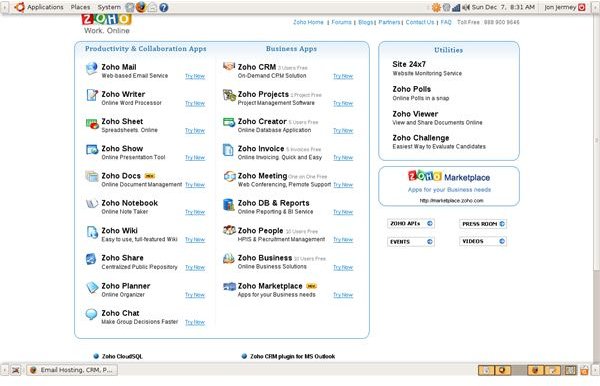
Any computer system with a web browser and an Internet connection now has access to a huge range of web-based applications. These usually don’t know or care what kind of computer you have; as long as the browser meets their specifications they will do their job. This means that online documents can be shared with and collaborated on by people on pretty much any platform – Windows, Linux or Macintosh.
There are several free online software suites available: two of the most comprehensive are Google Docs and Zoho. Both of these offer word processing, spreadsheets, database capabilities and online presentations. Zoho also offers an invoicing system. For users with a fast broadband connection, online applications move the whole issue of compatibility off the desktop and place it on the broad shoulders of the web.