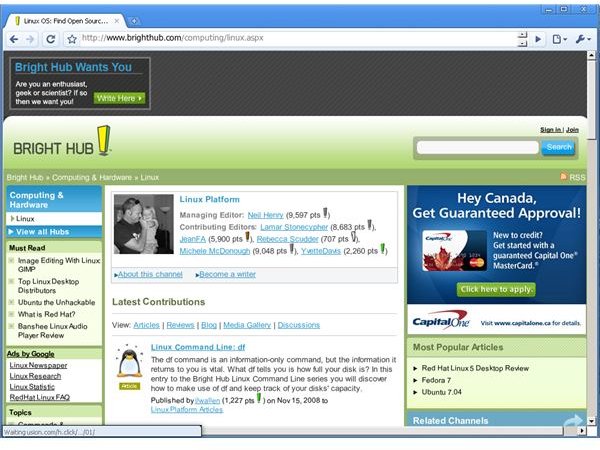
You’ve probably heard of Chrome, the Web browser that Google released a few months ago. While Google is plugging away at a Linux version, Chrome is only available for Windows right now. But you can still take Chrome for a test drive in Linux.
Introduction
While I’m pretty much a full-time Linux user, and am spoiled thanks to the wide range of applications that’s out there, I sometimes get envious of the software that’s available for other operating systems. The latest object of my envy is Chrome , the Web browser that Google released a few months ago.
There are a lot of reasons for that, which I won’t go into here. But I was more than just a bit disappointed that there wasn’t a Linux version. While the code jockeys at Google are plugging away at a Linux version, it’s not coming fast enough for my taste.
Sure, I can download the source code and try to compile it. I’ve read, though, that people have had mixed results. That was until I heard that the folks at a company called Codeweavers cobbled together a port of Chrome called CrossOver Chromium . It’s more a proof of concept than anything else, but CrossOver Chromium gives you a pretty good feel for Chrome without having to boot up a Windows PC.
Crossing over
It turns out that the Codeweavers developers put together the port in just over a week . An impressive achievement, and the port does work.
You can download a version of CrossOver Chromium for various flavors of Linux; there’s also an installer that will work no matter what distribution that you use. The download is quite big, about 34 MB. That’s because it comes bundled with a stripped-down version of Codeweavers’ CrossOver product (the full version of which enables you to run Windows applications in Linux).
I installed the version of CrossOver Chromium for Linux – it’s a .deb file, which you just double-click to open in the gdebi package installer. Installation was quite quick, and it added a menu item labeled CrossOver Chromium to my Applications menu.
Taking a test drive
Launch CrossOver Chromium by selecting Applications > CrossOver Chromium > Chromium. The browser takes a few seconds to start, but you get the now well-known minimal interface of Chrome.
Web pages, even those with quite a bit of graphical content, render fairly quickly in Chromium. The browser isn’t lightning fast, especially when compared to the native Windows version. But CrossOver Chromium does run about as quickly as the Linux edition of Firefox.
One thing you’ll notice is that Chromium has a bit more screen space than most other browsers. There aren’t any tool or menu bars cluttering up the screen. Everything is out of the way, letting you browse without any distractions.
I was also able to successfully test the browser’s ability to let me log into the same Web site using two different accounts.
Overall, most of the major features worked. I was especially pleased that incognito mode, in which the browser leaves no tracks, worked as advertised.
What didn’t go so well
A few things, actually. Fonts don’t always render well. They’re sometimes fuzzy, and sometimes off center. On top of that, I wasn’t able to get multimedia (like Flash movies) to play in the browser.
Some of the advanced features didn’t work, though. That includes the one I was most interested in: Create Application Shortcuts. With that feature, you can turn a Web application into a desktop shortcut and use it when you aren’t connected to the Web. Well, at least it works in the native Windows version.
To use or not to use?
CrossOver Chromium isn’t intended to be your main browser in Linux. Even the developers at Codeweavers say so . But if you want to get a peek of what Google Chrome is like, and can’t wait for the official Linux port to come out, then CrossOver Chromium is definitely worth a look.


