Upgrade Your PC from Windows to Linux

What Do You Do When Your Old PC Grinds to a Halt?
Our family laptop has performed admirably over the past three years, but it has over time slowly but surely started to underwhelm. This is because, as with all family oriented PCs, there is a large and diverse mix of applications and tasks that are run on them everyday. Ours not so much point blank refused to boot up, but rather became so slow you literally needed to switch it on, go make breakfast, and come back ten minutes later for everything to be up and running. And we couldn’t even entertain the idea of shutting it down during the day. Not even SpeedUpMyPC or PC PitStop made much of an impression. There seemed only one solution; it was time to upgrade.
So I was all for sticking another couple of GB of RAM in the unit, with a minor upgrade of processor and graphics card, but then my wife bought me a Dell Studio 17 for my birthday. The thought of flogging the old laptop for all it was worth, just to get another six months of mileage out of it lost all appeal! Now with my new Dell, Vista runs in all its 3D splendor, applications launch in quick fire time and I have only minor issues with the OS as an interface. Safe to say I won’t be giving my Dell to my family to download and run spurious amounts of garbage software, based on their whims of the day.
Consider Choosing a New Operating System?
But what to do with the old Amilo? It still ran (albeit slowly), no parts were on their last legs (yet) and I knew it could perform a role in our house. I also had the dilemma that my kids and wife were missing ’their’ laptop. So when my ten year old son asked me why the ‘big PC in the office looked and acted differently to all the others’, I thought bingo! Let’s get it kitted out with Linux and he can learn all about open source at the same time. This little ‘project’ also gave me the perfect opportunity to test my theory that Windows does not match Linux for cleanliness and speed of setup, migration of services, or ease of use.
My son did roll his eyes and huffed and puffed a bit at this suggestion of ‘work’, but what transpired was very positive. Indeed, it serves anybody well as an introduction to how anything is possible with Linux. For those who fear Linux or fail to understand its simplicity and brilliance, stop right there. If a ten year old with minimal technical knowledge can run with it, anybody can.
Now, depending on your level of persuasion, Vista is good, bad or downright ugly, and XP is going to be phased out, if not imminently, then gradually over the next couple of years. So choosing an operating system is a more important decision than ever. After all, it dictates your level of performance, security and crucially gives you peace of mind. (In my humble opinion an OS should simply be a platform on which to perform tasks with minimal distraction, pure and simple). As such, Windows, Linux and the Mac portfolio of OSs offer different types of operability, but none fit the bill universally. With that in mind, we were saddled with a relatively old PC, running as clunky an installation of XP as I have ever seen, and it was crying out for Linux.
Installing Ubuntu
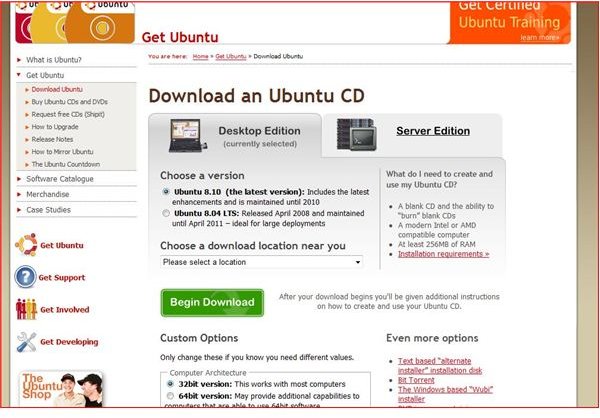
We started off by making a list off all the applications we would need the laptop to run, and I showed him how to find suitable Linux alternatives to those for Windows. We wanted equivalents to MS Office, IE, Windows Media Player and a couple of system utilities. We then checked out a few Linux distributions and he decided which one he liked the look of most. He went with Ubuntu, and I liked that decision as it is very user friendly. It offered a good test for our experiment of trying to match the previous Windows build to one based on a Linux platform.
He then downloaded Ubuntu, cut a CD and booted the computer from it. Simple in concept, simple in reality. The installation process was quick and painless, he dealt with any installation questions without so much as a nod of confirmation from me, and the system went on its merry way and provided a clean install of Ubuntu. So far so good.
Building on a Baseline Ubuntu Installation
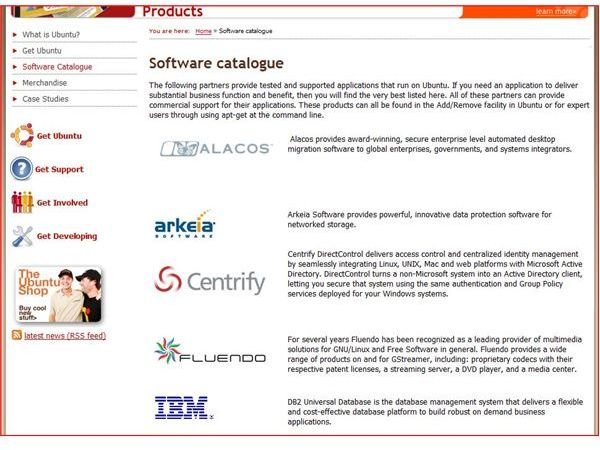
As you would expect for such a popular distribution, Ubuntu is a very nice platform on which to introduce yourself to Linux. It doesn’t try to be fancy or dazzle with functionality; that is its beauty and the essence of a good OS to my mind. It leaves functionality to the wealth of possible add-ons and applications under its umbrella. However, it does come with Firefox and OpenOffice which are perfect for the novice to intermediate web and office software user. Which meant they were good for my son. We did also want additional software for email, photos, movie playback and file management, all of which he found and installed without fuss in the form of Thunderbird, K3B and DropBox. Thus we had all the applications and utilities required in our wish list. Which was a good point to say ‘OK, ease up now, he’s only ten, he doesn’t need any more than that’.
Since then, there have been several applications he and my wife have demanded, for which we went to the various forums and distribution lists, and simply downloaded them. Now, as an experienced Linux developer and user for over ten years, I can honestly say there are few application genres that aren’t covered, certainly for anything office, multimedia or utility based. For which it’s as simple as finding the file, downloading and then running the executable. Anyone, even with minimal experience of the Linux platform, can find what they are looking for, and the user base is very strong on all levels, from novice through to expert.
Don’t be Scared of Linux
It has been a week now since we made this rather dramatic change on our ‘knock about’ laptop, and what used to run like a Blackpool donkey now runs like a thoroughbred racehorse. That is all down to Linux, and Ubuntu to be precise. What we now have is a clean Linux driven PC with all the required applications and utilities to browse the net, perform office tasks, email, even play low res games and perform system tweaks to personalize configuration.
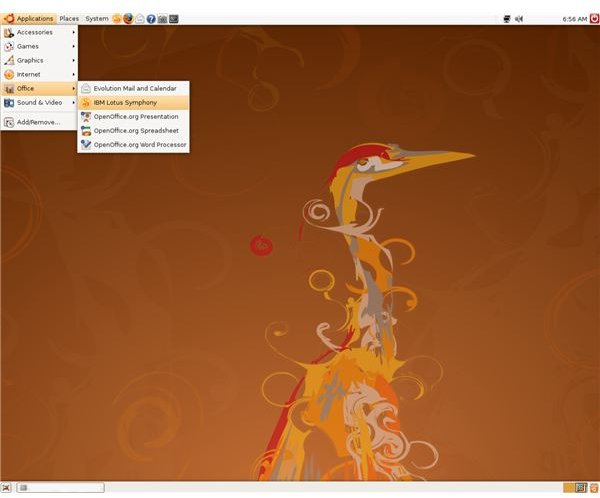
Let me be brutally honest; this laptop is NOT powerful, it would have definitely needed a upgrade to continue to deliver anything on the Windows XP platform, and it wouldn’t have even entertained Vista. Now with Linux, those issues are a distant memory. Quick to boot, responsive in application delivery and processing of tasks, it doesn’t need an upgrade to the hardware. Crucially, it doesn’t grind to a halt under duress when running multiple sessions or streaming media.
Ubuntu is a Linux distribution I would recommend to anyone wanting to look at Linux for the first time. It now has proven to me once and for all that it works a treat with an old PC that looks like it is on its last legs. I’ve always liked Linux, but I do like Vista too, and I positively adore XP. However, my judgment has been clouded by years of multiple platform ‘abuse’. What this exercise has shown me is that Linux is a very simple platform to grasp, install and work on. Installation of Ubuntu and the software applications it supports are by no means a closed shop to computer experts. There are clear instructions and walk throughs offered almost universally.
In all, Linux should not scare the novice computer user, even those frightened of moving away from Windows for fear of seeing a permanent blue screen of death. Using Linux is very easy. Do not be put off, of course check a few distributions first, look at the layout of some desktop environments, and research which applications you absolutely MUST have. Then as my ten year old son did - just go for it.
