Lian-Li send me a PC-X1000 to review. In this article we go over every detail of Lian-Li’s newest arrival. According to Lian-Li you can use this case as a gaming case or a HTPC case. Read this article to find out what the PC-X1000 can or can’t do.
First Impression (5 out of 5)
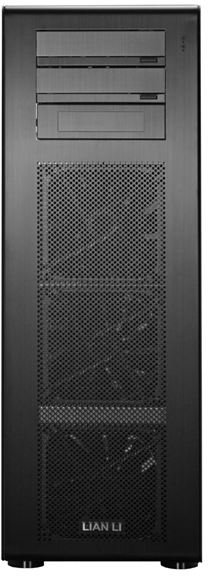
The first thing you notice when you receive the Lian-Li PC-X1000 is the tall box. The second is the box is not as wide as other boxes for cases. When you pull this case out of the box you can feel the quality of Lian-Li right away. This gaming chassis is made almost 100% out of aluminum. This case truly shows off Lian-Li’s creative and beautiful design. There are many unique features to this gaming chassis so let’s get started.
Lian-Li PC-X1000 Gaming Case

Features Quick Overview (5 out of 5)
Before I go into the details, a quick overview of the features of this case.
- Model: PC-X1000
- Case Type: Super Full Tower Chassis
- Dimensions: 230mm x 680mm x 430mm | inch: 9.05 x 26.77 x 16.93 ( W, H, D)
- Color: Black
- Body Material: Aluminum
- Net Weight: 9.89kg | 21.69lbs
- 5.25" drive bay (External): 3( one for 3.5 inch converter)
- 3.5" drive bay (Internal): 6
- Expansion Slot: 8
- Motherboard: ATX / M-ATX
- System Fan (Front): 3 x140mm Ball-Bearing Fan (1200RPM)
- System Fan (Rear): 2 x 140mm Ball-Bearing Fan (1200RPM)
- I/O Ports: USB2.0 x 4 / IEEE1394 x 1 / E-SATA x 1 / HD+AC97 Audio
PC-X1000 Gaming Chassis Cooling Zones
Cooling (4 out of 5)
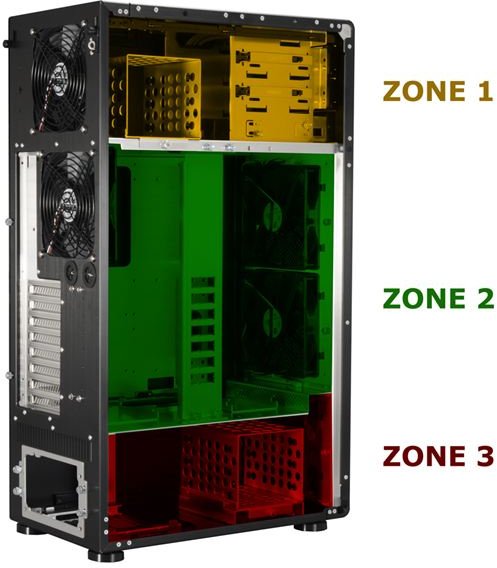
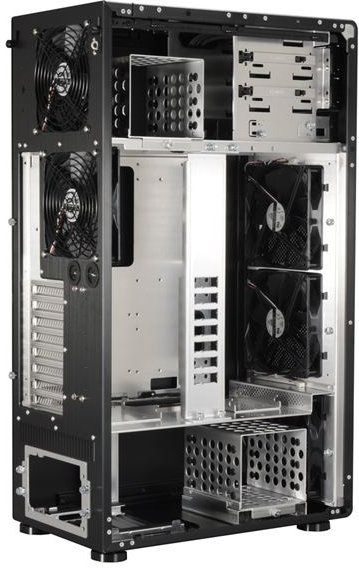
Lian-Li designed this case with three thermal zones.
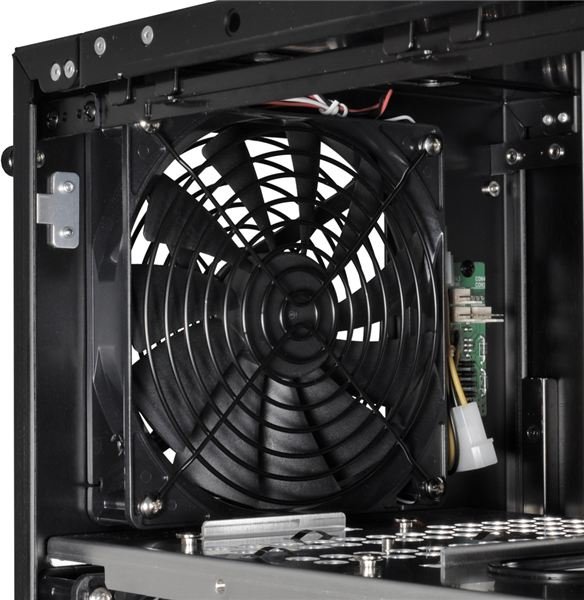
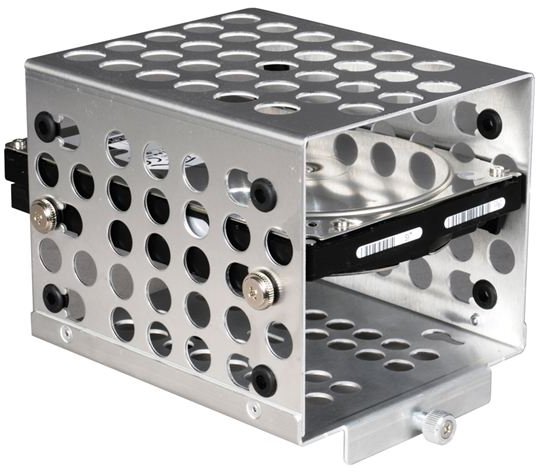
Zone 1 Houses one of the two HDD 3.5” drive bays. This HDD cage comes complete with rubber mounting rings for installing the HDDs, reducing vibration and noise. This zone also has 3 external 5.25” bays, one of which can be converted into a external 3.5" bay. On the back side of the case in zone 1 there is a 140mm exaust fan.
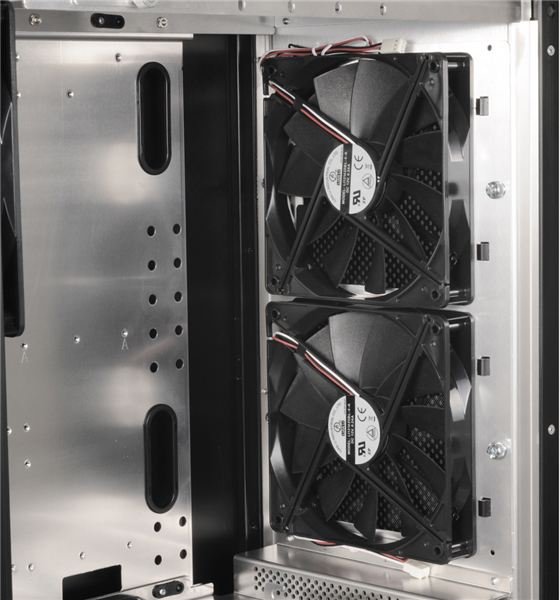
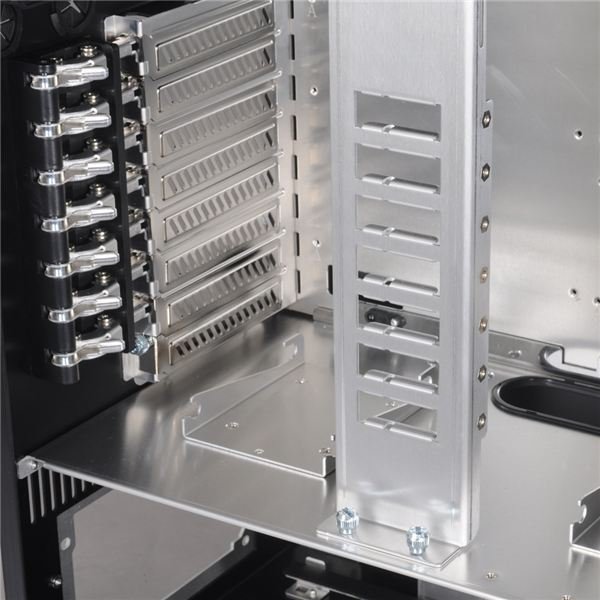
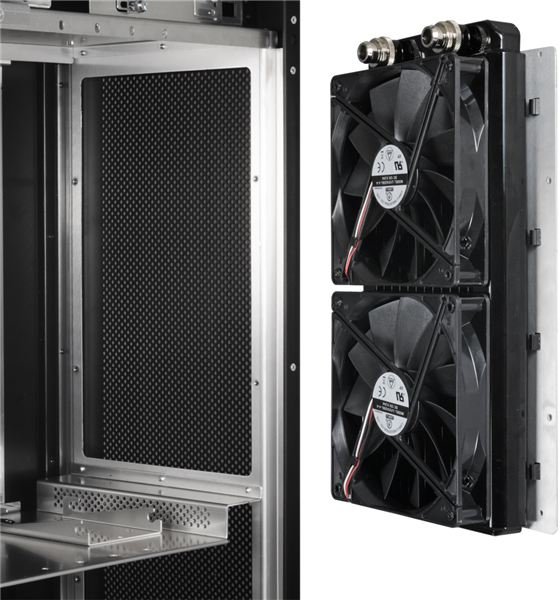
Zone 2 The middle of the case is where the ATX sized motherboard will be placed. The motherboard area is large enough to accommodate up to 3 full sized graphics cards. In zone 2 you see the VGA pillar (as Lian-Li calls it). This pillar will make sure large and heavy graphics cards don’t pop out of their sockets when the case is being moved. Also located in zone 2, there are three 140mm fans. The two fans located in the front are for air intake. The one at the rear is the exhaust fan. At the bottom of zone 2, you will find two 2.5" HDD brackets that can be used to accommodate increasingly popular SSDs.
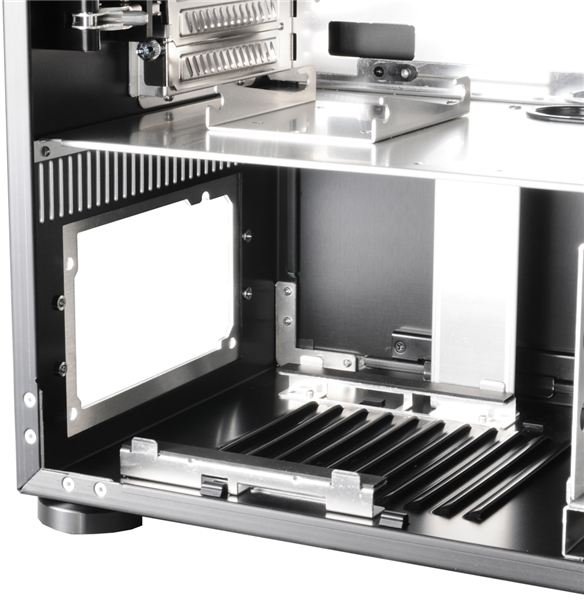
Zone 3 The PSU is mounted in the back of this zone, while the front houses the second 3.5" HDD cage. This zone also has one 140mm intake fan that is located in the bottom front area.
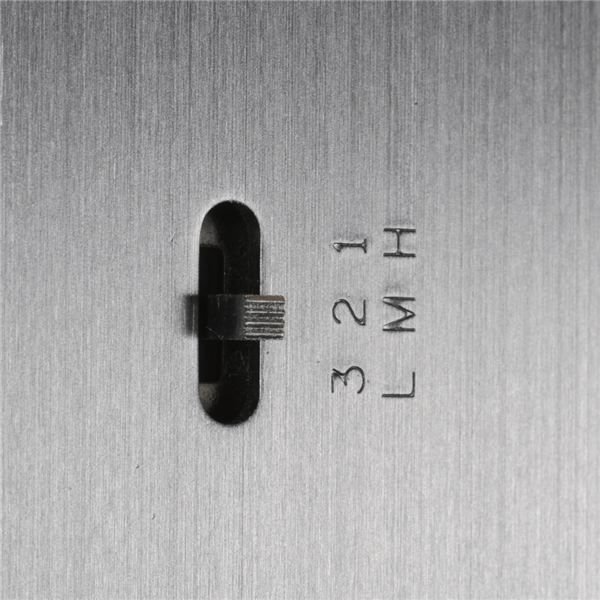
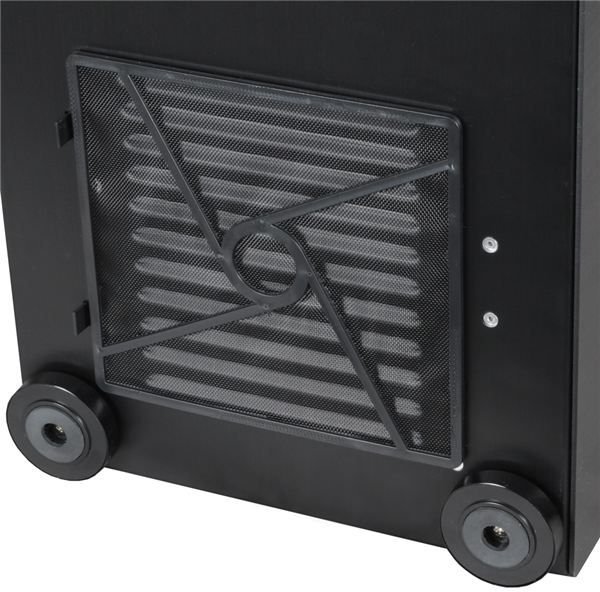
All 5 fans spread throughout this case are 1200RPM Lian-Li brand fans. They can be controlled with what Lian-Li calls a fan control, which is a basic switch that you can use to switch the fans from 800 to 920 to 1200 RPM. The only thing I don’t get about this fan speed controller is why it only controls 3 of the 5 fans. All fans in the front of the case are mounted on removable brackets with removable and washable filters in front of each of them.
According to Lian-Li the multi-heat zone is designed for your ideal power systems. My initial test is looked purely at the airflow through the empty case. I can conclude that these fans, even without a PSU present, should provide excellent air flow through this case. Unless some items end up very badly placed or cable management is a problem, this should be a very cool case. We’ll take a closer look on the next page.
Full Tool-less Design (5 out of 5)
Usually I’m not too happy about tool-less. It is often badly engineered and they use too many plastic brackets that break too easily. However Lian-Li takes tool-less to the next level.
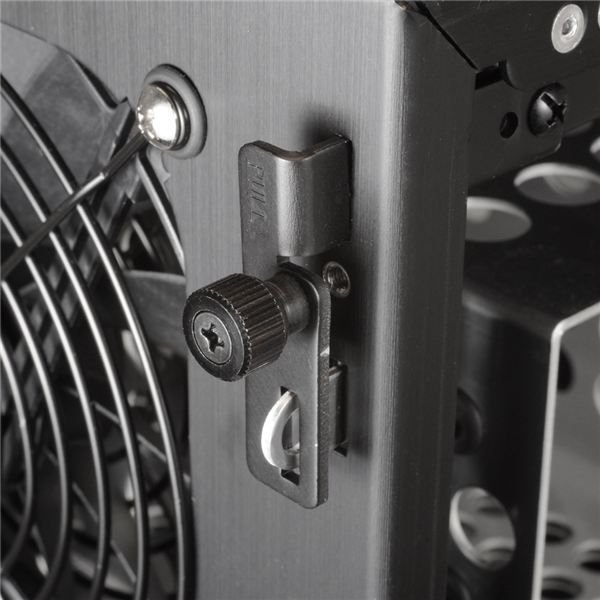
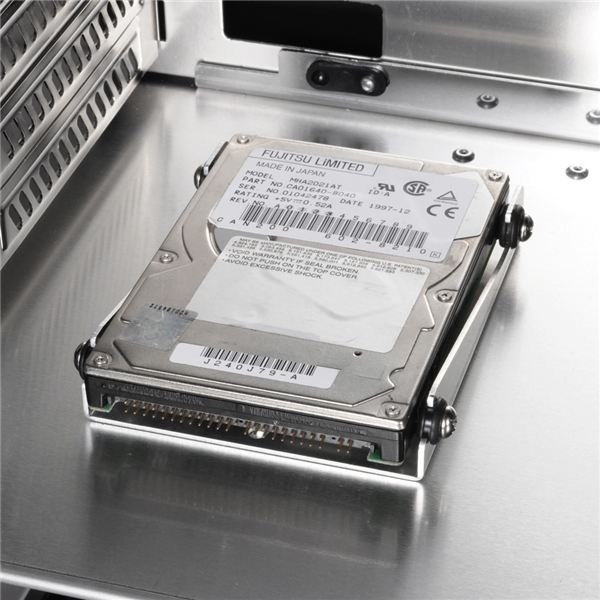
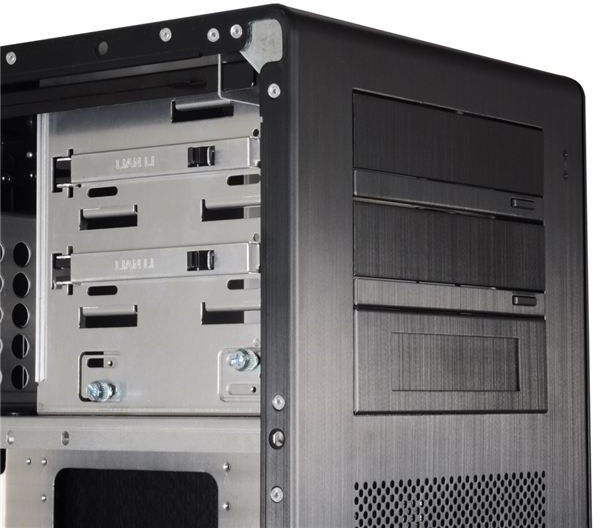
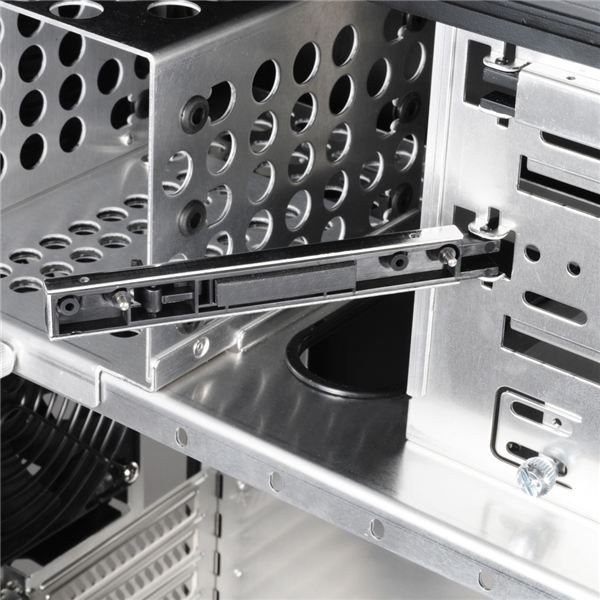
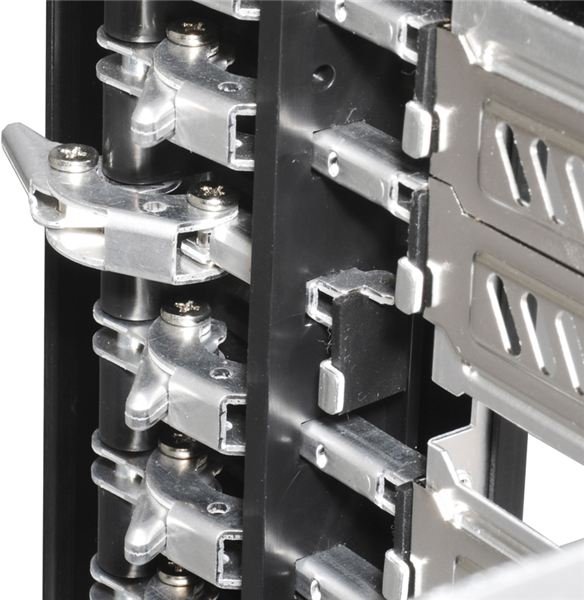
The main panel has a spring loaded thumbscrew(image one below), this is the only screw you have to undo. The bracket slides out and releases the side panel. In addition this bracket has a hole so you can easily lock the case with a simple small padlock. The HDD cages are easily removed by loosening one spring loaded thumbscrew. Because the screw is spring loaded it’s stays on the HDD cage. The cage slides out and the hard-drives can be installed using the supplied thumbscrews. The 2.5” HDD’s can be secured using a “pop-in” motion(image three). The HDD thumbscrews for these brackets have a rubber ring to combat vibration and thus reduce db’s.(image two)
The 5.25” to 3.5” converter has thumbscrews to keep it in place. The two 5.25” external bays(image four) have a slide system on one side that slides off and hinges open and shut. If you would like to use the ODD bezels that come with the case then all you have to do is adjust the little metal pins on these brackets to make it fit. The other side of the CD drives are tightened using thumb screws.
To install the motherboard, you must pull the second side panel off by loosening a thumbscrew. The motherboard tray can be taken out by loosening two thumbscrews and sliding the tray to the left, then lifting it out. The motherboard gets installed by using small thumbscrews included with the case as well, making working with the mobo on the PC-X1000 a snap.
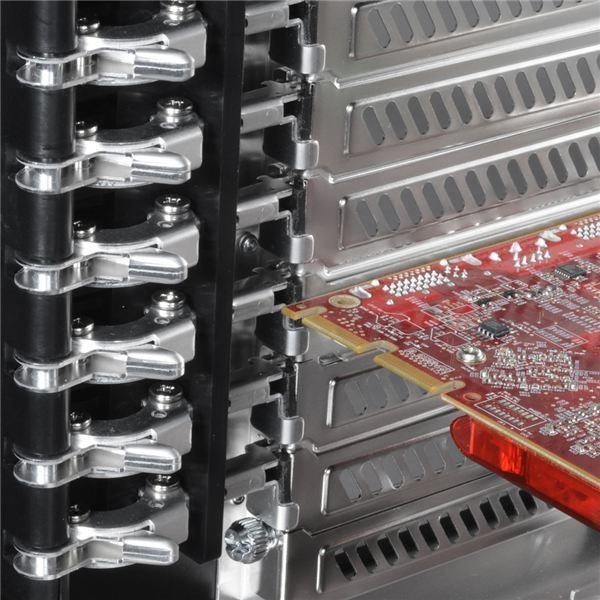
The VGA pillar(image eight) is held in with four thumbscrews. It can be mounted in two places to accommodate longer as well as shorter VGA cards. The card will be held in place in the pillar by a plastic bracket that is screwed down by, yes, a thumbscrew. The the VGA and PCI cards are also held in at the back of the case as usual, but with metal brackets. One of my problems with tool-less cases is breaking these brackets because they are plastic on most chassis. This will not happen with this Lian-Li case.
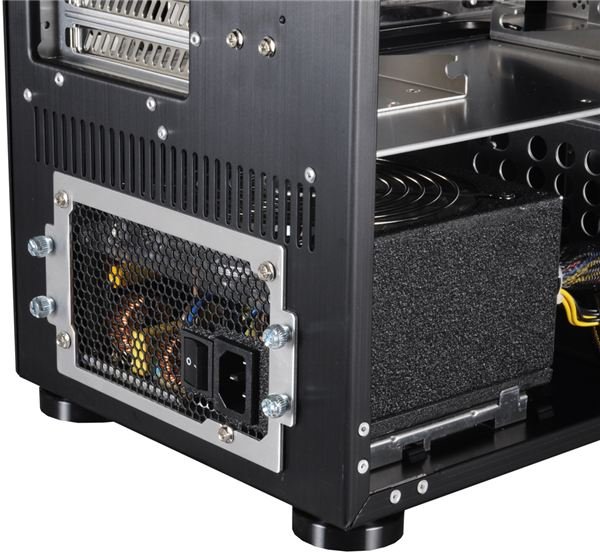
The PSU has a ring/bracket (image nine) that is held down with four thumbscrews. The ring comes out of the case and is installed on the PSU. The PSU then slides into the PC-X1000 and the ring gets thightend down with the thumbscrews.
Tool-less Details
Conclusion (5 out of 5)
If you can afford to spend a little bit more for a case then the usual sub $100 then this is definitely a case I would recommend. By “a little bit” we mean four times as much. The PC-X1000 is only available at newegg.com and will set you back $389.99. Sounds like a lot but keep in mind this chassis was just released and the price will go down. You also get legendary Lian-Li quality and looks.
Remaining Images
Questions & Comments?
If you would like to share your opinion about this article or ask a question then please leave a comment below. Or send me an e-mail using this form .


