Blacx USB External Hard Drive Enclosure Review
Who Makes It?
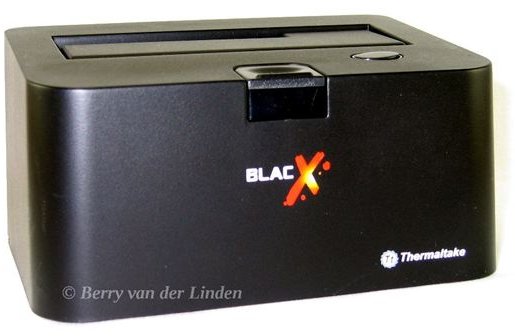
Thermaltake. a respected entity in the case manufacturing realm, makes the Blacx. If you look at the series of USB external hard drive enclosures at Thermaltake.com then you will find that the Blacx stands out form it’s counterparts. Thermaltake has some of the nicest external hard drive enclosures on the market today.
Why Blacx?
Blacx is for those people as said with a lot of SATA hard drives laying around. Or computer resource specialists who find themselves making a lot of backups of hard drives. Or those of us who like useful gadgets. As well as people who just want a big extra USB external hard drive with out having to enclose it into an external exclosure.
I come across a lot of customer computers that I need to back up. Doing this over a network connection takes up to much time. Opening up a case or using a external power supply and eSATA cable works, but the Blacx offers the solution I was looking for something that looks good so it can sit next to my screens and doesn’t need to be unhooked from my computer because I need that power supply for something else.
Packaging (5 out of 5)
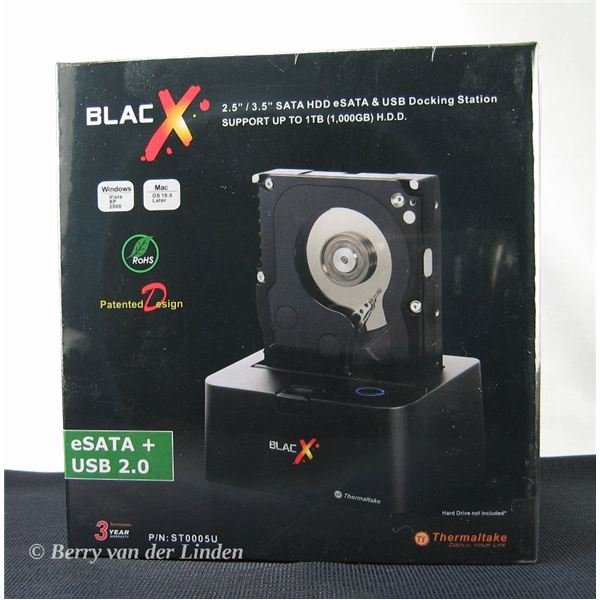
The Blacx comes boxed in a very nice black box. Styrofoam and plastic bags protect what is inside from any shipping damage. The box is easy to open. The parts slide out of there packaging very easily.
The Build (4 out of 5)
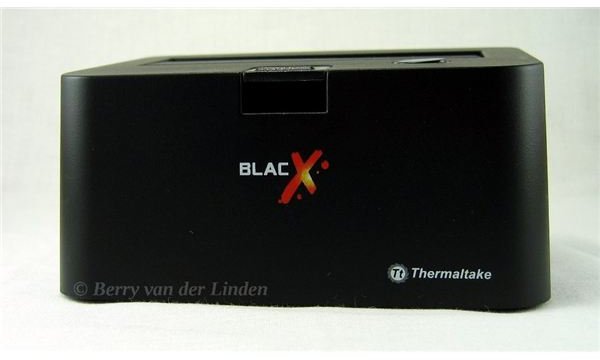
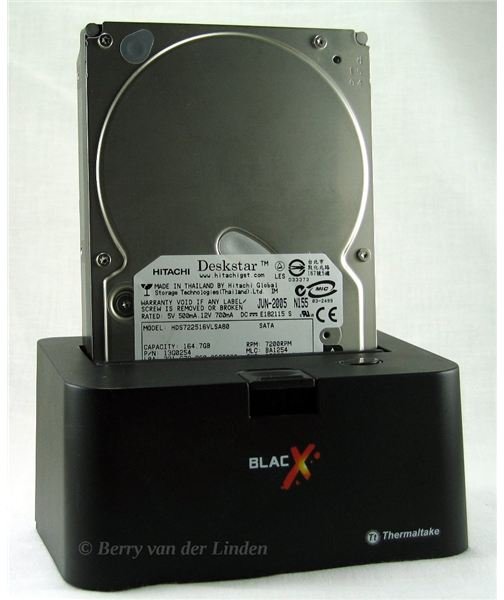
The Blacx has stunning mat black finish and is made of a sturdy ABS plastic. The base is weighted down. This was one of my concerns before getting the Blacx. I thought the Blacx might be prone to falling over when a hard drive would be inserted.
The top of the Blacx has an ejection button, LED, and a lid that protects the hard drive slot from getting too dusty.
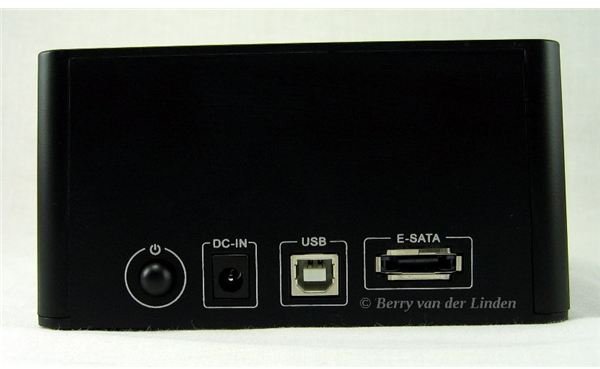
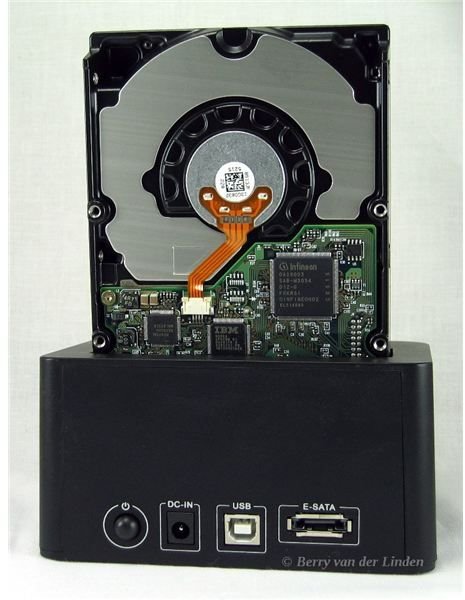
The back has all the hookups for USB, eSATA, power, and power button. I don’t understand why the power button is on the back it could have been on top or on the front. It probably has to do with design constants when designing the PCB (the electronics board on the inside).
What Does It Come With (5 out of 5)
The box contains the base, a power adapter, the USB cable, and an eSATA cable. I expected the box to also have some sort of a cover for long term use if you choose to use a drive as an USB external hard drive. It didn’t, but a quick check of the website shows that the more expensive SE model has this. That model also has a USB hub. I went for this model because I would rather have the eSATA that this model has and not have any extra USB ports.
The Specs (5 out of 5)
The Blacx supports 2.5” and 3.5” SATA hard drives so you will be able to use both as a USB external hard drive.
Specification:
Model#: ST0005U
Interface: SATA to eSATA and USB 2.0
USB 2.0 Transfer Rate: up to 480 Mbps (max)
eSATA Transfer Rate: up to 3 Gbps (max)
SATA Compatible: SATA I & II
HDD Compatible: All 2.5” or 3.5” SATA
OS Compatible:
Windows: Vista/XP/2003/2000/NT/98/95
Mac: 10.3 and later.
Linux: Kubuntu & Ubuntu 8.10 and earlier (tested by the author)
Material: ABS Plastic
Power: DC 12V / 2A
Dimensions: (L x W x H)
5.12” x 3.55” x 2.56”
130 x 90 x 65 mm
Does It Work? (5 out of 5)
Yes. I have to give Thermaltake a big A+ for creating a product that works cross platform. I use Kubuntu 8.10 Linux on a daily basis and I am glad to say this is a device for which I do not have to switch to Windows to use. I also did several big data transfers on a Windows Vista desktop and this worked without a problem. At this moment I do not have a drive to benchmark with. Benchmarking is not a thing to do with a USB external hard drive you would like to use again. A benchmark test is a stress test to see how fast the computer can read and write to the drive. I also would have loved to have tested a 1TB or 1.5TB drive, but I don’t have any in stock at the moment. As soon as I get one I will write a additional part to to this article with benchmarking results.
Thermaltake Support (5 out of 5)
I also tested out Thermaltake’s support. During a durability test I bent the lid on top to far the wrong way and it broke. This is not Thermaltake’s or the products fault it is mine. I contacted support at the time of writing this they will respond within 48h. I will rate the support later. They have not had any chance to respond back yet. I usually contact support for an article to see how fast and friendly the support is so I can grade it. In this case I will grade it after they handle my request. Thermaltake support responded within 24h they will send me a new Blacx at no cost to me. So I will be back to turning my old drives into a USB external hard drive.
Conclusion (5 out of 5)
Over all the Blacx does everything it promises. I would buy this product in a heart beat (if I didn’t have one already). It’s great for turning those extra SATA drives into a USB external hard drive. Or backing up your hard drive to an external SATA hard drive. Again A+ to Thermaltake for creating a product that works with Linux.
If you have one or would like to share your opinion about why you wouldn’t like to buy one then please leave a comment on the corresponding blog post to this article.
