Want to build your own computer? The process is easier than you think, and Bright Hub offers many articles which provide information on how to do it yourself. This guide will help you find the resources you to learn how to build a computer
How to Build a Computer
Building your own PC can be a fun and rewarding experience. It will also save you a lot of money, as buying your own PC components and putting them together costs far less than buying a pre-built PC from Dell, HP or some other computer vendor.
Of course, building a PC does come with a downside - you have to actually build a PC. This can be intimidating for those who have not previously dealt with computer hardware. The good news is that building a PC isn’t as difficult as you’d think. Even a beginner can build a new computer. It is a learning process, but the end result is a better, less expensive PC than what you can find in stores.
Installing the Power Supply
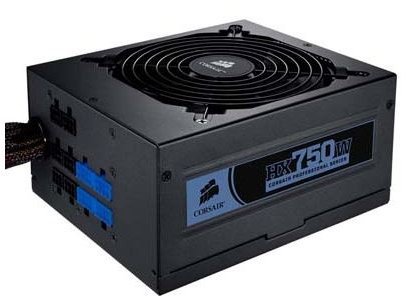
The power that comes from your wall socket can’t simply be connected directly to the components inside your computer. Each component has very specific power requirements, and it is the job of the power supply to make sure the components receive what they need. The power supply basically looks like a metal box. On one end there is a wall socket connection and on the other there is a huge number of wires hanging out.
Because the power supply is big and boxy - and usually is installed in a rather inaccessible part of the case - you’ll probably want to install your power supply first. To learn how to do this, read our article “How to Install a Power Supply. ”
Installing the Motherboard
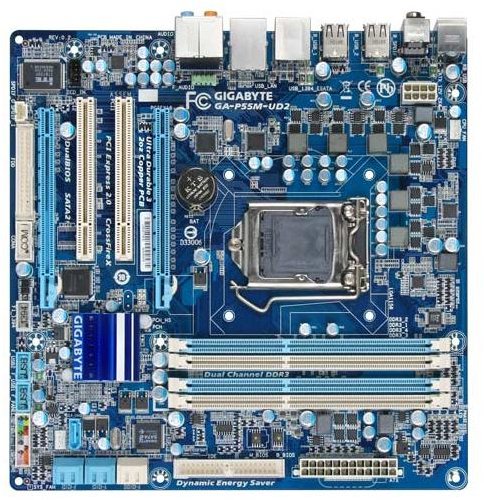
Next up we have the motherboard. The motherboard’s job is connect all the other devices in your computer and make sure that they play nice.You processor, RAM, hard drives and graphics card all need to send and receive huge amounts of data in order for your computer to work. The data is transferred along the motherboard, which then sends it to the correct device.
The motherboard is also a very large component. This, combined with the fact that all other components plug into it, means that installing it early is a very good idea. There is some flexibility in the timing of installing the motherboard, however. You may very well want to install the processor and expansion cards, as it might be easier to place them on your motherboard before it goes into your computer’s case.
For more on how to install a motherboard read our guide “How to Install a Motherboard. ”
Installing the CPU
Now you are well on your way to learning how to build a computer. The next component to worry about is your computer’s processor, or CPU. The CPU’s job is to handle all the heavy math which is required in a computer’s operation. It goes a long way towards determining the overall power of your computer, and is also usually one of the more expensive components.
Installing a CPU thankfully is one of less difficult tasks you’ll encounter while learning how to build a computer. The CPU fan which cools the processor, on the other hand, can be a bit finicky. To learn more read our article “How to Install a Processor. ”
Installing Memory (RAM).
Next up we have the memory. Memory’s function is actually described quite well by its name. Memory is where your computer stores the short-term information it needs for everyday life. For example, let’s say you are editing a movie. Certain information about that movie and about the program you are using to edit it will be kept in memory. This prevents your computer from having to retrieve data from the hard drive, which is a slow processor and can make your computer feel sluggish.
Good news - memory is one of the easiest things to install when learning to build a computer. You just need to make sure that it is aligned correctly in the RAM slot and that you push down firmly enough to seat the RAM correctly in the slot. For the details, see our article “Installing Memory. ”
Installing the Optical Drives and Hard Drives
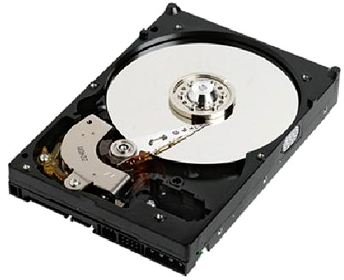
Optical drives and hard drives are how your computer deals with information placed in long-term storage. You’ll need these when you learn how to build a computer in order to make your computer functional. Optical drives are basically just another name for CD-ROM, DVD-ROM and Blu Ray drives.
Hard drives are long-term storage inside the computer. This is where all of your programs and your operating system are installed. Your hard drive might be a mechanical disk or, if you’ve decided to be a bit spendy, it might be a solid state drive.
In either case, optical drives and hard drives connect to your motherboard is very similar ways. For more information, read our articles “Installing a Optical Device ” and “Installing a Hard Drive. ”
Installing Graphics Cards and Expansion Cards
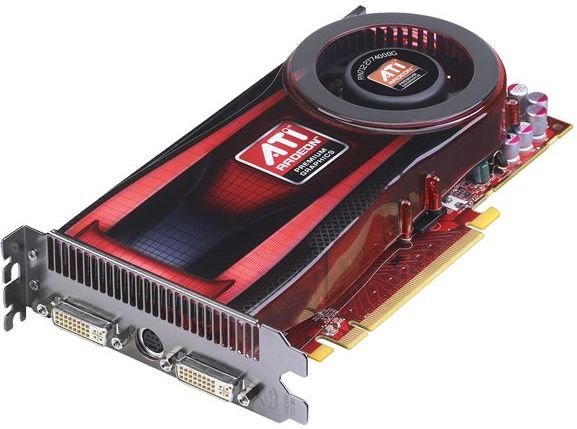
One of the last steps you need to take when learning how to build a computer is the installation of your graphics card and other expansion cards. Most motherboards have some sort of integrated graphics and a lot of device functionality, but for real power you need a graphics card and expansion cards.
Installing these cards isn’t much different from installing memory. You need to line the card up with the appropriate slot and press down firmly until secure.There are many different kinds of slots, however, so you need to make sure that you know which slot a card needs to go into. For more information read “Installing Graphics and Other Expansion Cards. ”
Installing Fans
Last, but not least, we need to worry about fans. This is not the most glamours part of learning how to build a computer, but it is important, because a computer without proper cooling won’t be long for this world.
Installing fans isn’t too difficult. The worst part is figuring out how to provide power to them without turning your case into a mess of wires. For more on this topic read our article “Installing Fans. ”
Some Quick Builds
Now that you have learned the basics of how to build a computer, you may also be wondering what components you should buy for it. The components which are best for you will depend on your budget and your needs, but Bright Hub already has a number of ready-to-go build suggestions for a variety of scenarios. Check them out below.
Home and Office PC - Under $300
Inexpensive Gaming PC - Under $500
Powerful General-Purpose Computer - Under $1000
High-End Computer - Under $2500


