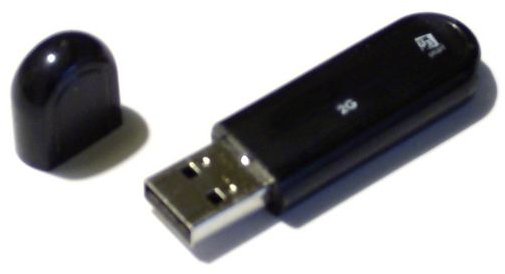
This article explains how to make a USB jump drive bootable for the purpose of doing Windows installations.
Introduction - Why You Need a Bootable USB Drive
The most popular option for installing an operating system is by way of an optical disk i.e. DVD/CD-ROM USB. But what does one do when trying to install an operating system to a computer, such as a Notebook, that doesn’t have an optical drive? In this article we explain how to make a USB drive bootable.
Making a USB jump drive bootable allows for another option to get a computer booted, which can be quite handy for carrying around installation files and other useful data in a convenient package. Here are some situations where having a bootable USD jump drive can be useful when you want to:
- Protect your installation CD’s from the wear and tear of regular use.
- Have a full OS installation on the jump drive. This allows you to boot your computer from a clean installation if you are in a bind.
- Install an OS on a computer that doesn’t have an optical drive.
- Take advantage of the better transfer speed that USB jump drives have, as compared to optical drives.
- Create a system recovery disk.
What ’s Needed to Make a USB Drive Bootable
Before continuing you will need the following:
-
A USB jump drive
Advertisement -
A BIOS that supports USB boot-up
-
A special utility to make the jump drive bootable .
Advertisement
If you intend to make your USB drive bootable, the BIOS need to support USB boot-up . To do so you will need to enter the BIOS and modify the boot sequence according to your preference. Usually this involves moving the USB drive up in the boot sequence and placing it before the hard drive. If all goes well, the computer should search the USB drive for boot instructions before the primary hard drive, if the computer doesn’t find a bootable USB drive, the comp/tools/Copying System Files to Make Bootableuter should continue the boot sequence without any problem.
Making a USB drive bootable can be done manually, but copying all the files and completing the steps in the correct sequence lends itself to making mistakes. Therefore, it is better to use a special USB boot utility such as WinToFlash to automate the process.
Transferring the Windows Installation Files and Making the USB Drive Bootable
- Download the WinToFlash Utility and extract the zip files
- Plug the Jump drive into a USB port
- Launch the WinToFlash utility and specify the path to the windows files and also the path to the USB jump drive
- Click next to start the file copy process.
When the process is complete the jump drive should be bootable and contain the Windows installations files.
Summary
Making a USB drive bootable is a convenient way to carry around a working OS, installation files or a system recovery disk. While making a USB drive bootable can be done manually, it is better to use a special utility such as WinToFlash to complete the process without an error.
Credit
Image: “Make a bootable USB drive. ”


