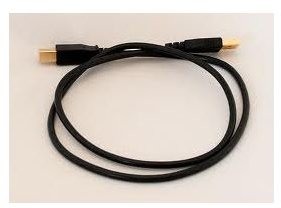
Connecting two computers via USB is not a simple matter of plugging two ends of a USB cable in to the USB ports in the respective computers. If not done right, it may cause permanent damage to the computer.
Warning!
Two computers connecting via USB can be dangerous if not done properly. If you fail to follow the correct steps, you will be lucky if you just end up short-circuiting the USB ports. The worst that can happen is that you’ll end up with two fried motherboards. To avoid serious damage, exercise caution and follow the steps in this tutorial. Always keep two important points in mind:
- DO NOT use a standard USB cable. For connecting two computers via USB, use only a USB-USB Bridged cable.
- DO NOT use a USB hub even with the right kind of cable. Connect BOTH ends of the cable directly to the USB ports on the respective computers.
Step 1: Use the Right USB Cable
Acquire a USB Direct Connect Module, also known as USB-USB “Bridged” cable.
A conventional USB cable transmits electric current, and when plugged on both ends to different computers, transmits electric current from both ends at the same time, resulting in short-circuit. Positive against positive may result in catastrophic consequences for sensitive and expensive components .
USB-USB bridged cables have a null connection that isolates the electric voltage between the two computers, making it safe.
Step 2: Install the Cable Properly
Make sure to install the cable drivers before you plug it in. Some operating systems will automatically search for and install the wrong drivers before you have the chance to choose the right ones, making it difficult to fix later. If the drivers for the USB-USB cable are not included in the package, search online at the manufacturer’s website.
Do not plug-in the USB immediately after installing the drivers. After driver installation ends in both the computers, turn off the computers and connect each end to a USB port directly (NOT to USB hubs) and restart.
Step 3: Choose Connection Type
At restart, log on as Administrator on both computers, as Administrator privileges are necessary in order to modify network and file-sharing configurations.
Once the system recognizes the new hardware, select from the two options for the functionality of the connection:
- Link mode: The manufacturer of the cable may provide software with file-sharing capabilities. Although an easier option, it may present limitations.
- Network Mode: This option offers full network functionality and flexibility, with access to folders, files, printers, applications, and Internet connection, making it the best option for two computers USB connecting.
Follow these steps to access network mode configuration in the Microsoft Vista operating system:
- From the computer with the Internet connection, go to Control Panel and click on “Network and Sharing Center”.
- Turn On “File Sharing” and “Network Discovery”.
- Turn Off “Password Protected Sharing”.
- Close “Network and Sharing Center”.
- Go to Control Panel and click on “System”.
- Make sure both computers are part of the same WORKGROUP. For example, if you changed the name of the workgroup on one computer to “HOME”, the other computer will need to be part of HOME as well. Otherwise, the computers will not be visible to each other and the connection will not be established.
This approach may be difficult to set up and manage for the average user. Connecting two or more computers via ethernet may be a better option for some.
References
- Source: author’s own experience.
- Image Credit: flickr.com/Create Digital Media under CC 2.0 license .


