How Do I Add a Computer to My Home Network? Networking Basics
Utilize Your Home Network!
Home networks are great – with them you can share data between laptops, PCs, games consoles and mobile devices, send a document from a laptop in the garden to a laser printer in your home office and of course share an internet connection either through a router or one of the PCs on your network.
While there may be several ways to set up a home network, the outcome of each is the same – to maximise the benefits of network technology (whether cabled or wireless) in order to make home computing as comfortable and as user friendly as possible.
It isn’t always easy to setup a PC to do these tasks however – but if you’ve ever asked yourself “how do I add a computer to my home network?” then read on!
Typical Home Network Configuration
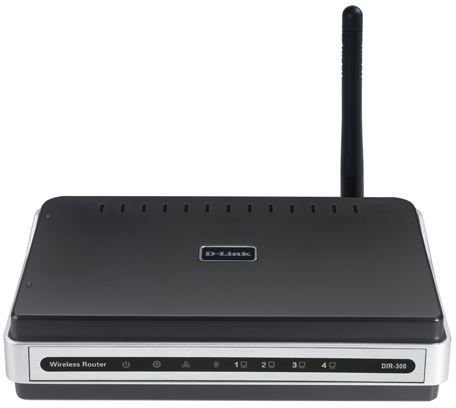
A typical home network will comprise of a router (usually with the modem built in), a laptop and a PC. (A common variant would see a PC taking the place of the router, with either a laptop or a second PC sharing the connection).
Such a home network can be administered via your router. This is done by opening your web browser on your computer and entering the IP address of your router – usually this is a default and can be found in the manual accompanying your router if it hasn’t been changed.
Using a router, it should be easy to setup your home network to accept or prevent the addition of new devices. Assuming your router is wireless and you have several wireless devices, it can be beneficial to allow new devices to be added and assigned a network address by your router.
Adding a Computer to a Home Network
The easiest way to add a computer to a home network is by switching it on and waiting for the wireless card to detect the network.
Once the network has been detected, you will need to enter the security credentials in order to utilize the connection.
However, this is the best case scenario. Your network or PC might not be wireless, requiring you to connect to your router via an Ethernet cable. Once this has been done, however, your PC operating system should detect a new connection which you can then use. (Note that if you intend to use the internet, you will need to change settings in your browser to use this new connection. The easiest way of doing this is to use Internet Explorer and go to Tools > Internet Options > Connections > LAN Settings and check the box labelled Automatically detect settings.)
Alternatively you might be trying to add a computer to a hidden network. These types of network are used to maintain privacy, and require that new devices know the network name, security type in use (for instance WPA, WEP, etc.) the encryption type and the security key. A new network connection can be setup from your PC to take advantage of this. For instance in Windows 7, go to Start > Control Panel > Network and Internet > Network and Sharing Center > Set up a new connection or network > Manually connect to a wireless network.
