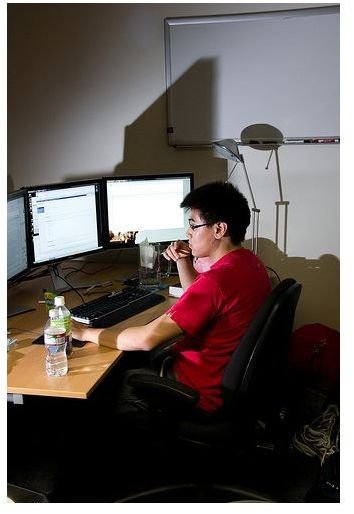
If you want to connect multiple monitors to a single PC then you’ll find out all you need to know in this article.
Multiple Monitors
A feature that is becoming ever more popular for PCs is the ability to support multiple monitors. Depending on the specifications, PCs can support 2, 3 or even 4 monitors at once. So how do you know if your PC can support multiple displays and what do you do in order to set them up? Read on to find out.
Why would I want multiple monitors?
There are lots of reasons that multiple displays can be beneficial. With multiple monitors hooked up to your PC you can play games and use instant messaging at the same time. You could browse the web and watch a movie. You could work on a document in one screen and have your research up on the other. No more clicking tabs to bring windows up and down. You can see the information you need at a glance. They are also hugely handy for programming where you can work on the source code in one window and run a preview in another.
How do I set up multiple monitors?
The key to multiple monitor set ups is your graphics card . You will need a graphics card that supports multiple displays. Once you have a graphics card that supports multiple monitors installed the process is easy. You’ll notice the graphics card has a monitor port on it. The monitor you plug in here will be your primary display. This frees up your default computer monitor port for another display. Depending on the graphics card you buy there will be additional ports for plugging in your TV (perhaps HDMI or S-Video) or more ports for additional monitors.
Once you have all the hardware plugged in you boot up the computer and it should identify the new hardware. You’ll need to install the software that came with your new graphics card and any updates that are available. Most graphics cards will have software which allows you to calibrate your new displays and decide upon default settings for them.
Saving money with PCI or AGP
Since most cards only have one monitor port you’ll need multiple cards to support up to 4 monitors. You need to check which slots are available on your motherboard to see what is supported by your system, but if AGP cards are a possibility then you’ll find you can pick up examples with dual ports. It is also worth remembering that only your main display really needs to be plugged into a high end card since your additional displays will most likely be used for messaging, documents or web browsing. If you have the spare slots you can pick up very cheap PCI cards for your additional monitors.
Dual View in Windows
In order to extend your desktop across to a new monitor with Windows you will also need to access Control Panel – Display – Settings. Then choose the new monitor and tick Extend my Windows desktop onto this monitor (you can also just right click the desktop to go straight to Display). This is the process for Windows XP, and you can find out more at the Microsoft website .


