Top 5 Other Netbook (Ab)uses - Making It Part of Your Home Theater
Do Not Limit Your Imagination!
If you already own a netbook or you are a prospective buyer, do not assume that you will only receive a portable device with limited computing power. Yes, a netbook can be limited in terms of computing power, it is not suitable for purposes like heavy image editing, 3D modeling or CAD/CAM but there are a lot of things that you can do with it.
Make Your Netbook Part of Your Home Theater - Movies
You have the option to invest in a home theater PC (HTPC), and build a nice one to play your Full HD movies and play your favorite games. What if your requirements are down to playing standard definition movies? Of course, in this case a HTPC investment will prove to be too big and you can just achieve very good results with your netbook.
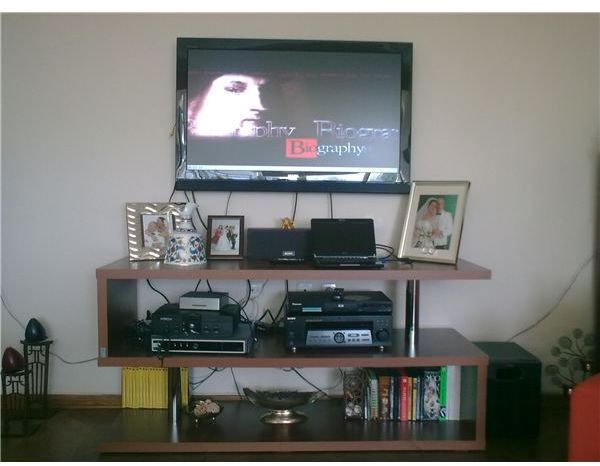
Here is my adaptation at home. An Asus Eee PC 1000 HE is connected to my TV set via the D-Sub (VGA) connection and to the receiver with 3.5 - 3.5 mm cable with a 1/4” adapter. The connection will be from the headphone jack on the netbook to the microphone jack on the receiver. Total investment will be about USD 20: USD 14 for the D-Sub cable, USD 4.54 for the retractable 3.5 mm cable and USD 1.10 for the 1/4" adapter.
Unfortunately almost none of the netbooks offer line-out connections. This brings you only one option, which is the headphone-microphone connection, making a multichannel environment impossible.
You can see a pre-recorded Discovery Channel show at DVD quality playing on the screen.
Make Your Netbook Part of Your Home Theater - Music & Audio
The same way, if you connect your netbook to your home theater system, then you can enjoy your music from your speakers and the visualizations of your music player. The connection will again be the same: D-Sub to the TV set and headphone to microphone on the receiver.
Make Your Netbook a Portable Media Player
When you are going for a holiday and you have a collection of movies to watch, there is no need to carry a portable DVD player and all the DVDs that you will watch. Just spend some time ripping your movies to your hard disk and then copy them to your netbook. You can then slip in the bed, pull the sheets over and watch your movies from your netbook. Total investment is zero.
Make Your Netbook a Nettop
With the incredible sales of the netbooks, manufacturers turned to the low-cost desktop systems. The main difference with the nettops is the more powerful, mostly dual core Atom processors, but again these devices fail to deliver a sky-high performance. So, why not use your netbook as a nettop?
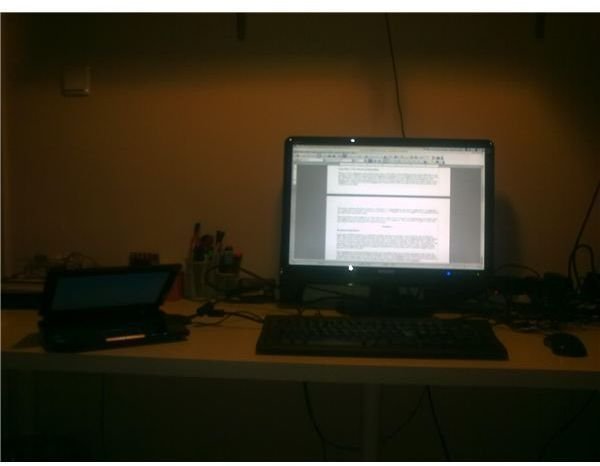
The photo on the right is my netbook/nettop setup in my working room. The netbook is connected to my 22” monitor with a D-Sub connection and the keyboard and the mouse is connected from the USB ports. The netbook screen’s resolution is 1024x600, but upon switching to the external monitor,
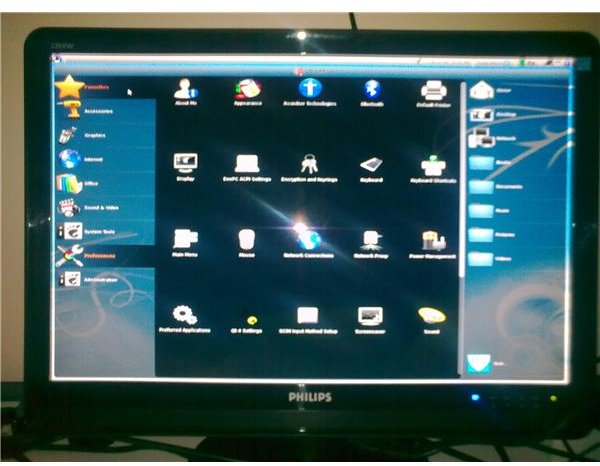
is set to 1280x1024, which is enough for word processing, spreadsheet editing, making presentations, watching movies, e-mailing, surfing the Internet etc.. But there is also one important benefit: if you are using Asus and the Eee Storage, you have your files both on the Internet (the cloud) and your netbook. When you grab your netbook and leave your home/office, you have all your documents with you, already backed up in the cloud. You do not need to wonder if you copied everything to your portable computer or not, since you already have everything with you.
Make Your Netbook an E-Book Reader
Here comes the best part. Amazon reduced the price of the Kindle to USD 200, which does not give you neither the computing power nor any other goodies that a netbook has to offer. But, as a Bright Hub reader you are smart: If you will carry additional weight with you, and with the Kindle you can only view one page at a time, why not have your netbook do the same thing?
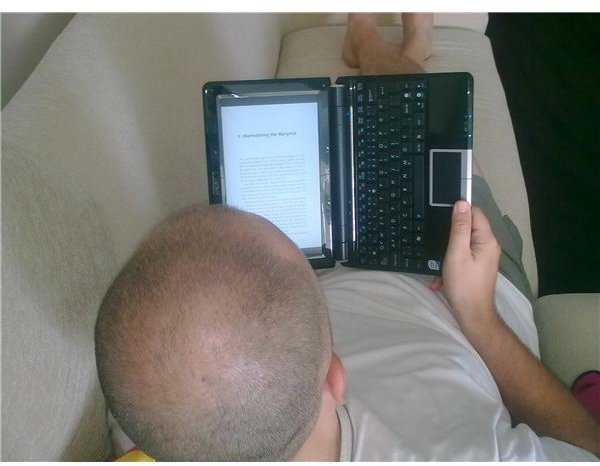
The photo shows me (please don’t remind me of the bald head) in our living room, reading an e-book in PDF format. I have opened the PDF file in Okular (in Eeebuntu), rotated the page to the right 90 degrees and switched to the presentation mode. The left click turns the next page and the right click turns the previous. The added benefit is that nobody deletes your books without asking you.
Go Creative!
This is my personal top 5 list for utilizing my netbook. Of course there are more ways to take the uses further, and the comments section below is waiting for your contributions. Please contact me with your netbook uses and I will be happy to extend my top 5 list with your suggestions.
