Netbooks, usually equipped with Atom processors and 1GB of RAM, are limited in their performance abilities. This means that the operating system used is important, as one which is too demanding can drag down the entire system. Which ones work, and which ones make a netbook cry for mercy?
Battle of the Lightweights
The specifications of most netbooks are eerily the same. Atom processors and their associated chipsets power nearly all such devices. A single gigabyte of DDR RAM is usually included. The physical specs usually include a 10" screen, a keyboard around 92% of full size, and a display resolution of 1024x600.
These specifications are well below what will be found on a normal notebook, and as a result netbooks often have a difficult time running modern operating systems. The Dell Mini 12, which can be configured with Windows Vista, is a competent netbook with a larger than normal screen. But reviewers criticized it because Dell originally did not offer XP (the Mini 12 now can be purchased with XP or Ubuntu) and the netbook simply is not powerful enough to provide a satisfactory experience when using the Vista operating system.
Clearly, the operating system for a Netbook can be a big deal. So which operating system is the best choice?
Windows XP
Forget Bruce Willis - the next Die Hard movie should star Windows XP. The little operating system that could first arrived in 2001 to replace the ill-advised Window ME before it could do too much damage. Windows XP is, in some ways, showing its age. But there is a certain logic in running an eight year old operating system on a computer with hardware which is about as powerful as what was found in desktops eight years ago.
The greatest advantage to using Windows XP is that, well, its Windows. It is extremely well supported by every software company in the world except for Apple and those few companies which make software exclusively for Apple. XP will run all of today’s programs and many programs that are old enough to bedevil a modern operating system like Vista or Windows 7. Windows XP has also had the benefit of eight years of patching, making it extremely stable.
Windows XP is a little more demanding on system resources than Ubuntu and its cousins, but not significantly so. It would probably be hard to tell the difference between the two in a blind test. The main disadvantages of XP simply stem from the features that it will never have. There is a wider range of battery management options in new versions of Windows, and home networking is also morestraight-forward on a Vista or Windows 7 machine.
Ubuntu and Related Linux Opearting Systems
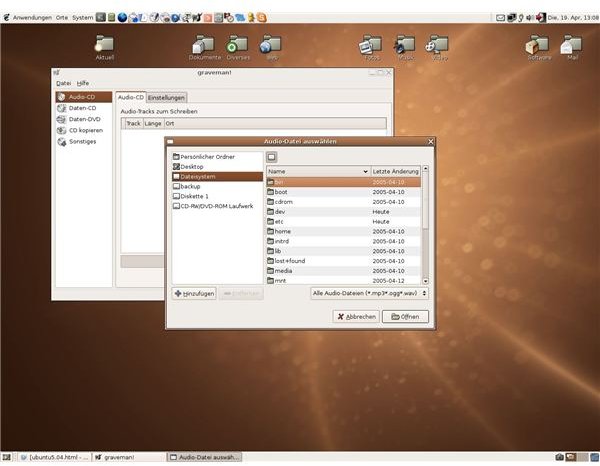
It is easy to forget that the netbook fad, which now sees most netbooks shipping with Windows XP, was once all about Ubuntu and, to a less extent, Linux in general. The original Eee PC ran a customized Linux operating system made to ship with only those units, but many users chose to replace it with Ubuntu because the customized Eee PC operating system was limited in functionality. To this day, many netbooks companies offer Ubuntu as a pre-installed operating system.
Ubuntu, like most Linux variants, is a fairly light operating system. It is not demanding on system resources, and while the official system requirements of Ubuntu are technically quite a bit higher than those of Windows XP, Ubuntu seems to run a little more smoothly. Those particularly concerned with responsiveness can choose “lightweight” distributions such as Xubuntu. While Ubuntu will obviously not be able to run Windows applications, it comes with an excellent suite of programs like OpenOffice, Firefox, and Transmission. Ubuntu is also free, which makes it appropriate for the low-cost focus of netbooks.
On the downside, there are many programs Ubuntu will not be able to run. Mobile gamers will not want to choose it as an operating system. More problematic is Ubuntu’s less than stellar power management. It has been repeatedly acknowledged on the Ubuntu support forums that netbooks (and laptops generally) with Ubuntu installed will enjoy less battery life than systems running XP. The difference is not so large as to make Ubuntu unusable, but a penalty of thirty minutes to one hour should not be surprising.
Windows 7
Windows Vista has a bad rap. One of the reasons it received such a bad rap is that it required much higher system requirements to run well than did Windows XP. Microsoft is making some efforts to clear that up with Windows 7. That’s important for netbook users, because Windows Vista’s performance on netbook class hardware is usually underwhelming.
The most appealing features of Windows 7 are actually those already in use by Vista. Vista made major advances in home networking, disk management, battery life management, and security - and those are only the most obvious areas where Vista made advances. These features are helpful on every new computer, netbooks included.
Admittedly, it is unclear just how well Windows 7 will run on a netbook. A quick glance at the system requirements recommend by Microsoft shows that the current breed of Atom based netbooks with 1GB of ram only barely make the cut. Some users have claimed the operating system’s performance to be usable, but those who have performed a more in-depth analysis seem less than overwhelmed. If you act quickly, you can try Windows 7 and decide for yourself.
Another Win for XP
Overall, Windows XP remains the best netbook operating system available. The operating system itself is great on any system. While it lacks many useful features which debuted with Vista, and it isn’t quite as secure because of the lack of User Account Control, XP remains a stable and snappy operating system. When placed on a netbook, it makes perfect sense, offering as many features as possible while still remaining easy for the limited hardware of a typical netbook to run.
That is not to say the other choices can not be the best netbook operating system for you, however, so consider what they offer. Ubuntu is free and runs very well. Those netbooks makers which offer it has pre-installed option will usually allow the consumer to save fifty dollars by doing so. Windows 7, on the other hand, will undoubtedly feel slower than XP or Ubuntu. But it is far more modern, and some users will find the features it offers a necessity.


