How do I Connect Computer Cables - How to Organize my Computer Cables
External Connectors
Below is a description of each of the connections commonly found on most computers today. This tutorial explores the basic connections. The cabling matching these connections would be used to setup a computer.
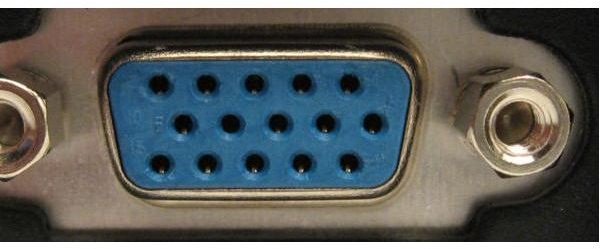
VGA
VGA video connections are typically blue. This connector allows for the connection of a monitor to your computer. VGA connections have three rows of five ‘female’ holes. This connection from the motherboard (when video is built on board the computer) connects to the blue cable from your monitor. VGA connections may be available if a separate card is on the computer.
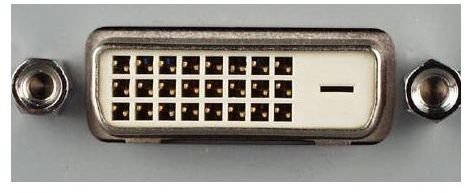
DVI
DVI known as digital video interface is the most popular format of video interface with newer computers. These connections allow for the quality of LCD monitors to be maximized. There are three popular forms of DVI. These formats are DVI-Digital, DVI-Analog, and DVI-Integrated (Digital & Analog). Most DVI connectors on computers today are DVI-I. It can be recognized by the white connector on the back of your computer. If you elect to use this connections, on your computer, you will not use the VGA connector found on the back of your computer.
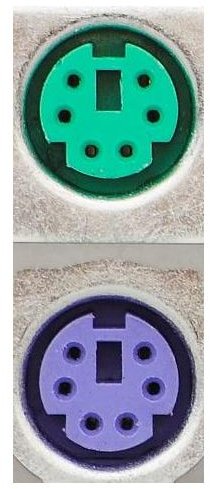
PS/2
Generally PS/2 connectors are used for mice and keyboards. Keyboards are colored purple and mice are colored green. These connectors should never be plugged in once the computer is powered on. In the event your mouse and keyboard are not colored, the keyboard will go in the female slot closest to the chasis of the computer and the mouse will go closest to the center of your computer. These connections are immediately adjacent to one another. Many computers today no longer have these connections and opt for USB keyboards and mice
During the initial setup of a computer, you may not have a device to connect to the connectors below:
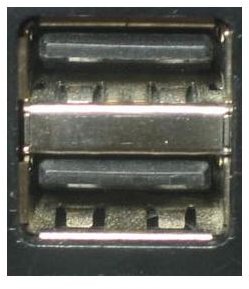
USB
Universal Serial Bus connections on a computer can be found in the rear and front of a computer. Although computers may have one or two USB connections in the back of a computer and one (or none) in the front of the computer; hubs can be attached to a computer to connect up to 127 devices. USB connections are ‘how swappable’ meaning they can be plugged in when computers are on.
- Devices that use USB can include thumbdrives / flashdrives, printers, cameras and many other devices.
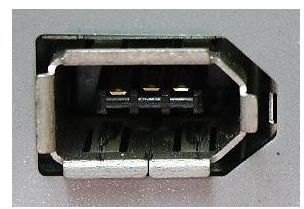
Firewire
Firewire connections allow for high speed devices such as video cameras and harddrives. When hooked up, Firewire gives one of the fastest transfer rates for these devices.
Sound Connectors
Sound Card Connections are round connections that are multi-colored. The green port is for your speakers. The pink port is for your microphone.
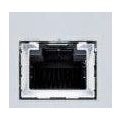
RJ45 Network Connector
The RJ45 connector on the back of a computer looks very similar to a phone line (modem - RJ11) connector. RJ45 connectors are made for CAT 5 patch cables generally found in networking or for connecting to the internet via way of broadband.
Conclusion
When plugging in the cables in the back of your computer, most of the fittings and cables will have different shapes and can only be installed into the outlet that has the same shape. While this tutorial and description of each port is basic, connections are primarily the same on all computers. Today’s laptops have many of the same ports so that external devices can be hooked into them. Connections should never be forced and should be aligned before tightening them down.
If you still have questions about computer ports, cables and slots, see this article for more details.
