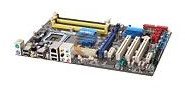
The motherboard is one of the core components of any PC. Your RAM, CPU, hard drive, and other choices all affect the motherboard decision. This buyer’s guide walks you through some of these decisions and helps you make sure you buy the right motherboard for the rest of your new PC’s hardware.
Before Choosing a Motherboard, What Do I Need to Know?
The most important thing you need to know is what kind of PC you are building. Is this for gaming? Is this for photo editing? Is this for email and internet? If you are not sure exactly, you might find this article helpful: Best Desktop Computer Buying Guides and Building Tips .
Once you know the type of PC you want, you know how high end a motherboard you need. Probably the most important question is whether you want this PC for heavy duty gaming. If you do, that raises some additional questions you need to decide on before making a selection.
What Gaming Specific Motherboard Questions Are There?
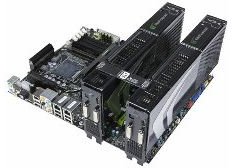
The biggest one is whether or not you want to do SLI or Crossfire . In short, those are technologies that allow you to use two graphics card simultaneously for enhanced gaming performance. SLI is for NVIDIA graphics cards, and Crossfire is for ATI graphics cards. The gains from this are minimal on a per dollar and per watt basis and many games still have little or no SLI/Crossfire support. Going SLI/Crossfire means you need a more expensive motherboard, two graphics cards, a more expensive power supply, and possibly more fans/cooling. On the plus side, SLI/Crossfire can give you better performance now, or a path to upgrade later if you buy one high end graphics card now, and buy the second, matching one later when prices fall.
Most Important Things When Choosing Your Motherboard
There are a few hardware specifications that are absolutely vital when you shop for a motherboard.
CPU Socket Type: This is the type of CPU the motherboard supports. You will probably choose your CPU before your motherboard, so make sure these match.
CPU Type: This is also important in making sure your CPU is compatible. Most likely, if the socket type is compatible this will be compatible as well. But double check!
Number of Memory Slots: This is usually 2 or 4. This is the number of RAM chips you can install.
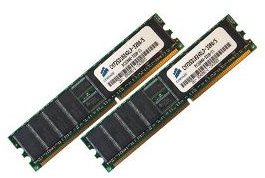
Number of Pins: This is the number of pins supported in the RAM slots. If you buy the wrong RAM, it will not fit in the motherboard.
Memory Standard: This is just as important as the number of pins. An example of a memory standard is “DDR2”. You need to buy RAM that matches this.
Expansion Slots: Pay especially close attention to the number of PCI Express 2.0 x16 slots (most high end graphics cards require at least a PCI Express 1.0 x16), regular or x1 PCI Express Slots, and plain PCI Slots. You need to make sure you have enough of the right types of slots for any cards you plan to add: graphics cards, sound cards, video capture cards, etc. Differences between PCI, PCI-E and x16 lanes slots are explained here .
Storage Devices: At the time of this article, you will most likely buy a SATA hard drive. So make sure your motherboard supports SATA storage devices.
Physical Spec: Most desktop builders are looking for ATX form factor, available in three sizes; Extended, normal, and Micro. You can put a smaller ATX board in a larger ATX case (e.g.: Micro board in normal case or normal board in E-ATX), but obviously not the opposite. If you have a specific case in mind that is not ATX, make sure it matches with the physical spec for this motherboard.
Other Useful Things to Check When Shopping for a Motherboard
These are not quite as important, but may still have a major effect on your motherboard decision.
Maximum Memory Supported: You want to make sure your motherboard supports at least as much RAM as you are planning to buy. As of early 2009, make sure it supports at least 4-8gb, but 16 gb is better.
Onboard Video: If you do not want to buy a video card, check for onboard video. If you plan to use the PC for gaming or video/photo editing, you probably want NO onboard video. You will buy your own graphics card, and it is better to not even have to bother with disabling the onboard. Onboard video is generally very poor and completely unsuited to gaming.
Onboard LAN: It is convenient that most motherboards have onboard LAN now (usually 10/100/1000Mbps). If you do not have this, you will need to buy an ethernet card if you plan to use this computer on the internet (if you are reading this, I imagine you will want that).
Onboard Sound: Onboard sound is becoming more common now that many games, applications, and operating systems have good sound support. The need for a hardware sound card is certainly diminishing. For gaming, a sound card is still recommended, however, as some games have conflicts and other problems with onboard sound. If you are not a heavy gamer, onboard sound is fine.
Ports: Simply check to make sure it has enough USB, PS/2, or other ports you want for external peripherals.
Where Can I Get Suggestions for a Specific Motherboard?
This changes often, so instead of making a specific recommendation I am going to point you to place you can go for this information.
PC Gamer has a section in every edition of their magazine called “HARD STUFF.” This is their hardware section. In that section there is usually an article called “HARD STUFF TRINITY.” This is basically a list of specific hardware suggestions for DREAM, MID-RANGE, and ENTRY LEVEL gaming PCs. Their suggestions are often very good.
The Guru of 3D is an excellent web site with an enormous amount of information about computer hardware. As the title implies, it is biased towards gaming or people who do anything graphics heavy. Every few months the author updates his buyers guides, and I have found them to be very useful. His December 2008 buyer’s guide begins here .
Where Can I Shop for a Motherboard?
There are a number of online retailers that have an excellent selection of motherboards. As with any online shopping, pay close attention to return policies, warranties, and any guarantees.
Pricewatch is a good general site for doing price comparisons. Pricewatch is a meta-site that grabs price information from many online retailers. You cannot actually buy anything from Pricewatch.
Newegg is an online computer/electronics store that generally has excellent prices and a good reputation. I have shopped there many times and have had good experiences. Each product entry at Newegg has very detailed hardware specifications (click the SPECIFICATIONS tab for the info) as well as tons of customer reviews. The customer reviews also sometimes include tips about a specific product that may help you make a decision.
Anything Else?
I believe that covers everything. Once you get your motherboard, remember that installing the CPU is one of the most delicate parts of assembling your PC. Read the instructions carefully before you do the CPU install and then work with caution.
An excellent step by step guide (with pictures) on how to actually build a PC can be found here .
Good luck and enjoy your new motherboard!


