How to Upgrade Memory in Your Laptop Computer
The Beginnings
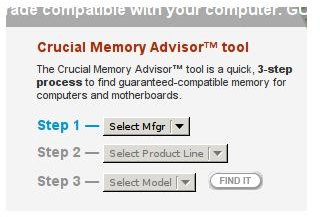
Before you even buy the memory for this upgrade, make sure the memory you have selected is the right memory. The best way to do this is by visiting https://www.crucial.com and finding it on this website. See Image.
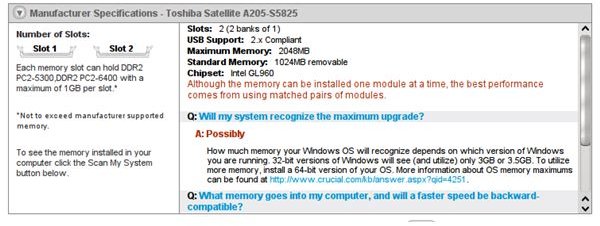
The tool on crucial.com will help you select the right memory for your laptop. You could buy your memory at Crucial, Newegg, or anywhere you want now that you know what memory you need and how much to get. The manufacturer advises how much memory can go into the laptop - 2GB, 4GB, 8GB - so buying more is not advised as the laptop will simply not support it.
Screens
Where is It?
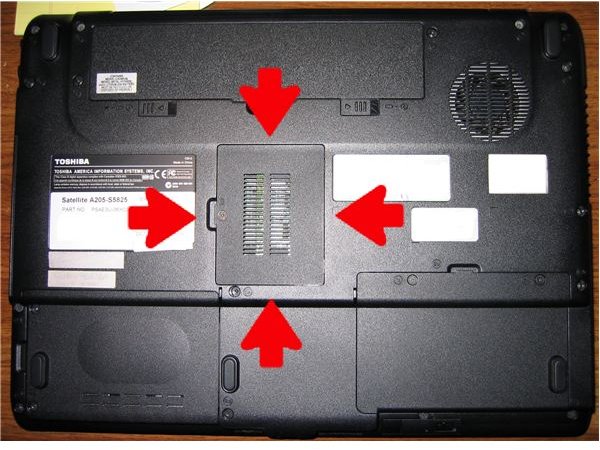
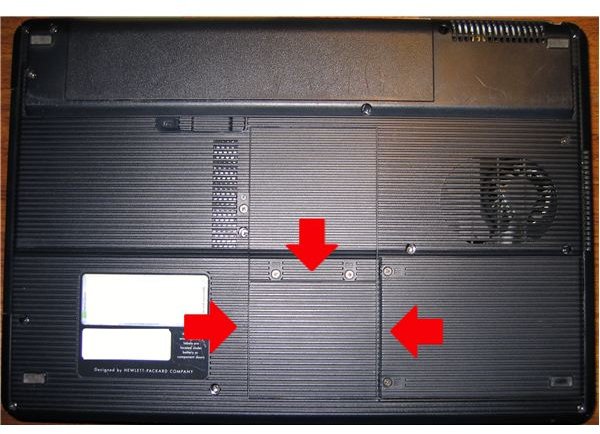
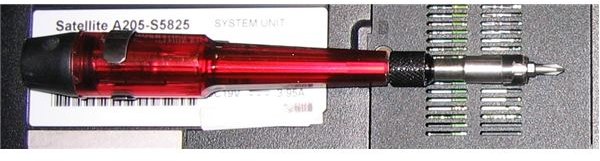
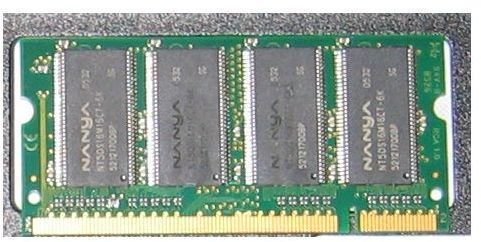
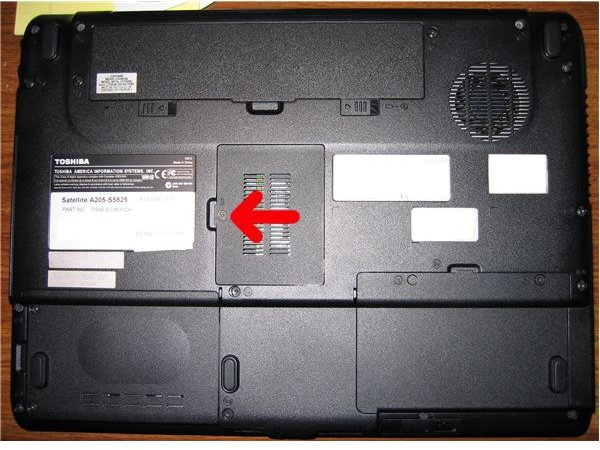
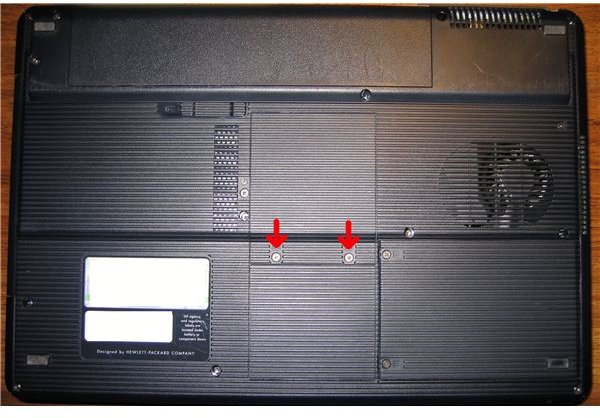
To gain access to the laptop’s memory you don’t have to open it up all the way. Most laptops have a little compartment that holds the memory. As an example here is a picture of my 6 month old Toshiba A205-S5825 (left) and my wife’s older Compaq V2000 (right). Also depicted is the screwdriver or one like it that you’ll need. The final picture is an example of a memory module.
Laptops & Screwdriver
Remove the Old Memory Modules
Before doing anything be sure to touch something metal, so you’re not holding a static charge. Discharging this inside the laptop would be a bad idea.
Replacing the memory is not that hard. All you have to do is loosen a screw or two. Note that the Compaq has three screws. Then, you’ll have access to the memory compartment.
Where Are The Screws
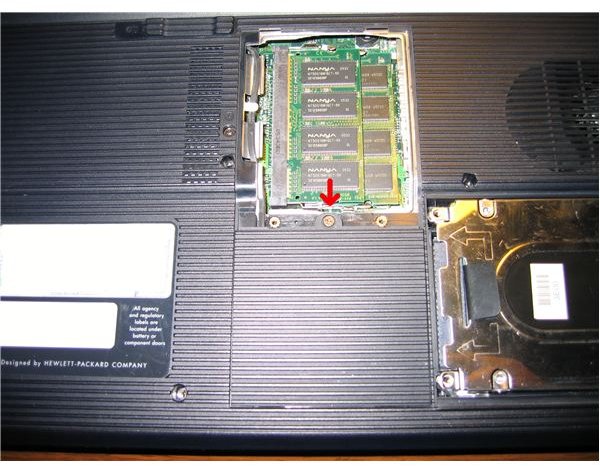
Now lift the memory by loosening these clips.
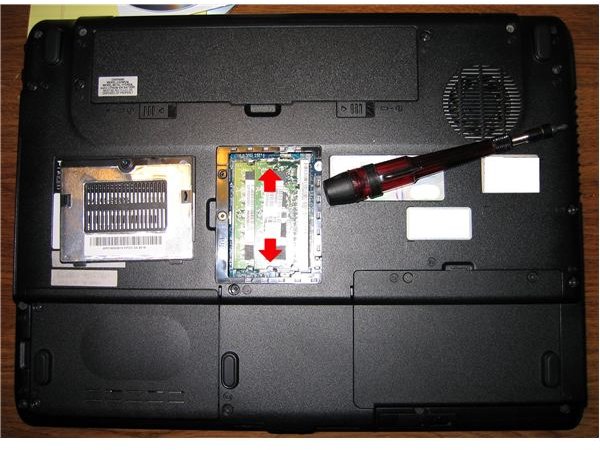
As seen in the picture below, the memory will lift up.
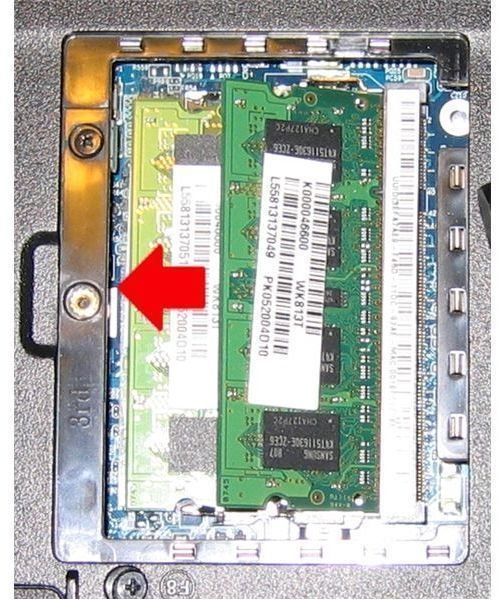
Now pull the first memory module out. If you bought a matched memory pair, then you also have to replace the second memory module. If there is only one memory module, then you would only be replacing that one.
Placing The New Memory
If you walked around, then touch something metal again.
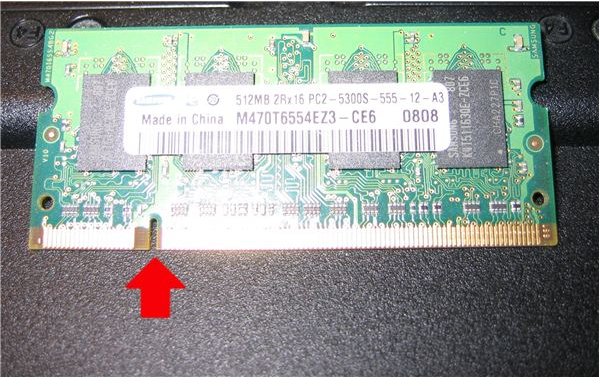
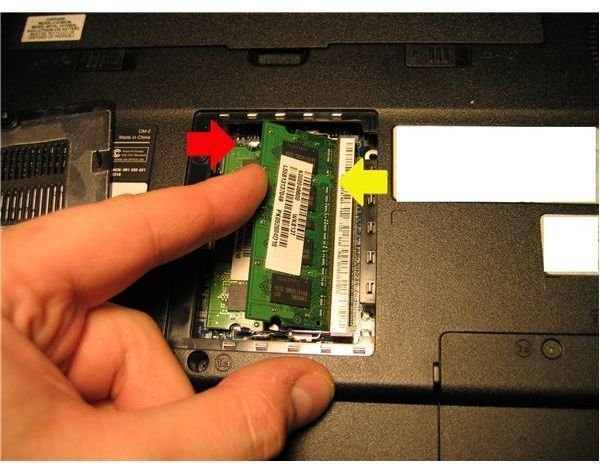
Take a look at the old memory. Do you see a notch cut out of the module? This is to make sure you don’t install the memory the wrong way. The new module will only go in one way. If you meet resistance do not force it. Stop and pull it out to make sure the notch lines up with the slot. See to right with yellow arrow.
The Notch
Now close the compartment, and switch the laptop on to make sure it works. That’s it - you have upgraded your memory. If you run into any problems, then post a comment on my blog. I’ll help you figure out what went wrong.
This post is part of the series: Laptop How To
This series of articles explains how to do simple upgrades on your laptop yourself.
