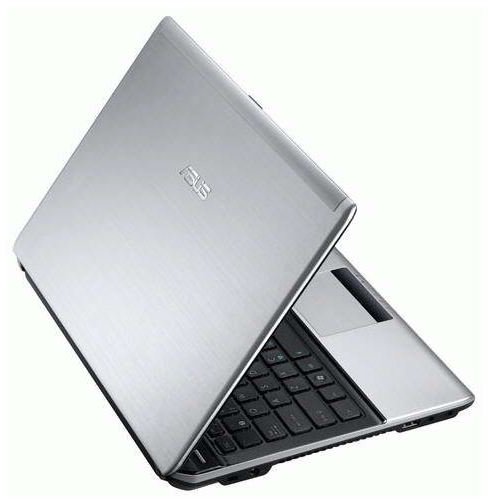
Looking for a laptop this holiday season? Before you buy, you should read this guide! You’ll find all the information that you need to know about laptops, including the scoop on the latest computer hardware.
Shopping for the Holidays
October, November and December are excellent months for laptop shoppers. The frenzy of shoppers means great deals for those in the market for a laptop, if you can shove through the crowd to claim your prize.
A great deal doesn’t change the fact that you need to know what you’re buying, however. In this guide I will educate you about the current laptop market, which means you’ll be able to purchase a laptop that best suits your needs without over-spending.
So, let’s dive right in!
The Basics Haven’t Changed
Though new computer hardware debuts constantly, the basic size and shape of laptops hasn’t changed much since the introduction of netbooks. Laptops are consistently becoming thinner, but consumers are still choosing 15.6” laptops above other sizes, and a laptop with such a large display can only be made so thin.
If you are looking for a laptop that will be the only system of the person receiving it, the 15.6” format remains a solid choice. The larger display is easy to use, and most laptops of this size offer excellent performance for the price. However, you must keep in mind this size of laptop will be a bit heavy and difficult to carry around.
Those looking for something more portable should consider 13” and 14” laptops. Both are much easier to stuff in a bag, and usually weigh four pounds or less. Battery life is also often better on these models, but some performance is sacrificed to obtain this.
If extreme portability is required, netbooks are still the answer for most users, though it’s sometimes possible to buy a big extended battery for a 13” or 14” system. Netbooks are still inexpensive, as well – many retail for under $300. The trade-off for this is performance, as your average netbook processor is 5 to 10 times slower than an Intel Core i5 powered system, depending on the benchmark.
On the other hand, if you know that a laptop will be never taken outside of the user’s home, you may want to consider a 16” or 17” laptop. These are extremely difficult to transport because they won’t fit in most backpacks or messenger bag, and they often weigh over six pounds. However, they include larger displays with higher resolutions and more comfortable keyboards.
Enter the Ultrabook
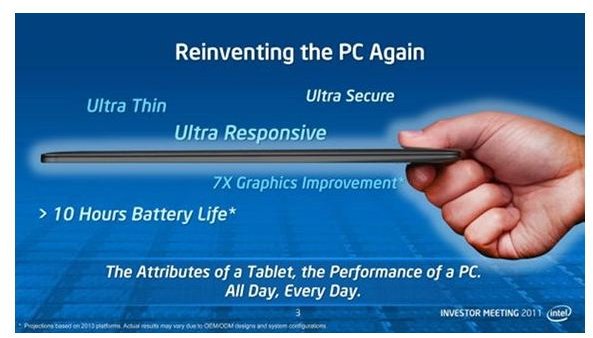
One wildcard this holiday season is the ultrabook. In essence, it’s a Windows rendition of the MacBook air. It’s super-thin and light. Intel low-voltage processors are used in order to obtain maximum battery life.
This is a wildcard because the laptops are just now entering production. It’s not clear how well these laptops perform, and early reviews likely won’t become available until mid-November, with more in-depth tests extending into December.
Personally, I would advise staying away from these systems until reviews become available and more ultrabook options hit the market. They could be excellent, but at this point they’re an unknown. Worse, they’re rather expensive, with most models entering at around $1000. That’s a lot to spend on an unproven design.
Avoiding the Bargain Trap
Every holiday season, some laptops are made available at outstanding clearance prices. It’s not unusual to see full-size 15.6” laptops sold for $300 during massive sales designed to bring in hoards of customers.
At first glance, this may seem like an excellent purchase. However, you need to be careful about falling in to the bargain trap. Cheap computers are sometimes exactly that – cheap computers. There are still models lurking on store shelves with old-school Intel Celeron or AMD Turion processors and 2GB of RAM.
Often, the performance for these laptops is simply unacceptable. They tend to be as slow as laptops designed for portability, but without the benefits in battery life, as the batteries in these systems are usually small to keep costs down.
Remember – whatever laptop you do buy is most likely going to be used for several years, at the least. In some cases, it may be expected to function for five years or more. Although future-proofing is generally not a worthwhile idea, in the laptop market it’s rarely a good idea to purchase the least expensive product possible, as it will most likely already be outdated by a significant margin.
Laptops are not as easily upgraded as desktops, so you are most likely stuck with whatever you purchase. This means you need to make the right choice the first time. There’s also been some evidence in laptop reliability reports that less expensive laptops are less reliable than more expensive ones, which is another factor to keep in mind.
Processor Possibilities

The CPU in a laptop remains an important factor in its performance and battery life. The gap between the quickest and slowest processors on the market is significant, so you’ll want to make sure that you purchase a product equipped with the right choice.
For most users, Intel’s mainstream second-generation Core i3 and Core i5 processors are the best option. These processors are designated by the Core i3/i5 brand name, followed by a four-digit numerical identifier. If there is only a three-digit numerical identifier, then you’re looking at a first-generation Core i3/i5. At this point, I don’t see much reason to purchase one of those.
The second-generation Core i3/i5 is extremely quick, includes an adequate integrated graphics processor (IGP) that can play most 3D games at low detail settings, and is power efficient. It’s simply the best combination of traits for most buyers.
One alternative in the mainstream market is the AMD A-Series Fusion APUs. Like Intel’s Core i3/i5, these are processors that include an IGP as part of the architecture, but AMD’s version is a bit more powerful than what is usually found on comparably priced Intel processors. The downside to the AMD A-Series is poor core CPU performance. Battery life seems equivalent to what Intel offers.
Those who need an extremely powerful laptop should consider the second-gen Intel Core i7 quad-core. This is the most powerful laptop processor that can be purchased today. In benchmarks that make proper use of the additional cores, it is almost twice as quick as a Core i5. Battery life does suffer a bit, but it’s still possible to obtain four hours of endurance from many Core i7 quad-core laptops. The real downside is simply price.
Finally, we have the netbook processors. Atom is still popular in netbooks because it is cheap to buy and offers amazing battery life, with many netbooks offering over eight hours. The downside is graphics performance – Atom based netbooks have none. AMD offers an alternative in the C-series and E-series APUs, which are actually capable of playing older 3D games at low detail settings as well as 720p Flash video, but most netbooks with these processors have closer to six hours of battery life. Pricing is not substantially different between these competitors.
More Hardware Questions
Beyond processors, the basics of what you should look for in a laptop haven’t changed much in the last two years. RAM should be at least 4GB, and a 500GB hard drive is still a good capacity to shoot for. If you want to play 3D games at medium detail settings or higher, you will likely need a discrete GPU in the form of either an AMD Radeon or Nvidia GeForce.
One pitfall to avoid is overkill. In some models it is now possible to purchase up to 8GB of RAM, for example. For most users, that is far more than will ever be needed. In fact, your average user will need bump in to the limits of the 4GBs found standard on most modern laptops. Similar criticism can be leveled at hard drives. Not everyone is going to need over a terabyte of storage, and there’s no reason to pay for it if you don’t need it.
One piece of hardware that is worth upgrade, if possible, is the display. It is sometimes possible to upgrade the resolution, which means there will be more pixels packed in to the same space. This makes it possible to display more information because the size of any object on a computer is measured in pixels rather than inches. In addition to this, games and movies will have a sharper appearance. I would only advise against a display resolution upgrade for consumers who are combating vision problems, as the higher resolution will make text appear smaller. There are ways to fix that, but they don’t work well with all programs.
Back to the Battery
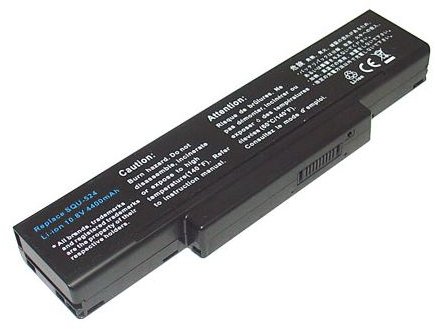
As mentioned earlier, the power efficiency of the mainstream Core i3/i5 processor is impressive. It’s possible to obtain up to six hours of light-use endurance with one of those, but only if the battery is up to the task.
When it comes to batteries, capacity is king. Bigger batteries will offer more power. If possible, try to find the watt-hour rating of the laptop battery, which will be expressed in a term such as “65Wh.” For a mainstream laptop, anything over 60Wh should provide solid endurance, while another under 50Wh should be considered small. Some ultra-portables have batteries rated at 80Wh or higher, while some budget laptops have batteries under 40Wh.
Remember, a battery’s capacity diminishes over time. Reviews see laptops when they are new, so those figures are the best you can ever expect to obtain. If you absolutely need three hours of battery endurance, don’t buy a laptop that just provides three hours, because after a year it will be providing two and a half. Instead, purchase a laptop that offers four or five hours.
A Good Time to Buy
The laptop market is currently favorable to buyers. Mainstream laptop processors are surprisingly powerful and efficient, which means that laptops are both faster and more portable. Prices are low, too. It’s entirely possible to buy a satisfactory laptop for $500 if you just need a 15.6” desktop replacement, and more portable models can be had for $600 to $800. Only those in need of an extremely portable or extremely powerful laptop need to spend more.
Laptops are products that will be used for many years. Do your research, and don’t buy the first one that looks like a great deal (unless it really does turn out to be a great deal). This will ensure that the laptop you purchase won’t need to be replaced in two years.
References
- PC Perspective: AMD A-Series Llano APU Review http://www.pcper.com/reviews/Processors/AMD-Series-Llano-APU-Sabine-Notebook-Platform-Review
- Image Credit: Intel
- Bright Hub: Mobile Core i3 vs i5 vs i7 https://www.brighthub.com/computing/hardware/articles/66776.aspx
- Image Credit: AMD
- Image Credit: Highway Laptop Batteries
- Image Credit: ASUS
- Smidgen PC: Laptop Reliability Ratings http://smidgenpc.com/2010/05/07/laptop-reliability-ratings-which-laptop-is-really-most-reliable/


